
How to Take Headshots at Home for Professional Results

This article is part of our Professional Headshots collection.
Taking a professional headshot at home is more than possible—it's actually pretty straightforward once you nail a few key elements. Before you even think about your camera, focus on finding a simple backdrop like a plain wall, picking out a solid-colored outfit, and making sure you have good, soft light coming from a window.
Getting these fundamentals right from the start takes all the guesswork out of the process. It’s the foundation that sets you up for success.
Why a Quality Headshot Is Non-Negotiable
Let's be honest, in a world where your online profile is often the first handshake, a polished headshot is your most important piece of personal branding. It’s so much more than just a picture; it’s a strategic tool that instantly communicates professionalism, confidence, and whether you're someone people want to work with.
Think about the last time you looked someone up on LinkedIn. Their profile picture probably shaped your initial perception in a matter of seconds.
The stakes are surprisingly high. While our phones have turned everyone into a photographer, a staggering 85% of LinkedIn users still have headshots that are outdated or look like they were snapped on a whim. This can immediately sink your credibility. For enterprise teams and anyone building a personal brand, a professional image is absolutely essential. The current trend is all about authenticity—think controlled lighting, dark charcoal backgrounds, and light retouching that keeps your expression genuine.
The Foundation of a Great Home Headshot
Before we dive into the technical stuff like camera settings or lighting tricks, let's get the stage set. Mastering these three simple elements will make the entire process smoother and give you up to 40% better connection rates on your profile.
- Your Backdrop: Keep it simple and non-distracting. A solid, neutral-colored wall is perfect—light gray, off-white, or even a dark charcoal works wonders. Just stay away from busy patterns, brick walls, or cluttered rooms that steal the focus from you.
- Your Wardrobe: What you wear says a lot. Stick with solid colors that complement your skin tone. You can't go wrong with classics like navy blue, charcoal gray, burgundy, or forest green. Ditch the busy patterns, big logos, or anything that feels too casual for a professional setting.
- Your Grooming: The little details matter. Make sure your hair is neat and styled the way you would for an important meeting. The goal is a natural, polished look—think clean and tidy, not overly made-up.
Essential Gear You Already Own
You really don't need a full-blown photo studio to get great results. In fact, you probably have everything you need sitting around your house right now. The most important piece of equipment is your camera, and that can be either your smartphone or a DSLR you already own.
Modern smartphones, especially with their "Portrait Mode" feature, are incredibly powerful. They can create that professional-looking blurred background effect (known as bokeh) that used to be reserved for expensive cameras.
Besides the camera, a tripod will be your best friend for getting sharp, steady shots. If you don’t have one, no big deal—get creative and prop your phone or camera on a stable stack of books. A remote shutter or your camera’s self-timer is also a game-changer, letting you get into position without having to rush.
Having the right foundation is especially critical for platforms like LinkedIn, and it makes a world of difference. For more tailored advice, our complete guide on creating standout LinkedIn headshots has you covered.
By focusing on these core pieces—backdrop, wardrobe, grooming, and basic gear—you’re building a repeatable setup for success. This prep work means that when it’s time to actually take the shot, you can focus on the one thing that truly matters: your expression and presence.
Mastering Light for Studio Quality Portraits
Light is everything in photography. Seriously. It’s the invisible artist that sculpts your features, sets the mood, and turns a simple snapshot into a portrait that actually connects with people. The good news? You don't need a studio packed with expensive strobes to get professional results. The real secret is learning how to see and shape the light you already have.
The best light source is often right there in your home: a window. Natural window light is soft, diffused, and incredibly flattering. It minimizes harsh shadows and creates a gentle, approachable vibe. Just be sure to avoid direct, blazing sun—that’ll make you squint and cast hard, dark shadows. What you’re looking for is indirect light.
Harnessing Natural Window Light
First things first, find the largest window in your home that isn't getting hit with direct sunlight. North-facing windows are the gold standard because they provide beautifully consistent, soft light all day long. If all you have are south-facing windows, no problem. Just wait for a slightly overcast day or shoot when the sun isn't directly hitting the glass, like in the mid-morning or late afternoon.
Position yourself facing the window, letting that soft light fall evenly across your face. It's the simplest and most effective setup for a clean, professional headshot. The window basically acts as a giant softbox—a piece of pro gear used to create that high-end look, except you get it for free.
Here are a few ways to play with your positioning for different effects:
- Directly Facing: Stand or sit about two to three feet from the window, looking straight toward it. This creates a bright, even light that’s perfect for a corporate or LinkedIn headshot.
- 45-Degree Angle: Turn your body slightly away from the window, about 45 degrees, but keep your face turned toward the light. This introduces some subtle shadows on one side of your face, which adds depth and makes the shot more dynamic.
- Using a Reflector: To soften those shadows even more, grab a simple reflector. You don't need to buy one—a piece of white foam board or even a plain white t-shirt held just out of the frame will bounce light back onto the shadowed side of your face.
This little breakdown covers the essential steps for a successful home headshot session, from picking a backdrop to getting your gear ready.
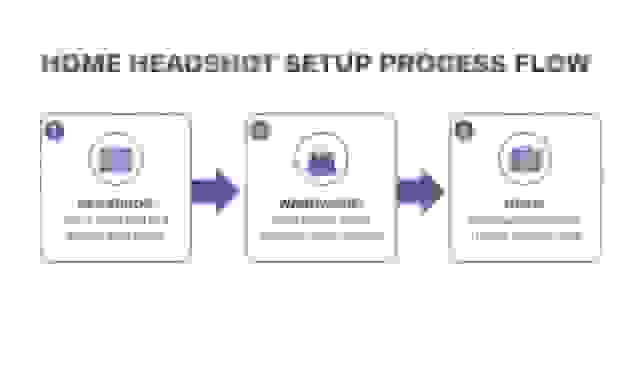
By methodically preparing your backdrop, wardrobe, and equipment, you build a solid foundation before you even start thinking about the perfect lighting.
Creating a Simple DIY Studio Setup
What if it’s dark out or you just don't have good natural light? No worries. You can easily create a versatile lighting setup with lamps you already own. The goal is to mimic that soft, directional light you’d get from a window. The key is a basic two-light setup.
Your main light source is called the key light. This should be your brightest light. Place a lamp about 45 degrees to one side of you and position it slightly above eye level. Placing it directly in front of you can flatten your features, so an angle is always better. If the light is too harsh, you can soften it by shining it through a thin white bedsheet or bouncing it off a nearby white wall.
Next, you'll want a fill light. This one is less intense and goes on the opposite side of the key light. Its only job is to "fill in" and soften the shadows created by your main light, making sure your whole face is visible and well-lit. A smaller lamp, or even the same type of lamp moved further away, will do the trick.
"Pro Tip: Whatever you do, avoid using the overhead ceiling light in your room. This is what photographers call "monster lighting" because it comes from directly above, creating nasty, unflattering shadows under your eyes, nose, and chin. Always turn it off and stick with your window or DIY lamp setup instead."
Dialing In Your Camera and Smartphone Settings
Okay, you’ve got your lighting sorted out and your background is looking sharp. Now for the fun part: telling your camera what to do. Whether you're working with a hefty DSLR or just the phone in your pocket, the settings you choose are what separate a simple snapshot from a truly professional headshot.
This isn't about getting bogged down in technical jargon. It’s about making a few smart adjustments that will have an outsized impact on your final photo.
If you’re shooting with a DSLR or mirrorless camera, your main job is to create that pleasing separation between you and the background. The magic happens with your aperture, which you'll see measured in f-stops (like f/1.8 or f/4). A lower f-stop number gives you a shallower depth of field, which is what creates that creamy, blurred background that makes your face the undeniable star of the show.
"My Go-To Tip: I always start with an aperture somewhere between f/2.8 and f/5.6. This is the sweet spot. It keeps your entire face perfectly in focus while softly blurring everything behind you, giving the image that polished, high-end feel."
Nailing the Settings on Your DSLR or Mirrorless Camera
Once you've locked in your aperture, the next critical piece is shutter speed. This controls how long your camera's sensor sees the light, and it’s the key to getting a crisp, motion-free shot. You’ll be holding relatively still, so you don’t need lightning-fast speed, but it has to be quick enough to cancel out any minor wobbles or movements.
As a solid rule of thumb, aim for a shutter speed of at least 1/125th of a second. That’s more than fast enough to freeze your expression and kill any chance of motion blur.
Last up is ISO, which is just your camera's sensitivity to light. For the absolute best quality, keep this number as low as you can—ISO 100 or 200 is perfect. A low ISO gives you a clean image without any of that distracting graininess. Only bump it up as a last resort if your photo is still too dark after you've set your aperture and shutter speed.
Here's a quick cheat sheet for getting started:
- Shooting Mode: Pop your camera into Aperture Priority mode (labeled A or Av). This is a game-changer. You pick the aperture you want, and the camera intelligently figures out the best shutter speed for you.
- Focus is Everything: Use single-point autofocus and place that little focus square directly on the eye closest to the camera. Sharp eyes are what make a headshot compelling.
- File Format: If you plan on doing any editing later (and you should), shoot in RAW. RAW files are packed with so much more image data than JPEGs, giving you way more freedom to make adjustments in post-production.
Getting Pro-Level Shots with Your Smartphone
Don’t have a fancy camera? No worries. The phone you use every day is an incredibly capable tool for taking headshots, largely thanks to the magic of computational photography. This tech is behind roughly 80% of modern captures and lets smartphones punch way above their weight, often rivaling DSLRs in good lighting.
First things first: always use your phone's rear-facing camera. Its sensor and lens are light-years ahead of the selfie camera on the front.
Next, find and turn on Portrait Mode. This feature is your best friend. It digitally mimics the shallow depth of field you get from a big camera, blurring the background so the focus is all on you.
Most importantly, you need to take manual control. Before you snap the picture, tap on your face on the screen. A little box will pop up, locking the focus exactly where you want it. From there, you can usually slide your finger up or down to adjust the brightness until your skin tones look natural and perfectly lit.
Modern smartphones have made getting a fantastic headshot more accessible than ever. And it's worth the effort—research shows that a genuine expression can boost profile views by up to 21%. If you’re curious about what makes an image connect with people, check out these fascinating photography industry statistics.
Just remember to take a ton of pictures, maybe 50-100 shots, to give yourself plenty of options. That's how you'll find that one perfect, authentic expression that really nails it.
Posing and Expression Coaching for Real Confidence
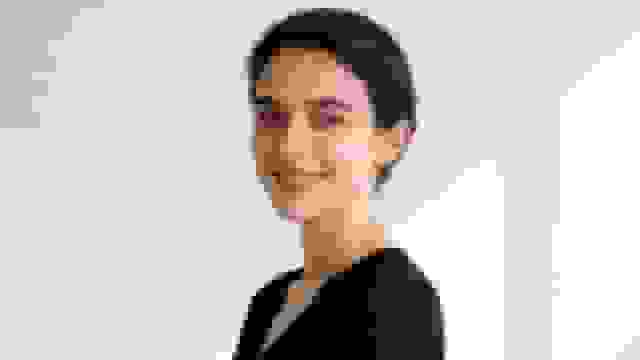
Close-up of a smiling young woman with dark hair wearing a black top against a white wall.
Let's be honest: a technically perfect photo can still fall completely flat. You can nail the lighting, get the focus tack-sharp, and have a beautiful background, but if the pose is stiff or the expression is forced, the entire image feels lifeless. This is where we shift from just taking a picture to actually creating a portrait.
You don't need to be a professional model. All it takes is understanding a few simple tricks that photographers use to bring out confidence and approachability in anyone.
The most common mistake I see in DIY headshots is the "passport photo" stance—shoulders square, facing the camera head-on. It's an instant recipe for a flat, wide-looking photo. A simple angle is all it takes to add dimension and make your pose feel more dynamic and engaging.
Finding Your Best Angles
First, try turning your body about 45 degrees away from the camera. Then, just turn your head back to face the lens. That simple twist does wonders. It creates leading lines with your shoulders that guide the viewer’s eye right up to your face, making the whole shot infinitely more interesting.
Play around with which shoulder you lead with. Most of us have a "good side" we subconsciously prefer, so take shots with both your right and left shoulders angled toward the camera. You'll quickly see what feels and looks most natural for you.
Next up is the chin. This is a big one. People tend to either tuck their chin down too far (hello, double chin) or lift it too high (which can read as arrogant). The secret is to push your chin slightly forward and then down. It feels incredibly awkward, but on camera, it works magic for your jawline.
"The Turtle Technique: It sounds strange, but hear me out. Imagine a string is pulling the crown of your head upward, elongating your neck. Then, push your forehead forward just an inch or two. This small adjustment tightens the skin under your jaw, gets rid of unflattering shadows, and creates a clean, confident profile. Trust me on this one."
Mastering Genuine Expressions
Now, let's talk about the smile. We need to banish the forced "say cheese!" grimace forever. A real, genuine expression engages your entire face—especially your eyes. The secret isn't to think about smiling, but to think about something that actually makes you smile.
Before you start snapping, just close your eyes for a second. Think about a project you just knocked out of the park, a hilarious text you got from a friend, or that vacation you're counting down the days to. When you open your eyes and look at the camera, that authentic feeling will shine through, lighting up your face with a natural, confident expression.
If a big, toothy grin doesn't fit your personal brand, that's perfectly fine. Aim for a look that's confident yet approachable. This could be a subtle, closed-mouth smile or even a more thoughtful, serious expression. The only rule is that it has to feel authentic to you.
Need some help getting in the right headspace? Try these prompts:
- For a confident smile: Picture yourself closing a huge deal or getting a major compliment from your boss.
- For an approachable look: Imagine you’re about to greet a friendly colleague you haven't seen in a while.
- For a thoughtful expression: Think about a complex problem you recently managed to solve.
And please, don't just take one photo and call it a day. The best way to catch that perfect, unforced moment is to shoot in bursts. Set your camera's self-timer to take a series of 5-10 photos in a row. This gives you time to breathe, relax, and let your expression shift naturally between clicks. It increases your odds of capturing a winner — profiles with a genuine expression get up to 21% more views.
The goal here isn't just to get an image that looks like you, but one that feels like you at your professional best. Combining strong posture with a genuine expression is the final, and most crucial, step in taking a headshot at home that truly stands out.
Finishing Your Headshot with Editing and AI

A hand holds an iPhone displaying an app for creating passport photos or professional headshots.
Hearing the camera's shutter click doesn't mean the work is done. Far from it. The final, most critical steps happen in post-production, where you can turn a good photo into a truly professional headshot. This is where subtle refinements and powerful new tools come into play.
You've really got two great paths to explore here. The first is traditional DIY retouching, which gives you granular, hands-on control over every pixel. The second involves using artificial intelligence to get studio-grade results with astonishing speed and variety.
The Essentials of DIY Retouching
Basic editing is all about subtle enhancements, not drastic changes. The goal is to look like the best version of yourself on a really good day—not like a completely different person. The good news? You don't need a PhD in Photoshop to pull this off.
Plenty of free and user-friendly mobile apps have all the firepower you need. Apps like Snapseed or Adobe Lightroom Mobile are fantastic starting points, even if you're a total beginner.
Once you open your chosen photo, focus on these key adjustments:
- Brightness and Contrast: Start with tiny tweaks to the overall brightness to make sure your face is well-lit but not blown out. A small bump in contrast can really make the image pop.
- Blemish Removal: Use a spot healing tool to gently erase any temporary blemishes or stray hairs. The keyword here is subtlety—overdoing it makes skin look unnatural and fake.
- Color Correction: If the lighting left a slight yellow or blue cast, use the white balance or temperature slider. Your goal is to neutralize the colors for a realistic skin tone.
- Sharpening: Apply a tiny bit of sharpening just to your eyes. This simple trick draws the viewer's attention right where you want it and makes the portrait feel more engaging.
"Your editing philosophy should always be "less is more." A great headshot highlights your best features without erasing your personality. The final image should look polished, not plastic."
The Power of AI Headshot Generators
But what if you need more than just one polished photo? This is where AI headshot generation completely changes the game. It’s a compelling alternative for anyone who needs ultimate quality, consistency, and a whole portfolio of options without booking a professional photoshoot.
Instead of editing one photo at a time, you upload a handful of your best DIY shots to a specialized service. The AI gets to work analyzing your facial features and then generates hundreds of unique, photorealistic headshots. It's a perfect solution for building a strong personal brand or for enterprise teams that need uniform, high-quality portraits for every single employee.
You can get a feel for the possibilities and see how different styles might work for your professional image by checking out how AI headshots can be customized. The benefits are massive: you get photos with different professional backgrounds, a variety of outfits, and diverse expressions, all from one initial set of casual pictures.
DIY Retouching vs AI Headshot Generation
So, which route should you take? The choice between manual editing and AI generation really comes down to your specific needs, budget, and what you want to achieve. Both can produce excellent results, but they serve very different purposes.
This table breaks down the key differences:
| Feature | DIY Retouching | AI Headshot Generation (e.g., BetterPic) |
|---|---|---|
| Process | Manually adjust settings like brightness, contrast, and blemishes in an editing app. | Upload a few casual photos and let the AI create hundreds of polished headshots. |
| Cost | Free to low-cost (using free apps like Snapseed or a one-time app purchase). | A one-time fee, typically starting around $35. |
| Time Investment | Roughly 15–30 minutes per photo, depending on your skill level. | Less than 1 hour total, from uploading your photos to receiving the results. |
| Outcome | One enhanced version of your original photo. | A full portfolio of 100+ headshots with various outfits, backgrounds, and styles. |
In the end, both paths offer powerful ways to put the final polish on your work. Whether you prefer the hands-on control of DIY editing or the incredible speed and variety of AI, taking the time to refine your image is a non-negotiable step toward a headshot that truly opens doors.
What BetterPic Users Report About Home Headshot Sessions
Thousands of BetterPic users take their source photos at home. Here are the most impactful findings:
- Natural daylight between 10 AM and 2 PM produces the best source photos. Users who shoot during this window report 22% higher satisfaction with their final AI headshots.
- Solid-color shirts outperform patterns for source photos. While our AI can generate any outfit, the initial face-matching accuracy improves when source photos feature simple, non-distracting clothing.
- Smartphone front cameras are sufficient. 78% of our users upload selfies taken with front-facing cameras, and there is no statistically significant quality difference compared to rear camera uploads when lighting is adequate.
- The biggest at-home mistake is inconsistent backgrounds across uploads. Users who shoot all source photos in the same location with the same lighting get more cohesive results than those who mix indoor and outdoor shots.
Answering Your Top DIY Headshot Questions
Even with the best guide, a few questions always seem to pop up when you're trying something new. Taking your own headshots is no different. It's totally normal to get stuck on the details.
Here are the answers to the most common questions we hear, filled with straightforward advice to help you nail the final shot.
What’s the Best Color to Wear for a Professional Headshot?
This is easily the question I get asked most often, and it makes sense—your outfit can make or break the photo. The simplest rule of thumb is to wear solid, neutral colors. Think navy blue, charcoal gray, or even a classic black. These colors are timeless, look professional, and keep the focus right where it should be: on your face.
If you want a bit more pop, jewel tones like emerald green or a rich burgundy can work wonders, especially if they complement your skin tone and fit the vibe of your industry.
What should you absolutely avoid?
- Busy patterns and distracting prints. They just don't age well and pull focus.
- Big, loud logos. Unless it's your own company's logo and it's subtle, skip it.
- Colors that match your skin tone or the background. You don't want to look washed out or like a floating head.
For teams trying to coordinate, a great trick is to have everyone wear colors that align with the company's brand palette. It creates a subtle, cohesive look without forcing everyone into a stuffy uniform.
Can I Really Get a Professional Result with Just My Phone?
Yes, absolutely. The old idea that you need a bulky DSLR camera to get a pro-level headshot is completely dead. The cameras on modern smartphones are ridiculously powerful. Features like Portrait Mode are literally designed to mimic that soft, blurry background (photographers call it bokeh) that used to be exclusive to expensive lenses.
The secret to a great shot isn't the price of your gear; it's how you control the fundamentals.
"A well-lit, well-posed headshot taken on a new smartphone will always beat a poorly lit, awkwardly framed photo from a top-of-the-line camera. It all comes down to technique, not just tech."
To make your phone really shine, always use the rear-facing camera—its sensor is way better than the selfie cam. A cheap tripod or stand will eliminate any shakiness, and using the self-timer gives you a moment to compose yourself without fumbling, ensuring you get a sharp, crisp picture every single time.
How Do I Make Sure My Team's DIY Headshots Look Consistent?
Getting a whole team's headshots to look uniform is a classic DIY challenge, but it's totally manageable with a little bit of planning. The key is clear communication. Draft up a simple, one-page "Headshot Guide" and send it out to the entire team.
Your guide should lock down a few key rules:
- Background: Everyone uses a solid, neutral wall (light gray or off-white is perfect).
- Lighting: Ask everyone to face a large window for soft, consistent natural light.
- Framing: Include a sample photo showing exactly how they should be framed—chest-up is standard.
- Dress Code: Be specific. "Solid-colored business casual tops" is much better than "dress professionally."
Even with these rules, getting perfect consistency with different phones and home setups is tough. A hybrid approach often works best. Have everyone submit their best DIY shots, then use an AI headshot service to apply the exact same background, style, and professional edits to each photo. It’s a super-efficient way to get a perfectly polished and uniform set of images. You can check out AI headshot pricing and packages to see what might work for your team size and budget. This way, everyone looks fantastic while reinforcing a strong, cohesive brand identity.
Ready to skip the DIY process and get studio-quality results in minutes? With BetterPic, you can transform your casual photos into hundreds of professional, photorealistic headshots. Get your perfect headshot today!
Sources & References
- LinkedIn Profile Photo Tips — LinkedIn
- How Your Profile Photo Impacts Your LinkedIn Presence — LinkedIn Official Blog
- AI Image Generation Market Report — Grand View Research
- How AI Is Changing Photography — Forbes
- Professional Headshot Photography Pricing — Thumbtack

Written by
Apoorv SharmaHead of Performance
Apoorv leads performance and growth at BetterPic with 9+ years of experience across SEO, SEM, and growth marketing. He oversees content strategy, data-driven marketing, and hands-on testing of AI headshot platforms. Previously held senior performance marketing roles across the US, Belgium, and India.
- Google Analytics & Google Ads certified
- HubSpot Inbound & Content Marketing certified
- 9+ years in SaaS growth and performance marketing
Related professional headshots for individuals resources
Keep exploring this topic with focused resources from the B2C journey.
Primary destination:BetterPic homepage
Frequently Asked Questions
Can you take a professional headshot with your phone?
- Yes. Modern smartphones with Portrait Mode can produce professional results. Use the rear-facing camera for better quality, set up a tripod or stable surface, use a self-timer, and face a window for soft natural light. Take 50-100 shots to find the best expression.
What is the best lighting for headshots at home?
- Face a large window with indirect natural light for the most flattering results. North-facing windows provide consistent soft light all day. Position yourself 2-3 feet from the window. Avoid overhead ceiling lights, which create unflattering shadows under your eyes and chin.
What background should you use for a headshot at home?
- Use a solid, neutral-colored wall in light gray, off-white, or dark charcoal. Avoid busy patterns, brick walls, or cluttered rooms. Stand a few feet away from the wall to create depth and prevent casting a sharp shadow directly behind your head.
What camera settings work best for headshots?
- Use aperture between f/2.8 and f/5.6 for a blurred background, shutter speed of at least 1/125th of a second for sharpness, and ISO 100-200 for clean images. Use Aperture Priority mode and focus on the eye closest to the camera.
What is the best color to wear for a headshot?
- Solid neutral colors like navy blue, charcoal gray, or black work best. Jewel tones like emerald green or burgundy add pop without being distracting. Avoid busy patterns, loud logos, and colors that match your skin tone or background.
Should you use AI instead of taking headshots at home?
- AI headshot generators like BetterPic offer an alternative starting at about $35. Upload a few casual photos and receive 100+ professional headshots in under an hour with varied outfits and backgrounds, eliminating the need for lighting setup, camera skills, and editing.
Save 87%on average on your professional photos.
Whenever, wherever you are.
Get studio-quality, 4K images in a variety of outfits & settings in less than an hour.
Get your headshots nowStart now
