
AI Headshot Examples — Business, LinkedIn, Corporate & Creative Styles
This article is part of our Professional Headshots collection.
Originally published: August 21, 2023 · Updated: February 23, 2026
The best way to understand what AI headshots can do is to look at actual examples. Not marketing promises — real output from real tools.
Below are AI-generated headshot examples across different professional contexts. For each one, we'll explain the fundamentals of an effective headshot and when you'd use that particular style.
What does an AI headshot generator actually produce?
An AI headshot generator takes your regular photos (selfies, casual shots, whatever you've got) and creates professional-looking portraits from them. No photographer, no studio, no scheduling.
The AI has been trained on millions of professional photographs, so it understands what "good" looks like — proper lighting, flattering angles, clean backgrounds, appropriate attire. You upload, pick a style, and the tool does the rest.
People use them for:
- LinkedIn profiles
- Company team pages
- Business cards and email signatures
- Actor and model portfolios
- Personal branding across social platforms
Now let's look at what the output actually looks like.
Example 1: Classic business headshot
This is the bread and butter — the style most people think of when they hear "professional headshot."
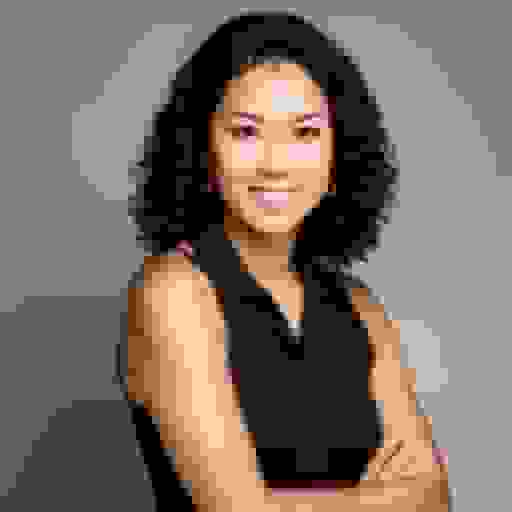
What makes it work:
- Neutral background — nothing competes with the subject's face
- Formal attire — blazer or suit, solid colors
- Direct eye contact — confident but not intimidating
- Approachable expression — not smiling big, not stone-faced, just natural
When to use it: Corporate websites, consulting bios, executive profiles, LinkedIn (especially for finance, law, and consulting). This is the "you can't go wrong" option. If you're not sure what style to pick, start here.
For more styles in this category, check out BetterPic's business headshot examples.
Example 2: LinkedIn headshot
Business-ready LinkedIn portraits have their own vibe — professional, but slightly warmer and more approachable than a pure corporate shot.
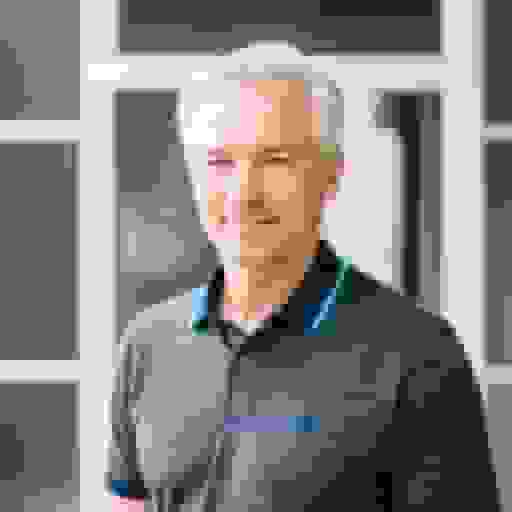
What makes it work:
- Clean background — office-like or solid color, not distracting
- Business casual clothing — button-down without a jacket works great
- Natural lighting feel — softer than studio, more like "well-lit office"
- Friendly expression — this is a networking platform, you want to look like someone people want to connect with
When to use it: LinkedIn (obviously), professional networking profiles, company directory pages, and email signatures; a free AI workflow for a LinkedIn portrait offers an accessible starting point.
LinkedIn's own guidelines say your photo should clearly show your face, be well-lit, and look professional. That's a low bar — the real goal is standing out among the sea of blurry phone photos and ten-year-old headshots in people's feeds.
More on this in our LinkedIn headshot guide.
Example 3: Actor headshot
Actor headshots serve a completely different purpose. They need to show range and let casting directors see the real you — not a polished corporate version.
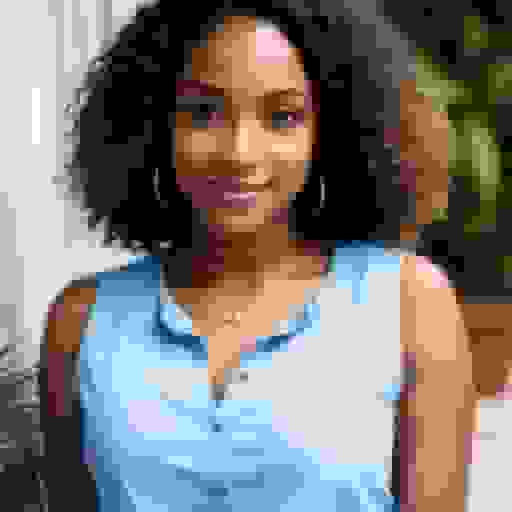
What makes it work:
- Clean, uncluttered background — the focus is 100% on the face
- Natural skin tones — no heavy retouching or smoothing
- Minimal distractions — simple clothing, no flashy accessories
- Expressive but real — controlled expression that hints at personality without going over the top
When to use it: Casting submissions, talent agency profiles, theater programs. The big advantage of using AI here is generating multiple looks (different expressions, different moods) without booking multiple sessions.
Example 4: Creative or model-style headshot
These headshots lean more editorial. They're about making a visual statement, not just documenting your face.
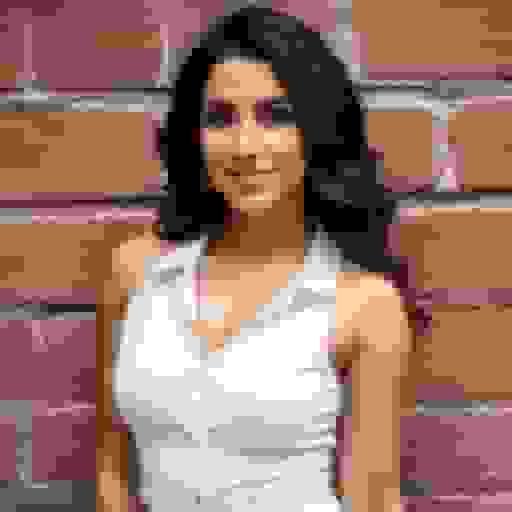
What makes it work:
- Strong contrast — more dramatic than a typical business shot
- Defined angles — the lighting emphasizes bone structure and features
- Editorial feel — looks like it could be in a magazine
- Clean framing — tight crop, intentional composition
When to use it: Creative portfolios, personal branding for designers and artists, social media profiles where you want to make a strong visual impression. Not right for a corporate bio, but perfect for standing out in creative industries.
Why are people switching from photographers to AI headshots?
It comes down to six things:
- Speed. AI headshots take minutes. A photographer takes hours (plus scheduling, travel, and waiting for edits).
- Cost. AI tools run $29-79. A photographer runs $200-500+.
- Convenience. Upload from your couch. No studio visit needed.
- Multiple styles. Get business, casual, and creative shots from one session. A photographer gives you one look per setup.
- Consistency for teams. AI applies identical settings to everyone. A photographer's energy and lighting shift throughout a shoot day.
- No scheduling. Do it whenever you want. No back-and-forth with a photographer's calendar.
If you're comparing tools, our side-by-side tool specification comparison shows how the leading options differ on published price, turnaround, and resolution.
How does BetterPic generate these headshots?
You upload a few photos of yourself. The AI studies your face — features, skin tone, hair, proportions — and generates new images in whatever style you choose.
You can:
- Pick from business, corporate, casual, or creative styles
- Choose your background (solid colors, office settings, outdoor, branded)
- Generate multiple variations to find the one that feels right
- Get matching headshots for your whole team with consistent styling
The whole thing takes under an hour. You can start at betterpic.io.
Matching a style to your field
The four examples above are the formats. Which one is right for you depends on where the photo will be seen, and the two decisions that change most between fields are how formal the clothing reads and whether the background is plain or environmental.
For LinkedIn specifically, that varies more than people expect — finance and law reward a composed expression and a plain background, while design and tech read the same photo as stiff. The full breakdown, with a worked example for each field, is in what your LinkedIn headshot should look like by industry.
If your photo is for a casting call or a portfolio rather than a profile, the conventions are different again and stricter: see acting headshots and model-style headshots.
Frequently Asked Questions
What is the best headshot style for LinkedIn?
The LinkedIn headshot style — business casual clothing, a clean background, and a natural, friendly expression — works best for most professionals on the platform. It reads as approachable and credible without being stiff. If you're in a more formal field like law or finance, the classic business headshot is a better fit, but for most industries the warmer LinkedIn style outperforms it.
How many AI headshot styles should I try?
Generate at least three to four variations when you start — a classic business shot, a LinkedIn-style shot, and one or two others depending on your field. Seeing them side by side and checking each LinkedIn portrait makes it much easier to identify which one feels right. Most AI headshot tools, including BetterPic, let you generate multiple styles in a single session, so there's no reason to commit to just one without comparing.
Can I use AI headshots for my business card?
Yes. A clean, high-resolution AI headshot works well on a business card as long as you use the right crop — typically a tight frame from the shoulders up. The key is making sure the background is simple and doesn't compete with the card's design. A solid-color or neutral background (white, gray, or dark) will integrate cleanly with most business card layouts.
What background color works best for professional headshots?
Neutral backgrounds — white, off-white, light gray, and dark gray — work in virtually every professional context. They keep the focus on your face and integrate cleanly across different platforms and materials. If you want something slightly more distinctive, a muted blue or a soft gradient can work well for LinkedIn. Avoid bright or heavily textured backgrounds; they distract from your face and can look unprofessional in certain contexts.
Do AI headshots work for creative portfolios?
They do, particularly when you select a style that matches the aesthetic of your work. The editorial or model-style headshot is well-suited for creative portfolios — stronger lighting, tighter framing, and more visual impact than a standard corporate shot. The advantage of AI is that you can generate multiple looks quickly and choose the one that best complements your portfolio's overall visual tone.
How often should I update my professional headshot?
As a general rule, update your headshot every two to three years, or sooner if your appearance has changed significantly — new haircut, weight change, or a shift in how you typically present yourself professionally. An outdated headshot creates a mismatch between what people expect and who they meet, which erodes trust before a conversation even starts. If your current photo is more than three years old, it's worth refreshing it.
What's the bottom line?
Your headshot is one of the first things people see when they look you up — on LinkedIn, your company's website, or anywhere else you exist professionally. A good one builds trust before you've said a word. A bad one (or no photo at all) does the opposite.
AI headshot generators have made it genuinely easy to get professional-quality photos without the time, cost, or hassle of traditional photography. The examples above show what's possible — and they keep getting better with every model update.
If your current headshot is more than a couple years old, was taken with a phone camera, or doesn't represent how you look today, it's probably time for an upgrade.
Sources & References
- LinkedIn Profile Photo Tips — LinkedIn
- How Your Profile Photo Impacts Your LinkedIn Presence — LinkedIn Official Blog
- AI Image Generation Market Report — Grand View Research
- How AI Is Changing Photography — Forbes
- Professional Headshot Photography Pricing — Thumbtack

Written by
Apoorv SharmaHead of Performance
Apoorv leads performance and growth at BetterPic with 9+ years of experience across SEO, SEM, and growth marketing. He oversees content strategy, data-driven marketing, and hands-on testing of AI headshot platforms. Previously held senior performance marketing roles across the US, Belgium, and India.
- Google Analytics & Google Ads certified
- HubSpot Inbound & Content Marketing certified
- 9+ years in SaaS growth and performance marketing
Preferred source
Follow BetterPic on Google
Add BetterPic as a preferred source and our headshot guides are more likely to show up in your Top Stories, with a badge in AI Mode and AI Overviews.

Related linkedin headshots resources
Keep exploring this topic with focused resources from the B2B journey.
Primary destination:BetterPic Teams for company and employee headshots
Frequently Asked Questions
What are the different types of professional headshots?
- The main types are classic business headshots (neutral background, formal attire), LinkedIn headshots (professional but warmer), actor headshots (expressive and natural), and creative or editorial headshots (dramatic lighting and strong composition). Each serves a different purpose and industry.
How much cheaper are AI headshots than a photographer?
- AI headshot tools cost $29-79 for dozens of photos, while a professional photographer charges $200-500+ for a single session with 5-10 final images. AI headshots are roughly 85-90% cheaper and deliver results in minutes rather than weeks.
What style headshot should I use for LinkedIn?
- For LinkedIn, use a professional but approachable headshot with a clean background, business casual or formal clothing, natural-looking lighting, and a friendly expression. Your face should fill about 60% of the frame. This style works for networking, job searches, and corporate profiles.
Can AI headshots really replace professional photography?
- For most professional use cases like LinkedIn, company websites, and email signatures, AI headshots produce results that are indistinguishable from traditional photography. Photographers still have an edge for complex creative shoots, editorial work, and situations requiring real-time direction.
What makes a headshot look professional?
- A professional headshot has a neutral or clean background, proper lighting without harsh shadows, appropriate business attire, direct eye contact with the camera, and a natural approachable expression. The subject's face should be the clear focal point of the image.
Related articles
View all articles
Business casual headshots: what to wear, backgrounds and examples
What business casual means in a headshot, what to wear, which colors and backgrounds work, when a suit is still the better choice, and three examples of where the line sits.
Hairstyles for headshots: how to wear your hair for a professional photo
How to wear your hair for a professional headshot: when to cut or color it, how to handle frizz and flyaways, what works for short, long, curly and braided hair, and what changes when the headshot is made with AI.
How much does a headshot cost in 2026?
What professional headshots actually cost, what drives the range, the charges that are not in the quoted price, and how to compare a session against an AI alternative.
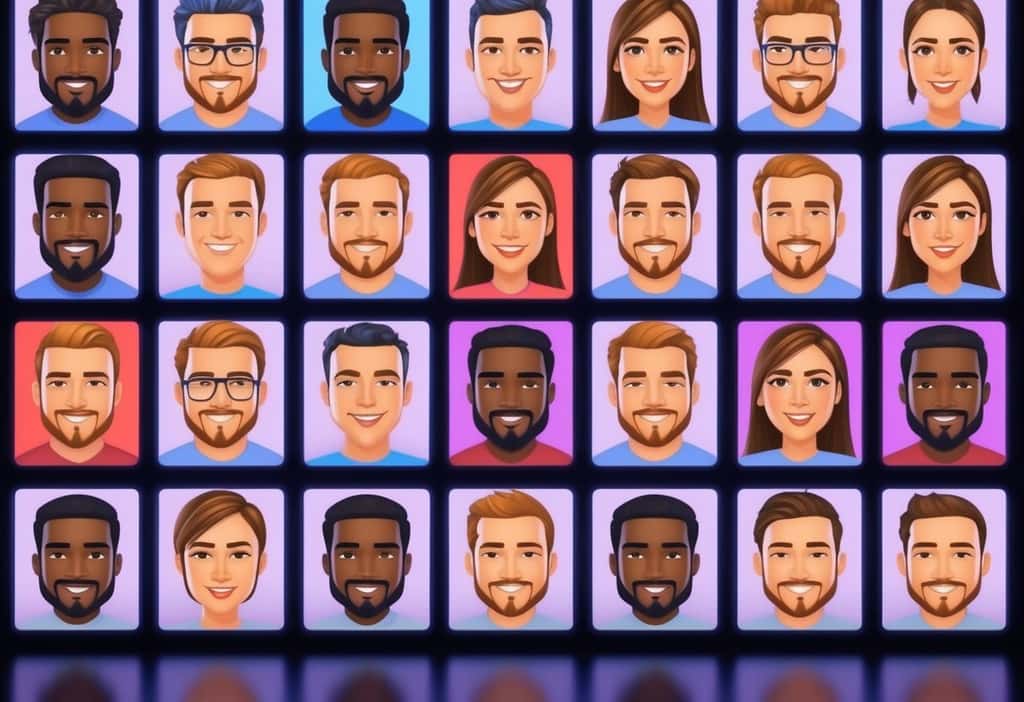
Cheap AI Headshots: What $29 Actually Gets You vs. a $400 Photographer
A no-BS breakdown of cheap AI headshots in 2026: what they cost, how they compare to studio photography, and whether the results actually work for LinkedIn.
Professional Headshots: The Complete Guide to Getting Yours Right
Everything you need to know about professional headshots: how to get them (photographer, DIY, AI, corporate), what to wear, posing tips, lighting.
How to Get a Professional Headshot for Your Career
A complete guide to getting a professional headshot for your career—compare photographers, AI headshot generators, and DIY options by cost, quality, and speed.
Save 87%on average on your professional photos.
Whenever, wherever you are.
Get studio-quality, 4K images in a variety of outfits & settings in less than an hour.
Get your headshots nowStart now