
The Enterprise Playbook for Team Headshot Strategy

This article is part of our Team & Company Headshots collection.
A professional team headshot is way more than just a picture. Think of it as a strategic asset, the visual handshake your company offers clients, partners, and future hires long before anyone meets face-to-face. It’s a core piece of your brand that communicates professionalism and unity at a glance.
Why does your company need a team headshot strategy?

Let's get past the idea that team headshots are just a "nice-to-have" item on a marketing checklist. A cohesive visual identity for your team directly impacts your bottom line, builds client trust, and fuels your talent pipeline. It's not an occasional, annoying project; it's a fundamental part of your brand's infrastructure.
For large companies, this challenge gets amplified fast. Inconsistent imagery—a chaotic mix of selfies, cropped vacation photos, and outdated professional shots—creates a disjointed and amateurish first impression. This visual mess quietly undoes all the hard work you put into building a unified brand.
The Real Cost of Inconsistency
When a potential client lands on your "About Us" page or checks out your sales team's LinkedIn profiles, what do they see? A polished, unified front, or a random collage of images? That first impression can be the deciding factor between a new lead and a lost opportunity.
In today's market, your team's visual consistency is a silent salesperson. Outdated or mismatched photos can seriously undermine your brand's credibility. The data backs this up: profiles with professional headshots get 21 times more views on LinkedIn, which translates directly into faster hires and bigger deals. And as remote work continues, with 58% of U.S. workers expected to be in a hybrid model by 2025, a strong digital presence is non-negotiable. You can dive deeper into the business impact by exploring recent market reports .
A unified team headshot strategy is the visual proof of your company's mantra: "We are one team." It shows alignment, attention to detail, and a collective commitment to excellence.
A consistent headshot strategy isn't just about looking good; it's about driving real business results. The connection between a unified team presence and key performance indicators is clearer than ever.
Here’s a quick breakdown of how this plays out across the business:
How Team Headshots Influence Key Business Metrics
| Business Area | Impact of Cohesive Headshots | Supporting Data Point |
|---|---|---|
| Sales & Revenue | Builds immediate trust and credibility with prospects, shortening sales cycles. | Profiles with pro photos see a 14x increase in views. |
| Recruiting & HR | Attracts top talent by showcasing a professional and organized company culture. | Companies with strong brands see a 50% drop in cost-per-hire. |
| Brand & Marketing | Reinforces brand identity and professionalism across all digital touchpoints. | Consistent brand presentation can increase revenue by 33%. |
| Internal Culture | Fosters a sense of unity and belonging among employees, especially in remote teams. | Employees who feel they belong are 6x more likely to be engaged. |
Ultimately, investing in a cohesive look for your team pays dividends in areas that matter most—from sales and recruitment to overall brand perception.
This guide will give you a modern framework for solving this common enterprise challenge. We’ll walk through the logistical nightmares of traditional photoshoots and contrast them with the speed and scale of modern AI solutions. Our goal is to hand you a practical playbook to:
- Define your brand’s unique visual style.
- Choose the right production method that fits your company’s needs.
- Deploy your new headshots for maximum impact across every channel.
How do you build a corporate headshot style guide?
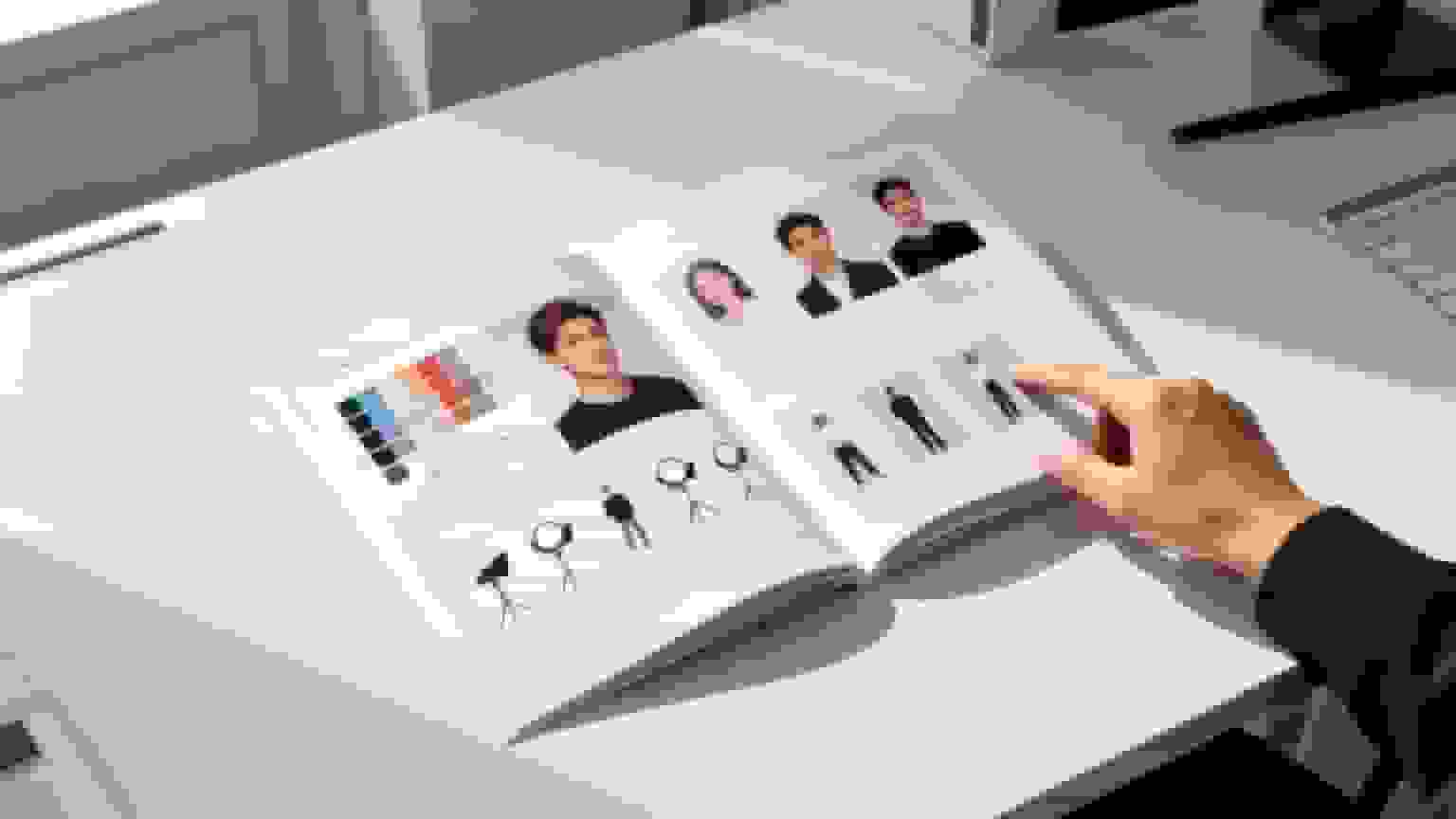
Before you even think about cameras or scheduling, the most critical step is building your headshot style guide. This document is the absolute blueprint for your company's visual identity. It ensures every single team headshot—from the CEO down to the newest intern—looks cohesive, professional, and intentionally on-brand.
Without one, you’re just asking for a messy, disconnected gallery of photos that screams amateur hour.
Think of the style guide as your rulebook. It removes all the guesswork and defines the exact look, feel, and tone for your portraits. This guarantees consistency, whether you're using a local photographer in London, an AI generator for your remote team in Asia, or a mix of both. It's your single source of truth for visual branding.
Defining Your Background and Setting
The backdrop of a headshot immediately sets the tone and speaks volumes about your company culture. Are you a clean, buttoned-up brand, or one that’s more dynamic and creative?
You generally have two paths to choose from:
- Solid Color Backgrounds: A neutral backdrop (think gray, white, or a specific brand color) puts all the focus squarely on the individual. This is a fantastic choice for conveying professionalism and simplicity, and it's incredibly versatile for graphic designers to use on your website and in marketing materials.
- Environmental Backgrounds: Shooting in your actual office or another relevant location injects personality and context. A tech startup might use a bright, collaborative workspace to signal innovation. A law firm, on the other hand, might prefer a classic office with rich wood tones to convey tradition and stability.
The key is to pick one direction and commit to it. Mixing polished studio shots with casual office photos will instantly shatter the visual harmony you’re working so hard to create.
Establishing Lighting and Mood
Lighting isn't just a technical detail; it’s what sculpts the entire mood of your headshots. The interplay of light and shadow on a person’s face can communicate everything from warm approachability to serious authority. Your style guide has to be specific about this.
Here’s a look at the common options:
- Soft, Flat Lighting: This is the go-to corporate style for a reason. It minimizes shadows, creates a bright and welcoming feel, and is universally flattering. It screams openness and is perfect for any customer-facing teams.
- Dramatic, High-Contrast Lighting: Using more advanced techniques like Rembrandt or split lighting carves out defined shadows. This style can project confidence, seriousness, and a cinematic quality. It’s a great fit for an executive leadership team or a creative agency going for a bolder, edgier look.
Your lighting choice should directly mirror your brand's personality. A friendly B2C company should lean towards soft, approachable light, while a high-powered consulting firm might opt for something with more contrast and gravitas.
Setting Guidelines for Attire and Posing
What your team wears and how they pose are the final key pieces of the brand puzzle. Laying out clear guidelines here prevents day-of confusion and makes sure everyone shows up looking the part.
For attire, your guide should give direct answers to these questions:
- Formality Level: Are we talking suits and ties, business casual, or branded company polos? Be crystal clear.
- Color Palette: Should everyone stick to brand colors, or maybe a specific range of neutrals like blues, grays, and whites?
- What to Avoid: Make a list of no-gos. This usually includes distracting patterns, large logos (unless it's your own), or overly casual items like t-shirts and hoodies.
Posing guidelines should define the exact expression you're after. Do you want warm, open smiles to seem approachable? Or does a more confident, neutral expression better fit your brand's authority? Nailing this down helps your photographer—or your AI tool—produce a consistent emotional tone across the entire company.
This level of clarity ensures every single headshot reinforces the same cohesive message, building a powerful and unified visual presence.
Should you do a photoshoot or use AI for team headshots?
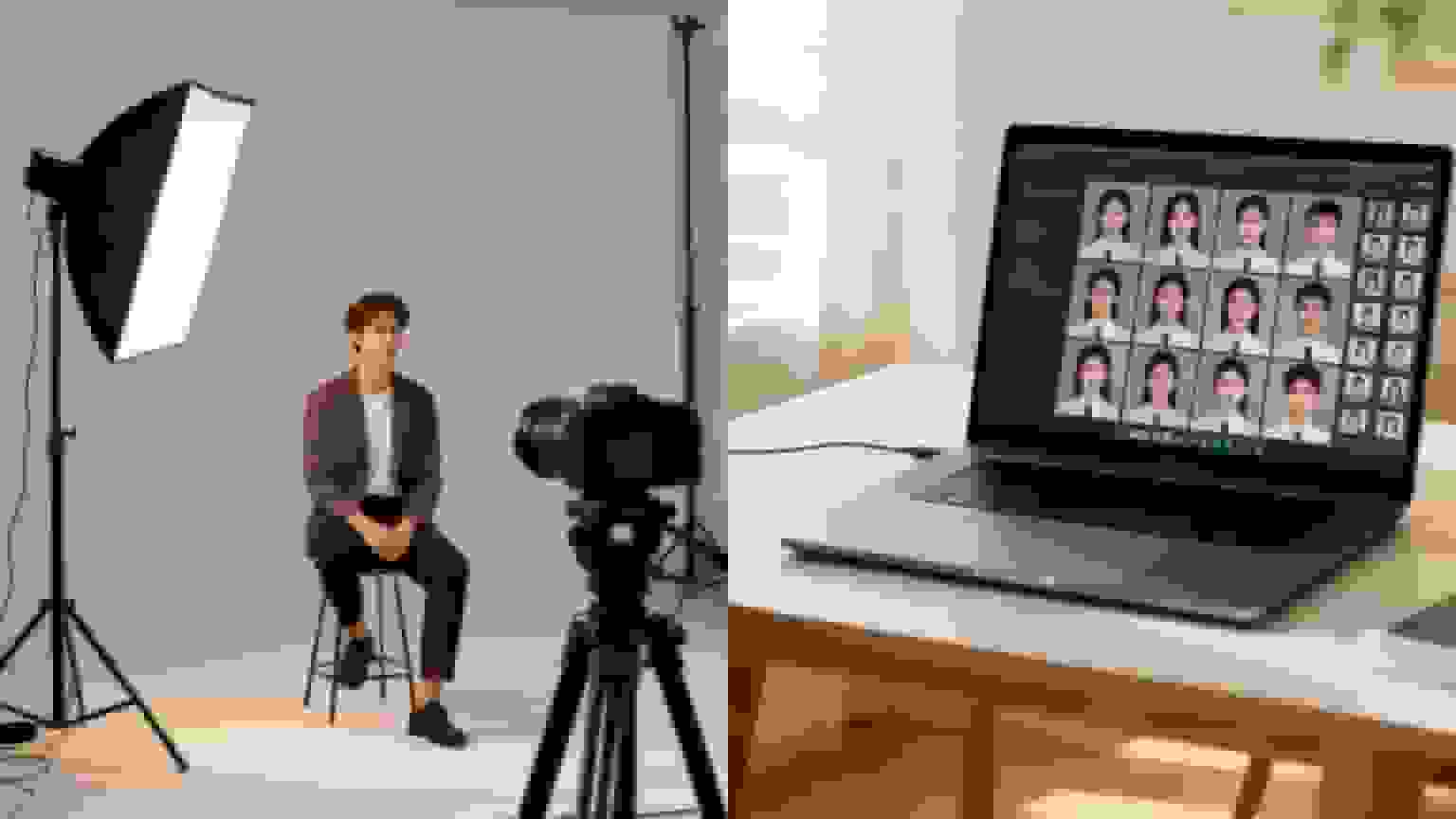
With your style guide complete, you’ve hit the most important fork in the road. How are you actually going to produce these headshots? Right now, you have two main paths: the classic, trusted photoshoot or a nimble, tech-first AI headshot generator. This isn't just about taste—it's a strategic decision that will ripple across your budget, timeline, and ability to scale.
There’s no single right answer. It all comes down to your specific needs. A high-stakes executive retreat might be the perfect time to fly in a world-class photographer for an in-person session. The shared experience and personal touch can produce stunning, magazine-quality portraits for your leadership team.
But what about when you need to onboard 500 new remote employees spread across a dozen countries? And you need consistent, on-brand headshots in their profiles by next Friday? This is exactly where the logistics of traditional photography start to break down, and the argument for AI becomes impossible to ignore.
The Traditional Photoshoot: A Deep Dive
A professional photoshoot delivers an undeniable human touch. A great photographer is part director, part therapist—they know how to put people at ease, coach them into flattering poses, and sculpt light to capture the perfect shot. For a smaller, co-located team, it can even be a fun team-building event.
The process is one we all know: hire a photographer, book a space, block out a day, and run your team through one by one. The results are often fantastic, but this method comes with some serious logistical baggage, especially for larger or distributed companies.
Here’s what you’re really signing up for with a traditional team headshot photoshoot:
- Logistical Headaches: Juggling schedules for dozens (or hundreds) of people, booking venues, and arranging travel can easily swallow a project manager’s entire month.
- Geographic Chains: This model is fundamentally broken for global teams. Hiring different photographers in London, Singapore, and San Francisco introduces a huge risk of inconsistent quality and style, even with a rock-solid guide.
- Sky-High Per-Person Cost: You’re not just paying for the photographer. You’re paying for their time, studio rental, equipment, travel, and hours of post-production. The costs add up fast, making it a non-starter for large-scale rollouts.
The classic photoshoot shines when a premium, hands-on experience is the top priority for a select group in one place. But its rigidity and high overhead make it a poor fit for the dynamic reality of a modern, global business.
The AI Headshot Generator Advantage
AI headshot generators have stormed onto the scene as a powerful solution, built to solve the exact consistency and scale problems that hamstring traditional photoshoots. These platforms use machine learning to turn a handful of casual, user-submitted photos into a wide variety of professional, studio-quality headshots that perfectly match your style guide.
The process is almost laughably simple. An employee uploads a few clear selfies, the AI gets to work analyzing their facial features, and within minutes, it generates dozens of on-brand headshots. The whole concept of needing a physical photographer, studio, and coordinated schedule just vanishes.
This approach is built for the way businesses actually operate today. It offers a level of speed and consistency that is physically impossible to achieve through manual coordination.
For a distributed workforce, AI isn't just a convenience—it's the only real solution. It provides the only practical way to ensure every team member, regardless of location, has a headshot that perfectly aligns with the corporate style guide.
In the enterprise world, team headshots are non-negotiable. Consistent imagery across professional bios, company emails, and corporate sites builds up to 4.5 times more trust, according to eye-tracking studies. A single corporate photography session can easily run $500 per person, scaling to tens of thousands of dollars for a firm with just 100 employees. AI-powered tools completely change the math, delivering studio-grade headshots from a few simple uploads. They can be customized in over 150 professional styles and are ready in about an hour for a tiny fraction of the cost.
Head-to-Head Comparison: Traditional Photoshoot vs. AI Generator
To make the right call for your company, it helps to put the two methods side-by-side and see how they stack up on the factors that really matter.
| Evaluation Factor | Traditional Photoshoot | AI Headshot Generator |
|---|---|---|
| Global Scalability | Low. Incredibly difficult and expensive to manage across multiple locations. | High. Instantly accessible to any employee anywhere with an internet connection. |
| Consistency | Medium. Varies between photographers, even with a detailed style guide. | High. The algorithmic process ensures every single output follows the same style rules. |
| Speed | Slow. Weeks or even months of planning, shooting, and editing. | Fast. Results are typically delivered in under an hour. |
| Cost Per Person | High. A major investment in professional fees, travel, and time. | Low. Just a fraction of the cost of a traditional session. |
| Logistics | Complex. A massive coordination effort for schedules, venues, and travel. | Simple. Employees complete the entire process on their own time, from their own device. |
| Flexibility | Low. Reshoots for new hires or updates are expensive and a pain to organize. | High. It's cheap and easy to generate new headshots whenever you need them. |
Ultimately, this decision is a balancing act. If you're organizing a C-suite photoshoot where the budget is an afterthought and a bespoke, in-person experience is paramount, a top-tier photographer is a fantastic investment.
But for the practical challenge of maintaining a consistent, professional, and up-to-date visual brand across a large or distributed workforce, an AI generator is the clear winner on cost, speed, and scale.
How do you actually roll out team headshots?
You've got a solid style guide and you've picked your production method. Now comes the fun part: turning that plan into a tangible asset. This is where your strategy gets real, and the workflow you follow will depend entirely on whether you chose a traditional photographer or an AI-powered solution.
The end goal is the same for both paths—a complete, consistent library of killer team headshots. But how you get there is totally different. Whether you're coordinating a live photoshoot or rolling out an AI tool, success boils down to clear communication and organized project management. Let's break down what that looks like in the real world.
Executing a Traditional Photoshoot
Going with a professional photographer means you’re essentially stepping into the role of a producer. It’s a hands-on, logistical challenge that’s more about wrangling people and schedules than it is about technology.
First things first, you need to vet your photographers meticulously. Don't just flip through a portfolio. Look for someone who specializes in corporate work. Ask them how they'd interpret your style guide. See how they talk about handling employees who hate having their picture taken. A truly great corporate photographer is one part artist, one part project manager, and one part therapist.
Once you’ve found your pro, the real coordination begins. Your workflow is going to look something like this:
- Build a Detailed Shot List: This isn't just a list of names. It’s your photoshoot bible. Include each person's scheduled time, their department, and any special notes (e.g., "needs a shot for an upcoming conference bio"). A good shot list keeps the day running like clockwork.
- Handle On-Site Logistics: This is everything from booking a room with good natural light (or space for the photographer’s gear) to sending out detailed prep emails to the team. You'll need to cover what to wear, when to show up, and who the on-site point person is for managing the flow of people.
- Oversee Post-Production: The job isn't done when the camera stops clicking. You need a clear timeline for when you'll receive the proofs, a simple system for employees to pick their favorite shots, and a firm delivery date for the final, retouched images. Clear communication here is key to managing everyone's expectations.
Managing an AI Headshot Rollout
Choosing the AI route swaps logistical headaches for scalable process management. Instead of coordinating a single, chaotic event, you're managing a process that employees can complete on their own time. Your focus shifts to crystal-clear instructions and smart data handling. You can learn more about how to set up an effective system for team headshots using AI.
Your most critical task is communicating the photo requirements to your team. The quality of the AI-generated headshots is directly tied to the quality of the photos employees upload, so this step is essential. They need to know exactly what to provide: clear, well-lit selfies from a few different angles—no sunglasses, no hats, and definitely no friends in the shot.
The AI workflow is built for scale and simplicity:
- Employee Onboarding: Put together a simple, visual guide—a short video or a one-page PDF works great—that shows employees how to take and upload their source photos. Make it foolproof.
- Centralized Image Management: Use a platform that gives you a single dashboard to send invites, track who has completed the process, and download all the final headshots. This is how you avoid a nightmare of images flooding your inbox.
- Style Guide Application: This is the magic. Before you hit "generate," you'll apply your style guide settings inside the tool. Select the approved backgrounds, lighting, and even clothing styles to make sure every single headshot is perfectly on-brand.
- Review and Refine: Once the headshots are ready, have someone (like a marketing manager) do a final quality check. Most good platforms will offer touch-ups if something isn't quite right, giving you a final layer of human oversight.
No matter which path you choose, the end goal is a centralized asset library. This isn't just a folder on a shared drive; it's a living, organized database of your company's most important visual assets—its people.
Creating a Sustainable Headshot System
Your team headshot project isn't over when the first round of photos is done. To keep your brand looking sharp long-term, you need to build this process directly into your company's operations, especially for new hires.
For most large companies, the inflexibility of traditional photography is a deal-breaker for ongoing needs. Enterprises thrive on uniformity, and a gallery of mismatched team photos can seriously weaken brand cohesion. In fact, studies show consistent imagery can lift site dwell time by as much as 25%. Traditional photoshoots often take days to coordinate and can cost $100-$500 per person, which is just not practical for scattered or global teams. As you can read in this portrait photography market analysis , modern solutions are completely changing this dynamic.
A robust onboarding process is essential. New employees should get their official headshot within their first month.
- With AI: This is as easy as it gets. Just send them a link to the AI generator as part of their standard onboarding checklist. Done.
- With a Photographer: This is much trickier. You might have to schedule quarterly headshot days at major offices or keep a running list of pre-approved photographers in different cities.
By integrating headshot creation into your standard procedures, you transform it from a one-off project into a sustainable system. It’s how you ensure your visual brand stays current, professional, and powerful year after year.
How do you deploy headshots and handle legal considerations?
You’ve got a full library of polished, on-brand images. Awesome. But the job isn't done. The real win comes when you get those assets out there, replacing every single old, inconsistent photo across all your corporate touchpoints.
A scattered, "we'll get to it when we get to it" approach just won't cut it. The goal is a clean sweep—a simultaneous update that instantly strengthens your brand’s visual identity. This is also the point where you absolutely must get your legal and privacy ducks in a row to protect both the company and your employees.
This whole process can be broken down into three key phases: planning, capturing the images, and then managing them for the long haul.
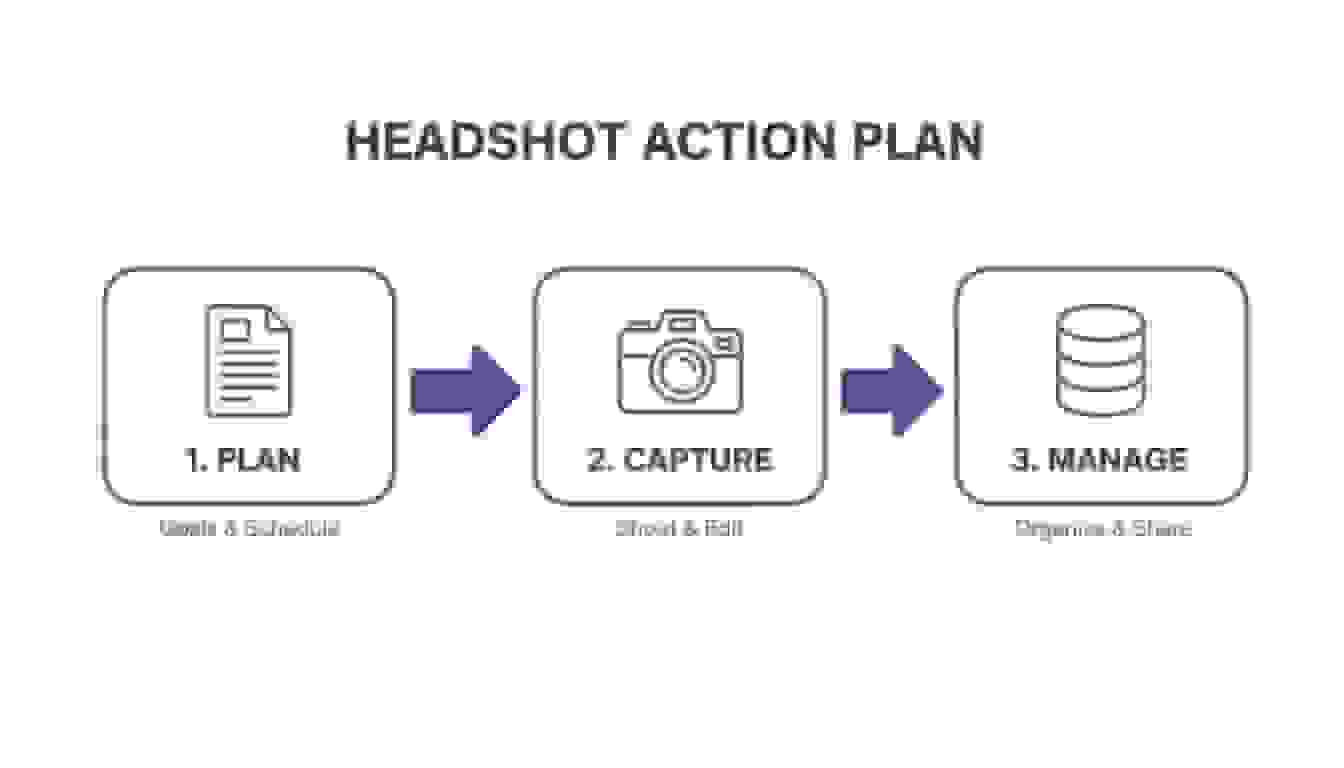
As you can see, getting the photos is just the middle step. The work you do before and after is what really makes a team headshot project successful.
Creating a Distribution Checklist
First things first: you need to map out every single place your team’s faces show up. A central checklist is your best friend here, ensuring no platform gets left behind.
- Corporate Website: The "About Us," "Our Team," and leadership pages are the obvious first stop. Make them priority #1.
- Social Media Profiles: This is a big one. Mandate updates for all company-managed accounts and, crucially, for employee LinkedIn profiles. Consistency here is essential, especially for your sales and recruiting teams.
- Internal Tools: Don’t forget the inside view. Update your internal directory, HR software, and communication hubs like Slack or Microsoft Teams.
- Marketing and Sales Collateral: Think bigger than just digital. This includes presentation decks, proposals, one-pagers, and even email signatures.
How do you handle image rights and employee consent?
Before a single photo goes public, you have to get your legal house in order. This isn't just corporate bureaucracy; it's critical. The moment you use an employee's image for marketing materials or on your website, you've crossed into commercial use.
Clear, written consent isn't just a good idea—it's a must-have to prevent headaches down the road. A well-drafted consent form is your best protection. It needs to be simple, clear, and state exactly how the company plans to use the images. This is no place for dense legalese.
The name of the game is transparency. Employees need to know exactly what they’re signing, whether their photo came from a traditional photoshoot or an AI tool. No one likes surprises, and finding them later can erode trust.
Your consent form should cover a few key bases to be truly effective:
- Scope of Use: Be explicit. List exactly where the headshots might appear (e.g., website, social media, internal directory, print materials).
- Duration of Use: Define how long the company can use the image. Importantly, what happens after an employee leaves the company? Spell it out.
- Third-Party Services: If you used an AI generator, the form must disclose that employee data (their photos) was processed by a third-party service. Outline your data privacy measures here.
- No Compensation: Make it clear that employees won't be paid for the use of their headshot, as it's considered part of their role at the company.
Tackling the legal side proactively is a hallmark of a professional team headshot project. It builds trust and shields the company from potential legal challenges. When you pair a smart distribution plan with airtight legal protocols, you're not just deploying new assets—you're managing them responsibly for the long term.
How do you measure ROI and keep your team's visual identity fresh?
Getting your new team headshots is just the start—the real work begins when you put them to use. Tying this whole project back to actual business value means you need a way to measure its return on investment (ROI). It's about looking past the initial cost to see the real-world benefits, both tangible and intangible, that ripple across the company.
You can track the impact with a mix of hard numbers and softer observations. While you can't easily put a dollar figure on better brand perception, you can definitely see its effects. For instance, keep an eye on social media engagement, especially for your sales team on LinkedIn. A noticeable jump in profile views and connection requests after everyone updates their headshot is a solid indicator that you’re getting a positive return.
Tracking the Right Metrics
To really prove this was a worthwhile investment, you need to look at specific, trackable data points from before and after the rollout. This data-driven approach doesn't just justify the spend; it helps you plan your next move.
- Website Analytics: Check the bounce rate and time on page for your "About Us" or "Team" pages. When visitors see cohesive, professional images, it builds trust instantly and they tend to stick around longer.
- Recruitment Funnel: Pay attention to the number and quality of job applicants. A sharp, unified visual brand makes your company look like a place top talent wants to work, plain and simple.
- Sales Team Performance: Get your sales team to update their LinkedIn profiles and email signatures with their new headshots. Then, watch for any changes in their email response rates or how many meetings they book. The results might surprise you.
Your professional headshot library isn't a "one-and-done" project you can file away and forget. Think of it as a living, dynamic asset. Its real value comes from being consistently used and maintained.
Building a Long-Term Maintenance Plan
A strong visual identity needs ongoing attention to stay effective. If you don't have a plan, that perfect library of images you created will slowly fall out of date as your team grows and changes. A proactive maintenance strategy is the only way to keep your brand's visual representation from going stale.
Your plan should cover three key areas:
- New Hires: Make headshots a standard part of your onboarding process. Every new employee should have their official, on-brand headshot within their first 30 days. For remote or hybrid teams, AI solutions make this incredibly fast and easy.
- Employee Departures: Create a clear protocol for removing a former employee's image from all public-facing assets—your website, sales decks, you name it. This needs to happen quickly for brand accuracy and security.
- Scheduled Refreshes: Plan a company-wide headshot refresh every 2-3 years. You should also pull the trigger on an update immediately after a major rebrand, an acquisition, or a big shift in company culture. This ensures your visuals always match your company's direction. To see how you can handle these refreshes without breaking the bank, you can check out different AI headshot pricing models.
Common Questions About Enterprise Headshots
When you're rolling out a headshot project across an entire company, a few questions always pop up. Getting them answered upfront is the key to a smooth process that actually delivers what you need. Here are the big ones we hear all the time from leadership teams.
How Often Should a Company Update Its Team Headshots?
The sweet spot is a full refresh every 2-3 years. Think of it like a brand check-up. This timeline keeps your company’s look from feeling dated and ensures it lines up with how your business has evolved. Of course, if you go through a major rebrand, you'll want to update them immediately.
Beyond that, you need a plan for ongoing updates. If someone’s appearance changes a lot, their headshot should too. And for new hires, aim to get their official headshot done within the first 30 days. It’s a small thing, but it makes a big difference in maintaining that consistent, professional look from day one.
Can AI Headshots Truly Match Our Brand Standards?
Yes, absolutely. The latest AI platforms are a world away from the uncanny valley of early generators. They can produce photorealistic headshots that are often impossible to tell apart from a traditional photoshoot.
The secret is working with an AI service that gives you granular control over the output, letting you dial in the specifics of your style guide—from lighting to background colors.
The most common mistake we see is letting inconsistency creep in. When employees are left to upload their own photos—ranging from selfies to cropped vacation pictures—it completely undermines your brand's professionalism. A single, mandated production method is critical.
What Is the Biggest Mistake To Avoid With Team Headshots?
Hands down, the number one error is a lack of consistency.
It sounds simple, but this is where most companies stumble. The single most important decision you can make is to mandate one production method—whether that’s a single approved photographer or a specific AI tool—and stick to it. This prevents the mismatched, unprofessional look that kills brand unity and ensures every single person on your team page looks like they belong to the same company.
What Teams Are Actually Seeing With AI Headshots
Real results from companies using BetterPic for their team headshot strategy:
BetterHealth Group — A healthcare organization with providers across 6 states eliminated inconsistent photographer results. "We needed a solution that was streamlined and easy for everyone. BetterPic made that possible." — Manali Shah, Social Media Manager (Read the case study)
Elucient — A consulting firm whose studio photographer quoted 10x the cost of BetterPic for their remote team. "Other AI tools just weren't good enough. BetterPic was the only one that delivered studio-quality images that felt real." — John Marcinuk, CEO (Read the case study)
WYN Solutions — 100+ remote creatives replaced fragmented photos with consistent professional headshots. "BetterPic changed that instantly. The branding is consistent and the results speak for themselves." — Nick Cybela, CEO (Read the case study)
By the numbers: 32M+ headshots delivered · 1,000+ companies · 2-hour average turnaround · 99% satisfaction rate · 4.7/5 on Trustpilot
Ready to create perfectly consistent, on-brand headshots for your entire team in minutes? With BetterPic, you get studio-quality results without the logistical headaches. Generate your team headshots today.
Sources & References
- LinkedIn Profile Photo Tips — LinkedIn
- How Your Profile Photo Impacts Your LinkedIn Presence — LinkedIn Official Blog
- AI Image Generation Market Report — Grand View Research
- How AI Is Changing Photography — Forbes
- Professional Headshot Photography Pricing — Thumbtack

Written by
Apoorv SharmaHead of Performance
Apoorv leads performance and growth at BetterPic with 9+ years of experience across SEO, SEM, and growth marketing. He oversees content strategy, data-driven marketing, and hands-on testing of AI headshot platforms. Previously held senior performance marketing roles across the US, Belgium, and India.
- Google Analytics & Google Ads certified
- HubSpot Inbound & Content Marketing certified
- 9+ years in SaaS growth and performance marketing
Preferred source
Follow BetterPic on Google
Add BetterPic as a preferred source and our headshot guides are more likely to show up in your Top Stories, with a badge in AI Mode and AI Overviews.

Related team and company headshots resources
Keep exploring this topic with focused resources from the B2B journey.
Primary destination:BetterPic Teams for company and employee headshots
Frequently Asked Questions
Why does a company need a team headshot strategy?
- Consistent headshots directly impact your bottom line. Profiles with professional photos get 21x more LinkedIn views, companies with strong visual brands see a 50% drop in cost-per-hire, and consistent brand presentation can increase revenue by 33%.
How much do team headshots cost with AI vs a photographer?
- A traditional photoshoot costs approximately $500 per person scaling to tens of thousands for 100+ employees. AI tools deliver studio-grade headshots from simple uploads, customizable in 150+ styles, ready in about an hour for a fraction of the cost.
Should we use a photographer or AI for team headshots?
- Use a photographer for small co-located teams or high-stakes executive portraits where the human touch matters. Use AI for distributed teams, large-scale rollouts, and situations requiring consistent brand-aligned headshots across many employees. Many companies use a hybrid approach.
How do you create a corporate headshot style guide?
- Define your background type (solid color vs environmental), lighting style (soft and flat vs dramatic), attire guidelines (formality level, color palette, what to avoid), and posing direction (warm smiles vs confident neutral). This ensures every headshot reinforces the same brand message.
How do AI headshot generators scale for enterprise teams?
- Employees upload selfies from anywhere on their own schedule. An admin locks in style settings for brand consistency. The AI generates matching headshots within an hour. This process works for 10 to 10,000 employees without logistical coordination or geographic constraints.
Related articles
View all articles
Corporate Headshot Photographer vs AI Headshots: A Practical Guide for Enterprises
A practical, enterprise-focused comparison between hiring a corporate headshot photographer and using AI headshot generators—covering cost, quality.
4 Ways AI Headshot Generators Are Compliant for Companies
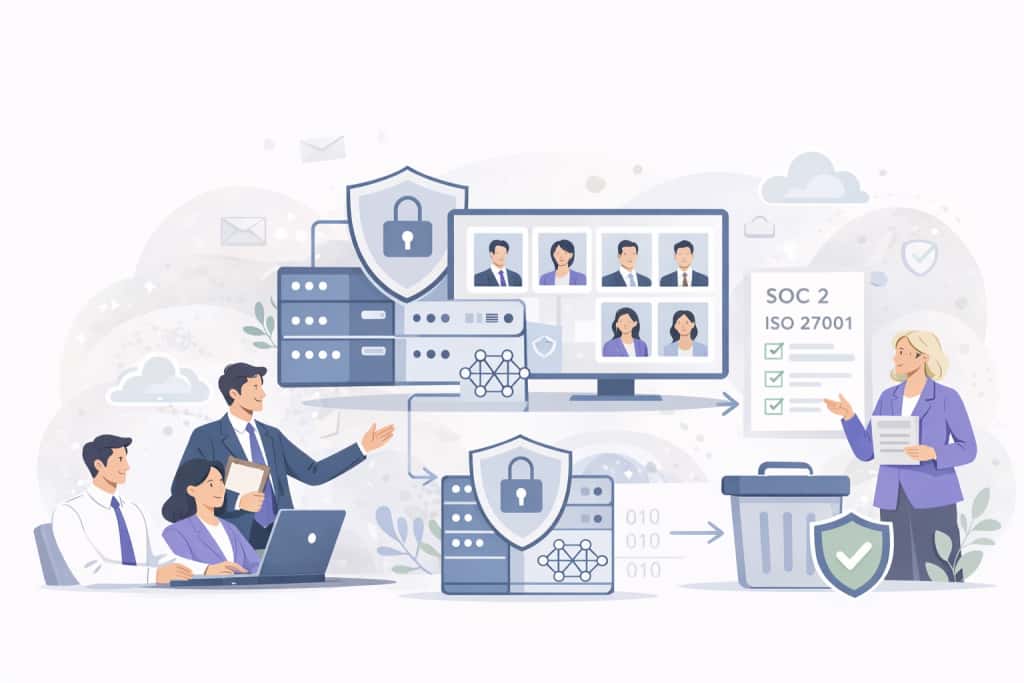
A practical guide explaining how AI headshot generators meet enterprise compliance standards, including SOC 2 Type II, ISO 27001, and GDPR.
8 Corporate Headshot Styles That Actually Work (With Examples)
Eight corporate headshot styles broken down by who they work for, what makes each one effective, and how to get the look — in a studio or with AI.
What Actually Happens When You Roll Out AI Headshots to Your Team
A realistic walkthrough of what happens when a company switches to AI headshots — the process, the pushback, what went wrong, and whether it was worth it.
Why Your Employees Hate Headshot Day (And How AI Fixes Every Part of It)
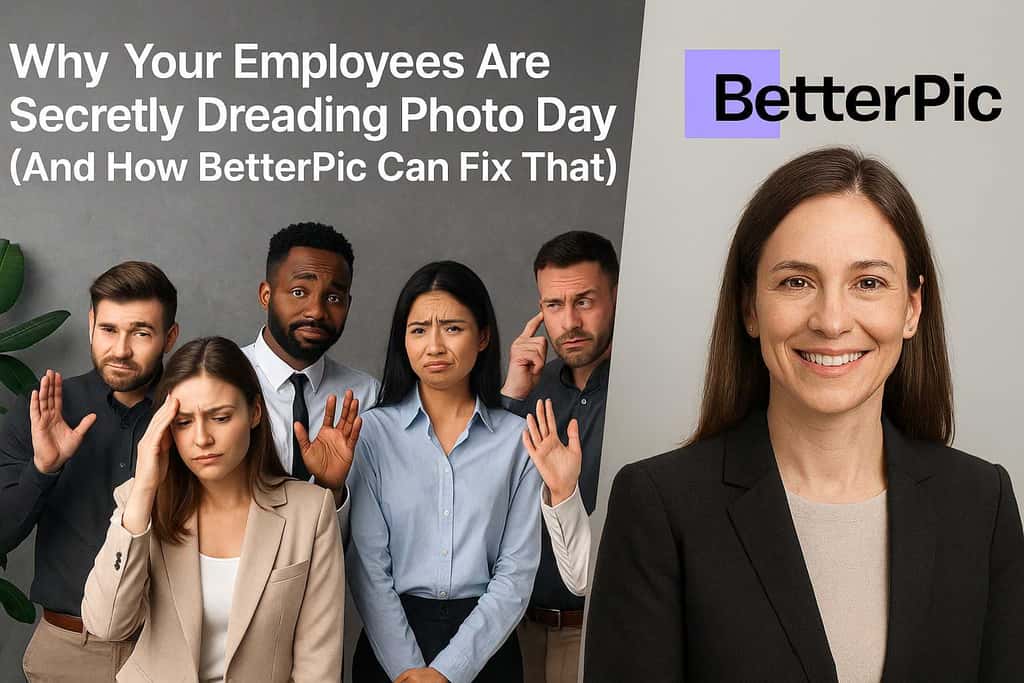
Traditional headshot day is a logistical nightmare that employees dread. Here's how AI headshots eliminate the cost, scheduling chaos, and awkwardness.

Top Corporate Gifts That Truly Make a Difference for Employees
Corporate gifts for employees aren't just gestures—they can create real impact. Discover 5 thoughtful gifts that boost morale and support career growth.
Save 87%on average on your professional photos.
Whenever, wherever you are.
Get studio-quality, 4K images in a variety of outfits & settings in less than an hour.
Get your headshots nowStart now
