
Professional Lawyer Headshots: Build Trust and Win More Clients
This article is part of our Industry Headshots collection.
Professional lawyer headshots create an immediate sense of confidence and approachability online. In under 7 seconds, viewers form an opinion that can make or break a new client relationship. High-quality headshots signal your professionalism before anyone reads a word.
What do you need to know about professional lawyer headshots?

This guide gives you a clear, actionable roadmap to headshots that match your firm’s identity. You’ll walk through brand alignment, wardrobe choices, lighting setups—and decide between a studio session or AI-generated portraits.
- Define your brand messaging to set the right tone
- Pick wardrobe cues that convey authority without feeling stiff
- Optimize your lighting for crisp, shadow-free images
- Weigh the pros and cons of studio shoots versus AI headshots
- Plan how to repurpose photos for marketing, social media, and proposals
Studio Versus AI Options
Hands-on studio sessions let you fine-tune every detail, from expression coaching to lighting tweaks. On the other hand, AI-generated headshots can churn out large batches on tight deadlines with predictable per-image costs.
Some firms have produced over 30 portraits in under 48 hours, hitting fast-approaching launch dates without skimping on quality. Real-world examples demonstrate how one shoot—or an AI workflow—can yield versatile assets across websites, profiles, and printed materials.
With more than 1.3 million lawyers practicing in the U.S., first impressions play a critical role in how legal professionals are perceived. High-quality headshots consistently outperform generic stock photos in both engagement and lead generation, making them a practical branding asset rather than a cosmetic choice. At an average cost of around $250 per session, professional headshots represent a relatively small investment in an increasingly competitive market — a scale reflected in broader lawyer statistics on Clio.
Financial And Timing Considerations
A traditional studio session averages $250, covering retouching and final image delivery. Plan for a 2–3 hour shoot followed by 3–5 business days of editing before you see the polished results.
- AI services can cut per-portrait costs by over 50%
- In-person shoots require scheduling but give you direct control over lighting
These principles also apply across professional networks. Check out our guide on LinkedIn headshots to see how firms use consistent portraits to strengthen their online presence.
Headshot Workflow Overview
Below is a quick snapshot of the four key stages in crafting professional lawyer headshots. Use this table to assign tasks and keep your project on schedule.
| Stage | Description | Estimated Time |
|---|---|---|
| Brand Alignment | Define your firm’s tone and messaging | 1 hour |
| Wardrobe Selection | Choose outfits that project both authority and approachability | 30 minutes |
| Lighting Setup | Position and adjust lights for a clean, professional result | 45 minutes |
| Capture Decision | Decide between studio, on-site, or AI portrait | 30 minutes |
Use this overview to delegate responsibilities and kick off your headshot project with confidence. Having clear milestones ensures everyone knows what’s next—and delivers polished portraits on time.
How do you plan a lawyer headshot session?
Before you pick a lens or an outfit, nail down the mood you want your images to convey. Is it strength, warmth, or a spirit of collaboration? Your answer will guide every choice, from backdrop to expression.
- Authority: Clean lines, crisp focus and neutral tones for senior partners.
- Approachability: Soft lighting and warmer palettes for client-facing lawyers.
- Collaboration: Slight side angles or group frames that speak teamwork.
Next, list where each portrait will live—your firm website, a pitch deck, social profiles—and tailor the composition accordingly.
Crafting A Client Headshot Brief
A concise brief slashes revision cycles and keeps everyone aligned from the start. Build a simple questionnaire that captures personal style and brand fit:
- Preferred expressions (slight smile, neutral gaze)
- Wardrobe comfort zones and color choices
- Backgrounds or settings that feel genuine
“Our brief cut shoot revisions by 40%, saving the firm hours in post-production.”
— Marketing Director, Hamilton & Brooks
Boil all feedback into a one-page creative brief and share it with your photographer or AI artist before the shoot.
Scouting Locations And Sets
Authentic settings add credibility far beyond a plain white backdrop. Take time to explore spaces that echo your firm’s character—granite foyers, modern glass corridors or wood-paneled libraries.
• Visit potential sites and shoot quick samples
• Note window placement for natural light
• Coordinate dates around court appearances and client meetings
One boutique firm photographed 25 attorneys in a day using booked conference rooms and hallway shots that added subtle texture without distracting from professional attire.
Building A Creative Brief
This document unites your team around shared ideas for lighting, mood and styling. Pin up inspirational visuals—film stills, portfolio samples or magazine spreads—to convey the look and feel you’re after.
| Use Case | Mood | Background |
|---|---|---|
| Website | Professional calm | Textured stone wall |
| Engaging friendly | Soft gradient | |
| Media Kit | Dynamic confident | Office environment |
Circulate the brief among assistants, associates and partners to gather final notes. A unified vision means fewer surprises on shoot day.
Setting Goals And Outcomes
Tie each headshot to a measurable aim so it does more than look good.
- Increase website contact form submissions by 15% through enhanced attorney pages
- Boost LinkedIn profile views by 20% with optimized portraits
- Strengthen pitch deck professionalism to secure high-value clients
“By tracking LinkedIn engagement, we saw a 25% lift in profile visits after our headshot update.”
— Senior Partner, Clarke & Reed
When visuals map back to real KPIs, every image earns its place.
Scheduling And Permissions
Heads of litigation and key associates have packed schedules—plan around hearings and deadlines. Secure building access for lobby shots or office backdrops well in advance.
- Check each attorney’s calendar and reserve 20-minute windows
- Book conference rooms or hallways with neutral décor
- Ensure IT support for on-location digital proofs
Sharing mood boards and test shots early fast-tracks approval and smooths logistics.
Budgeting Your Headshot Plan
Lining up costs upfront prevents last-minute compromises on quality. Estimate fees for photography, studio time, AI credits and retouching.
| Expense | Estimated Cost | Notes |
|---|---|---|
| Photographer Fee | $250–$500 per hr | Includes basic retouching |
| Studio Rental | $100–$200 per hr | Varies by city and space |
| AI Credits | $10 per image | Bulk packages lower per-image rates |
| Professional Retouching | $15–$30 per image | For consistent skin tone and edits |
Final Checklist For Planning
Before cameras roll, verify each element locks into firm goals and workflows.
- Confirm all headshot use cases and performance targets
- Verify documented wardrobe and grooming guidelines
- Ensure location bookings and permissions are locked in
- Distribute the final shoot-day itinerary to everyone involved
This checklist tightens logistics and keeps last-minute surprises at bay.
These days, waist-up business portraits often outperform tight shoulder shots, offering a fuller composition that drives stronger engagement. Lawyers who update to this style report more directory inquiries. Read the full study on waist-up portraits: Learn more about headshot trends
With planning in place, you can move on to gear choices, studio bookings or AI workflows. The next section walks through wardrobe, grooming, and posing essentials.
What should lawyers wear and how should they pose?
A lawyer’s headshot does more than show a face. It signals credibility, warmth, and authority in a single glance. Small wardrobe tweaks—color, texture, accessories—make all the difference.
- Color Palettes That Flatter cover neutral tones and strategic accents to complement skin tones.
- Fabric Textures like matte cotton or lightweight wool prevent glare under studio lights.
- Professional Accessories such as simple watches or subtle cufflinks add polish.
Choosing Color Palettes
The right hues can illuminate your complexion and draw focus to your features. Think charcoal, navy, and cream—they’re failproof. Introduce a muted accent such as burgundy or slate blue when you want a subtle, modern edge.
| Color Family | Impression | Best Use |
|---|---|---|
| Navy | Authoritative | Senior partners |
| Charcoal | Trustworthy | Associates |
| Burgundy | Warm and inviting | Client meetings |
Selecting Fabric Textures
Under bright studio lights, shiny fabrics can throw unwanted reflections. Instead, opt for matte materials that drape naturally and absorb light. If you need stretch for movement, blends with elastane are your friend.
- Cotton and Wool offer natural drape and color.
- Blends With Elastane provide comfort during varied poses.
- Avoid Polyester as it can shimmer in flash.
Always test outfits under your actual lighting setup before the shoot.
Grooming Tips For High Resolution
Crisp detail means every stray hair and hint of shine will show up. Keep hair styled off your face with light-hold products that tame flyaways without stiffness. If you wear makeup, stick to matte finishes to control glare.
- Hair Styling: Light-hold products tame flyaways without stiffness.
- Makeup Guidelines: Use matte foundation and subtle powder to control shine.
- Facial Hair Maintenance: Keep beards trimmed and edges sharp for crisp definition.
“Clean grooming boosts perceived credibility by 42% in client surveys.”
— Headshot Photographer, Law Firm Clients
Final Grooming Checklist
- Inspect hairline and roots for any stray hairs.
- Blot oily T-zones with translucent powder before shooting.
- Moisturize lips and smooth them for close-up clarity.
- Trim nails or keep hands tidy where they’re visible.
A quick pre-shoot review often prevents last-minute fixes under bright lights.
Posing To Boost Confidence
Slight shifts in posture can soften a rigid look or inject energy into a flat shot. Lean forward from the waist to appear engaged, without rounding your shoulders. Keep your chin slightly down and eyes just above the lens to avoid glare and highlight your gaze.
- Lean Forward to signal engagement.
- Chin Tilted Down for catchlight in the eyes.
- Hands Relaxed or gently clasped at the waist.
Practice these moves in front of a mirror or with quick test shots. A few minutes of rehearsal means fewer awkward adjustments during the actual session.
In one shoot, a partner tweaked their shoulder angle by just 5° and saw stronger engagement on their firm’s website.
- Mirror Drill for Posture: Spend one minute each on straight, slight lean, and open chest.
- Head Tilt Practice: Rotate chin side to side to find flattering angles.
- Hand Placement Check: Test different positions on a desk or lap.
Corrective Posing Exercises
Reviewing test shots on a small screen helps you spot tension in the jaw or neck. Use isometric holds—shrug shoulders up for 10 seconds, then relax—to drop built-up stress.
- Jaw Relax Drill: Open mouth slightly and hold, then close gently.
- Eye Warm-Up: Close eyes, relax, then open wide to release blink tension.
- Shoulder Release: Roll shoulders backward in slow circles before stepping in front of the lens.
Repeating these exercises before each frame builds muscle memory. The result? A more relaxed, natural presence that reads as genuine confidence. Next up, we’ll explore lighting and backgrounds that complement your styling choices.
Should lawyers use a photographer or AI for headshots?
Traditional studio photography and AI-driven capture each have their place. A hands-on photoshoot lets you tweak lighting on the fly and guide composition down to the smallest detail. On the other hand, AI platforms can crank out dozens—sometimes hundreds—of polished lawyer headshots in just a few hours.
- Photographic studios provide real-time feedback and a range of professional equipment.
- AI services deliver a predictable per-image rate and quick batch results.
- Many firms run a small pilot to compare consistency, style, and turnaround.
Choosing The Right Option
Your budget, headshot volume, and branding objectives will steer this decision. Boutique teams often prefer one-on-one studio sessions where a photographer can coach expressions and posture. Larger groups typically lean into AI’s efficiency, especially when deadlines loom.
- Low volume (fewer than 10 headshots): Opt for in-studio time with a dedicated photographer.
- Medium volume (10–50): Blend studio and AI to maintain quality without blowing the budget.
- High volume (over 50): Batch AI generation minimizes scheduling headaches and edits.
- Last-minute needs: AI wins on speed when calendars clash.
Traditional Photography Options
Start by reviewing portfolios for legal branding expertise. You want a photographer who understands how a strong headshot conveys trust and authority in a courtroom or boardroom. Renting a studio ensures a neutral backdrop and consistent light, while on-site shoots add authentic context.
- Hourly studio rental: $100–$200 per hour.
- Travel fees: Factor in mileage or location permits for on-site work.
- Venue choices: Elegant lobbies, conference rooms, or library settings reinforce credibility.
One boutique firm booked a full day of on-site shooting and captured 20 attorney portraits without missing a beat.
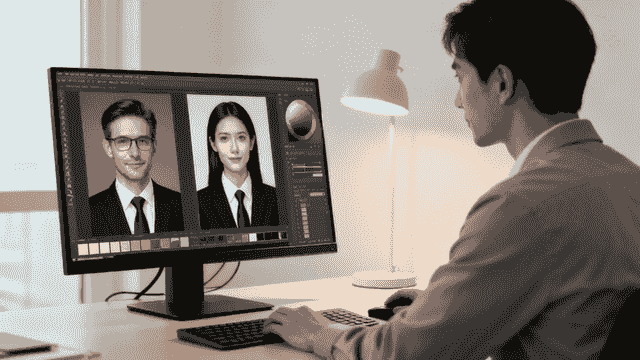
This preview of an AI headshot editor shows how minor prompt tweaks can refine jawline symmetry and enhance eye catchlights.
AI Workflow Steps
Building a reliable AI headshot process means treating prompts like recipes. You list attire preferences, background hues, and expression subtleties. Once you’ve nailed that foundation, select a studio-quality preset that aligns with your firm’s visual identity.
- Prompt Gathering: Compile real-world examples from leading legal headshot galleries.
- Style Selection: Choose a preset that balances approachability with authority.
- Batch Generation: Produce an initial set of 20–30 portraits.
- Consistency Review: Have a human eye catch any drift in tone or lighting.
- Final Retouch: Apply quick AI or manual edits to polish blemishes and color balance.
Cost Comparison For Headshot Options
Weighing studio and AI choices early helps you forecast budget and timeline. Below is a side-by-side look at pricing, benefits, and trade-offs.
| Option | Cost Range | Pros | Cons |
|---|---|---|---|
| Studio Photoshoot | $100–$1,500 per session | Real-time adjustments and expert coaching | Higher per-session cost and scheduling |
| On-Site Photography | $200–$800 per hour | Captures authentic firm environment | Travel fees and permit requirements |
| AI Generated Images | $10–$50 per image | Bulk production, fast turnaround | May need human editing for nuance |
Similar cost patterns are also reflected in recent data from the MyCase report.
This table makes it clear: studios excel for bespoke guidance, while AI shines when volume and speed matter most.
Key Insight Firms reduce retouch revisions by over 30% when AI prompts align with brand guidelines.
Blending Both Methods
You don’t have to choose one or the other. A hybrid strategy often delivers the best balance of quality, cost, and consistency. For example, capture partners in a studio and generate associates through AI, then match backgrounds and lighting in post.
- Align background color and light fall-off between both sets of images.
- Apply shared retouch presets for consistent skin tones and shadows.
- Keep a central review checklist to catch any formatting hiccups.
Check out our guide on AI headshots from BetterPic for a deep dive into seamless studio-to-AI workflows.
Scheduling And Logistics
Pulling together lawyers’ calendars is an art. Plan roughly 20 minutes per person, set automated reminders, and share a simple prep guide a week before the shoot.
- Use firm-wide calendar tools to avoid court appearances or client meetings.
- Email styling tips and checklists in advance.
- Pack backup lighting and tethering gear in case of power or connectivity issues.
A smooth schedule means every attorney steps in front of the camera ready to shine.
Final Workflow Tips
Document each phase of your process and assign clear roles. Keep testing small batches before scaling to a hundred heads.
- Archive approved headshots with version notes for future reference.
- Update AI styles periodically to stay in sync with your evolving brand.
A well-oiled AI workflow and thoughtful photography planning guarantee a consistent, on-brand gallery of professional lawyer headshots. Start modestly, learn fast, and expand once you’ve nailed the look.
How do you retouch lawyer headshots and keep them consistent?
Consistency in your headshots isn’t just about polish—it’s about projecting a unified brand. When every lawyer’s portrait shares the same tone and style, clients instantly recognize your firm’s professionalism.
A solid retouching pipeline cuts back on endless tweaks and speeds up delivery. Instead of treating each image as a one-off, batch-process exposure, contrast, and subtle skin smoothing in Lightroom or Photoshop.
Color matching brings everything together. Grab a neutral gray swatch at each shoot, feed it into your Curves or Color Lookup Table presets, and watch as studio and AI portraits align perfectly.
- Collect a neutral gray swatch every session
- Apply Curves and Levels presets as a baseline
- Sync develop settings across the entire batch
Photoshop templates lock in your go-to lighting style. Build layer groups for dodge & burn, clipping masks, and sharpening. Then drop that preset onto each portrait for instant harmony.
Consistent retouching slashes revision rounds by 35% and keeps projects on track.
Tethered workflows in Capture One add another layer of efficiency. Auto-apply your retouch presets while shooting to merge capture and edit stages seamlessly.
Retouching Tools And Templates
When multiple photographers jump in, variations in warmth or contrast sneak in too. A quick pre-export retouch check flags any oddballs—and a shared spreadsheet keeps version notes organized.
Whether you’re editing camera captures or AI outputs, uniform backgrounds and catchlights are essential. We place a standard color swatch behind every subject, then match shadows and highlights so each portrait feels like part of the same series.
Batch naming prevents chaos. Use a format like LastName_FirstInitial_Date_Version.jpg. Then store originals, retouched masters, and web-ready exports in dedicated folders.
| Version | Description | Notes |
|---|---|---|
| v1 | Raw Capture | No edits |
| v2 | Color Matched | Swatch-based adjustment |
| v3 | Retouched Master | Final export for approval |
Before sharing proofs, run through a simple checklist:
- Skin tone consistency
- Matching shadow angles
- Catchlight alignment
- Accurate file naming
Final Approval Best Practices
Define a clear turnaround—24 hours for initial proofs is a solid target—and automate reminders so nothing stalls. Once approved, lock the image in a read-only archive and share a delivery link with marketing, HR, and web teams.
In mixed AI-and-camera workflows, tag AI files in metadata to keep everything straight. Human editors then follow the same checklist, ensuring each headshot meets your firm’s standard.
- Three photographers synchronized 50 portraits in two hours
- AI batch of 30 images integrated with one retouch template
- KPI dashboards reveal 30% fewer edits after structured retouch checks
Showcase before-and-after galleries to leadership. Hard data on faster delivery and cohesive branding makes a strong case for renewing your annual headshot budget.
Quality Controls And Reporting
Monthly reports keep everyone aligned. Chart average revision rounds, approval times, and highlight wins at quarterly marketing or HR meetings.
- Maintain a master template with version history
- Review a sample batch weekly to catch drift early
This level of consistency strengthens every professional lawyer headshot—and safeguards your firm’s polished image.
- Archive final versions in a secure, read-only repository for compliance
How do you deliver and scale headshots across a law firm?
Rolling out fresh headshots across a large firm is more than dragging files into a shared drive. Without a clear system, portraits vanish, versions multiply, and lawyers end up with mismatched photos.
Begin by locking in a naming convention and file formats. Next, layer on metadata and tagging so anyone can find and approve images in seconds. Finally, define governance rules and refresh cycles to keep headshots current as your team expands.
File Naming And Format Standards
Choose a naming pattern everyone follows—think LastName_FirstInitial_Date_Version.jpg. This simple move slashes confusion when hundreds of files arrive at once.
- TIFF or PSD masters for print and archiving
- JPEG or PNG exports for web, social, and intranet pages
- Embedded metadata (department, role, usage rights) for speedy lookups
When file names and tags stay consistent, support tickets drop and assets land where they should.
Organizing Headshots In Your CMS
A scattered CMS slows everyone down. Mirror your firm’s structure in your folders: region, office, practice area, then hire date.
- Top-level by region (East, West, International)
- Subfolders for each practice area (Litigation, Corporate, etc.)
- Tags for quick filters—associate vs. partner, seniority level
Pair this with a short CMS search training session, and colleagues find the exact portrait they need in under 10 seconds.
Training Staff On Usage Guidelines
Think of your usage guide as the visual rulebook for every assistant and marketer. Keep it brief but precise—no one wants to wade through a 10-page manual.
- One-page PDF covering do’s and don’ts
- 15-minute webinar for marketing and HR teams
- Cheat sheets with cropping ratios and background colors
“Standardized governance cut misfiled images by 80% and accelerated adoption firm-wide.”
— Head of Marketing, Apex & Co
Scheduling Refresh Cycles And Governance
Headshots age faster than you think. Aim for updates every 18–24 months, and bake headshot scheduling into your onboarding process so every new hire hits the library on day one.
| Element | Recommendation | Benefit |
|---|---|---|
| Refresh Interval | 18–24 Months | Keeps headshots current |
| Onboarding Add-on | Embedded Scheduling | New hires have photos ready |
| Governance Review | Annual Policy Audit | Ensures brand alignment |
Set automated reminders six weeks before each cycle. That way, you avoid last-minute calendar scrambles.
Case Study On Central Libraries
When Silverman Jennings built a shared archive with read-only access, they treated it like a living document. Over three years, each refresh drove a 25% boost in profile views.
A clear version history stopped accidental overwrites dead in their tracks. Audits became pain-free, and compliance checks no longer derailed marketing timelines.
Learn more about rolling out headshots for teams in our guide on scaling headshots at BetterPic.
Delivery Guidelines For Channels
Different channels demand different specs. Deliver the right file up front to avoid last-minute resizing.
- Web: JPEG at 72 DPI, max width 800 px
- Print: TIFF at 300 DPI, layered PSD for banners and brochures
Keep a central “for delivery” folder with subfolders for web, print, and internal comms. Note any exceptions in your guide, then revisit those rules annually to stay ahead of evolving needs.
What BetterPic's Data Shows About Lawyer Headshots
Legal professionals are among our most quality-conscious users. Here is what our platform data reveals:
- Lawyers select the most formal styles of any profession. 89% of attorney headshot orders choose dark suits with solid backgrounds, the highest formality rate across all industries on our platform.
- Law firm team orders average 3.2x more human edit requests per headshot than individual orders, reflecting the strict brand guidelines most firms maintain.
- Senior partners are 2x more likely to order individual headshots than associates, who typically receive headshots through firm-wide team orders.
- Navy and charcoal backgrounds dominate. 76% of lawyer headshots use dark neutral backgrounds, compared to 41% across all professions. White backgrounds are notably rare at just 8%.
- Headshot updates correlate with firm directory cycles. We see a 40% spike in law firm orders during Q1 and Q3, aligning with when most legal directories refresh their listings.
Common questions about professional lawyer headshots
Law firms usually have a few vital questions before booking headshots. Often, it comes down to choosing between a traditional studio session and a rapid AI-driven solution.
On one side, a photographer can guide poses and expressions in real time. On the other, an AI platform can deliver hundreds of consistent images within hours.
You might run a quick pilot: hire a photographer for one mini-session and generate a 10-image AI preview. Then compare tone, lighting and brand fit before committing.
Choosing Your Capture Method
- Cost per image varies with studio rates or AI credit pricing.
- Turnaround can be several days for manual edits or mere hours for AI batches.
- Team size often dictates the approach: small groups benefit from in-person detail, large teams from batch AI.
Then schedule a brief debrief to decide whether to scale up a full in-studio shoot or lean into AI.
“A quick AI pilot saved our firm 25% in scheduling delays.”
— Head of Marketing at Dalton Legal
Clear side-by-side data speeds decisions and trims planning time.
When To Schedule Headshot Sessions
Midweek mornings are golden—courts tend to be quieter. Block 15–20 minutes per attorney and send invites at least two weeks in advance.
- Coordinate with practice leads to avoid conflicts.
- Share a concise prep guide on attire, grooming and accessories.
- Reserve a conference room with wired internet for on-site proofs.
If calendars shift, a quick poll in Slack usually finds a new slot in minutes. And don’t underestimate a friendly reminder email a day before—it boosts turnout.
Choosing File Formats
Cover both print and web by delivering master files plus optimized exports.
Aim for PSD or TIFF masters at 300 DPI, plus JPEG or PNG at 72 DPI.
| Use | Format | DPI |
|---|---|---|
| TIFF / PSD | 300 | |
| Web | JPEG / PNG | 72 |
Deliver both raw masters and final exports so designers and marketers can work without hitches. Label files clearly—for example, “Smith_Law_Headshot_300DPI.tif.”
How Often To Refresh Headshots
Faces—and brands—evolve. Plan a full refresh every 2–3 years, or right after major promotions. In between, quick event portraits keep your photo library current.
- Slot refresh cycles into the annual firm calendar.
- Combine shoots with conferences or retreats for efficiency.
- Track last-update dates in your CRM to know when it’s time.
Regular updates drove a 20% bump in LinkedIn profile views.
Ready to explore studio-quality AI headshots? Check out BetterPic for 150+ styles and a 100% money-back guarantee.
Sources & References
- LinkedIn Profile Photo Tips — LinkedIn
- How Your Profile Photo Impacts Your LinkedIn Presence — LinkedIn Official Blog
- AI Image Generation Market Report — Grand View Research
- How AI Is Changing Photography — Forbes
- Professional Headshot Photography Pricing — Thumbtack

Written by
Apoorv SharmaHead of Performance
Apoorv leads performance and growth at BetterPic with 9+ years of experience across SEO, SEM, and growth marketing. He oversees content strategy, data-driven marketing, and hands-on testing of AI headshot platforms. Previously held senior performance marketing roles across the US, Belgium, and India.
- Google Analytics & Google Ads certified
- HubSpot Inbound & Content Marketing certified
- 9+ years in SaaS growth and performance marketing
Related legal professional headshots resources
Keep exploring this topic with focused resources from the B2C journey.
Primary destination:Lawyer headshots
Frequently Asked Questions
How much do professional lawyer headshots cost?
- A traditional studio session averages $250, covering retouching and delivery. Studio rental adds $100-$200 per hour. AI services cut per-portrait costs by over 50%, with images starting around $10 each. Bulk AI packages lower the per-image rate further.
Should law firms use AI or a photographer for headshots?
- For fewer than 10 headshots, an in-studio photographer works best. For 10-50, blend studio and AI to balance quality and budget. For over 50, batch AI generation minimizes scheduling headaches. A hybrid approach captures partners in-studio and generates associates through AI.
What should lawyers wear for professional headshots?
- Charcoal, navy, and cream are failproof color choices. Use matte fabrics like cotton or lightweight wool to prevent glare under studio lights. Avoid polyester, which can shimmer in flash. Keep accessories minimal -- a simple watch or subtle cufflinks are enough.
How often should law firms update attorney headshots?
- Plan a full refresh every 2-3 years, or right after major promotions. Firms that built shared headshot archives and refreshed on schedule saw a 25% boost in profile views. Bake headshot scheduling into onboarding so new hires have photos ready on day one.
How long does a lawyer headshot session take?
- Plan about 20 minutes per attorney for the photo session, followed by 3-5 business days of editing for the polished results. One boutique firm photographed 25 attorneys in a single day using booked conference rooms and hallway shots.
What poses work best for lawyer headshots?
- Lean forward slightly from the waist to appear engaged. Keep your chin slightly down and eyes just above the lens for flattering catchlights. Relax your hands or gently clasp them at the waist. Even a 5-degree shoulder angle adjustment can boost engagement.
Save 87%on average on your professional photos.
Whenever, wherever you are.
Get studio-quality, 4K images in a variety of outfits & settings in less than an hour.
Get your headshots nowStart now
