AI Headshots··See latest blogs

I Tested 6 AI Headshot Generators — These Are the Most Realistic

An honest, hands-on review of 6 AI headshot generators—tested for realism, facial accuracy, style consistency, customization, and turnaround time.
I Tested 6 AI Headshot Generators — These Are the Most Realistic cover image

AI headshot generators have become a serious alternative to booking a photographer. For the price of a lunch, you can upload a handful of selfies and get dozens of polished portraits that are ready for LinkedIn, resumes and company profiles. But quality varies a lot. Some tools nail skin texture, hair detail and natural expressions. Others give you plastic skin, odd teeth or a face that barely looks like you.

I ran the same test photos through six popular AI headshot tools and compared them on:

  • Realism and likeness
  • Natural facial expressions
  • Professional styling for LinkedIn and business profiles
  • Human-assisted editing and retouching
  • Turnaround time
  • Pricing and value per usable image

The tools I tested:

  1. BetterPic
  2. Studioshot
  3. DreamWave
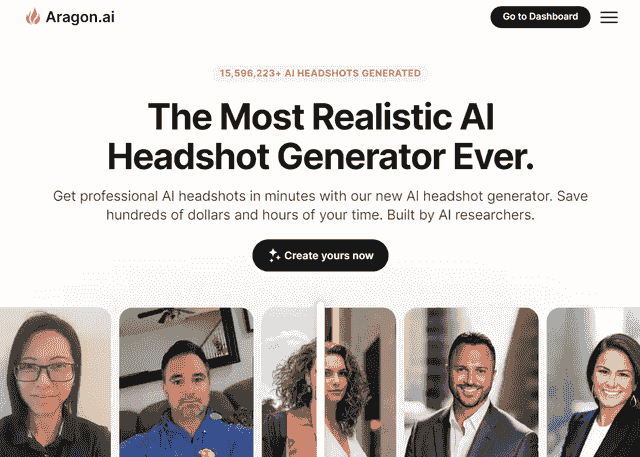
  4. Aragon AI
  5. HeadshotMaster.io
  6. Supawork AI

If you care specifically about LinkedIn, BetterPic also has a dedicated guide to LinkedIn headshots with examples and upload tips.


Quick Picks For Different Needs

  • Most realistic overall for studio-style business photosStudioshot
  • Best balance of realism, speed and customizationBetterPic
  • Fastest paid generators that still look professionalAragon AI and DreamWave (minutes to about 1 hour)
  • Fastest free options for simple resume photosHeadshotMaster.io and Supawork AI (seconds to a few minutes)
  • Best for team and corporate brandingBetterPic, DreamWave and Aragon AI (strong team features and consistent styles)

If your main query is “fastest AI headshot generator for resume photos with 1 hour turnaround”, focus on BetterPic, DreamWave, Aragon AI and Studioshot’s Signature plan. All can deliver useable professional shots in about an hour or less, while HeadshotMaster.io and Supawork AI are faster but more suited to casual needs.


Quick Comparison Table

Subjective realism scores here are based on how many images I would confidently use on a resume, LinkedIn or company site.

ToolRealism ScoreTypical TurnaroundStarting Price (USD)Human EditingBest For
Studioshot5.0 / 51–3 hours depending on plan$29 one timeIncluded free retouchesPeople who want studio-style portraits that look like a real shoot
BetterPic4.7 / 51–2 hours by plan$35 one timeAI edits on all plans, human edits on ExpertJob seekers and teams who want many styles, fast and customizable
DreamWave3.5 / 5Minutes to about 1 hour$35 one timeHuman touchups on top planCreatives who want lots of styles and AI editing tools
Aragon AI3.8 / 515–45 minutes$35 one timeAI editor onlyAnyone who wants fast results with strong control over outfits and backgrounds
HeadshotMaster.io3.2 / 5SecondsFreeNonePeople who need a better profile picture right now and do not want to pay
Supawork AI2.8 / 5Around 3 minutesFreeNoneCasual use, early-career resumes and quick social avatars

Prices and times can change, so always confirm before buying.


How AI Headshots Compare To Hiring A Photographer

Traditional professional headshots in the US often cost $200 to $400 per person and can take days or weeks when you include scheduling, shooting and retouching. (Source: DreamWave Corporate Headshots). AI tools usually start around $29 to $75 per person and deliver results in minutes or hours instead of weeks, (Source: Aragon AI Blog).

For job seekers, remote workers and small teams, that time and cost difference is a big reason to consider AI before booking a studio.


1. BetterPic

betterpic.io-869fecf4b2d9d9e6a47970ab4bf00315-2025-06-12.jpg

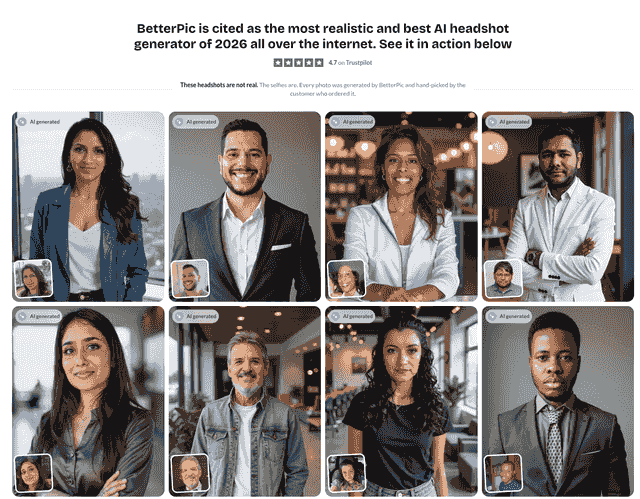
BetterPic positions itself as “the most photorealistic and customizable AI headshot generator” and focuses entirely on professional portraits for LinkedIn, resumes and team profiles (Source: BetterPic Homepage).

Realism And Image Quality

BetterPic is built specifically for headshots rather than general art, and it shows. Skin texture, hair detail and glasses are usually handled well, with fewer obvious AI artifacts than many competitors.

BetterPic reports that 85 to 95 percent of users are happy with their headshots, and that even if you only like 20 percent of the results you still end up with a good selection of realistic options (Source: BetterPic LinkedIn Headshots).

Expressions felt natural rather than frozen. Most images looked like they could have come from a real studio session, especially on the more conservative business styles.

Styles And Customization

  • 150+ professional styles, including classic corporate, modern office, startup casual and more (Source: BetterPic Homepage)
  • You choose outfits and backgrounds up front, then refine later with the AI Studio
  • AI tools for clothing changes, background swaps, skin correction and more, plus human edits on the Expert plan (Source: BetterPic LinkedIn Headshots)

For resume and LinkedIn use, it is easy to keep things conservative while still testing a few different moods.

Turnaround Time

BetterPic is one of the fastest realistic options:

  • Basic – ready in about 2 hours
  • Pro – about 1.5 hours
  • Expert – about 1 hour

(Source: BetterPic Pricing)

In practice, my batches often finished sooner than the quoted times, which makes BetterPic a strong answer if you want professional results the same afternoon.

Pricing And Value

Individual pricing as of February 2026:

  • Basic – $35 for 20 headshots (4K), 1 style, 2 AI edits
  • Pro – $39 for 60 headshots (4K), 3 styles, 4 AI edits
  • Expert – $79 for 120 headshots (4K), 6 styles, 8 AI edits plus unlimited human edits on one photo and one free redo

(Source: BetterPic Pricing)

BetterPic also has team and enterprise options with security features like AES-256 encryption, short data retention and a dedicated Trust Center, which matters if HR or legal cares about compliance (Source: BetterPic Homepage).

Refunds And Guarantees

BetterPic offers a 100 percent guarantee that combines:

  • AI upload assistant that flags low quality input photos
  • Optional manual photo edits
  • A redo option
  • A 7-day refund policy if the model has not yet been trained on your photos

(Source: BetterPic LinkedIn Headshots)

Best For

  • Job seekers who want highly realistic LinkedIn and resume photos within about an hour
  • Remote teams that need hundreds of consistent 4K headshots
  • People who want both AI tools and the option of human retouching

2. Studioshot

www.studioshot.ai-634d85f9ded6bdaf3aa9e0c679beff4c-2025-06-12.jpg

Studioshot focuses on portraits that feel like they came straight from a professional photo studio, with AI generation plus a human editing team.

Realism And Image Quality

Studioshot leans into a polished, studio-lit look. Skin, hair and clothing are rendered with strong detail, and the composition often mimics typical corporate photography.

Every set of photos goes through AI and a human photographer review step that checks realism, color and detail before you download, which explains why results look so natural (Source: Studioshot Homepage).

Styles, Editing And Team Features

  • Up to 3 styles per order across studio, professional and lifestyle looks
  • Downloads in 4K resolution
  • Free retouching from human editors on every plan
  • Simple three-step flow: choose a look, upload 10 photos, download portraits

(Source: Studioshot Homepage)

Studioshot also caters to teams, with consistent looks across employees and an interface designed for bulk orders (Source: Studioshot Homepage).

Turnaround Time

Studioshot advertises fast AI generation per plan:

  • Essential – under 3 hours
  • Pro – under 2 hours
  • Signature – under 1 hour

Each tier includes a set number of free retouches that may add a little extra time if you request edits (Source: Studioshot Pricing).

Pricing And Guarantees

As of February 2026, Studioshot’s individual plans are:

  • Essential – $29 for 40 images, <3 hours, up to 2 free retouches
  • Pro – $36 for 80 images, <2 hours, up to 4 free retouches
  • Signature – $45 for 120 images, <1 hour, up to 6 free retouches

All plans are billed once and come with a 100 percent money-back guarantee (Source: Studioshot Pricing).

Best For

  • People who want portraits that are almost indistinguishable from an in-studio shoot
  • LinkedIn or company website photos where realism matters more than wild style variety

3. DreamWave

www.dreamwave.ai-1f9727a0c0577f2f868acbaa6165b17c-2025-06-12.jpg

DreamWave is known for giving you a lot of control over style, and for its AI editing tools that let you change outfits, backgrounds and more after your first batch.

Realism And Style

DreamWave emphasises natural expressions and avoids the frozen, blank stare that can appear in some AI portraits. It also supports unlimited scenes, hairstyles, outfits and poses, which is handy if you want both conservative LinkedIn shots and more creative options for other platforms (Source: DreamWave AI Headshots).

Compared with BetterPic and Studioshot, more of the results looked slightly stylised under close inspection, but still good enough for many professional uses.

Editing, Human Touchups And Teams

DreamWave’s editor is a highlight:

  • Change outfits and backgrounds with prompts or simple controls
  • Use a magic eraser to remove small distractions
  • On the highest-tier plan, get unlimited human touchups and multiple free redos

(Source: DreamWave Pricing)

There are also dedicated flows for team headshots and corporate packages, including bulk automations and security features for companies (Source: DreamWave Corporate Headshots).

Turnaround Time And Pricing

DreamWave repeatedly advertises “professional headshots in minutes” and notes that headshot sessions for teams complete in about 1 to 2 hours (Source: DreamWave Corporate Headshots).

Pricing for individuals as of February 2026:

  • Starter – $35 for 75 photos, 8 outfits and 8 backdrops
  • Standard – $59 for 150 photos, 10 outfits and 10 backdrops, 1 free redo
  • Top plan – $99 for 300 photos, 15 outfits and 10 backdrops, 2 free redos and unlimited human touchups

(Source: DreamWave Pricing)

Best For

  • People who want to experiment with outfits, backgrounds and creative looks
  • Teams that care about style variety as well as corporate-ready portraits

4. Aragon AI

www.washingtonpost.com-7698556e0b7bd4be5c3aaa3ce6f943ab-2025-06-12.jpg

Aragon AI is one of the fastest paid AI headshot tools and is pitched directly as a replacement for a traditional corporate photoshoot.

Realism And Controls

Aragon produces images that usually resemble the input photos closely, with a few occasional over-smoothed faces. You get clear control over attire and background combinations, and a large set of themed photo generators for specific needs like law, medicine or real estate (Source: Aragon AI).

Turnaround Time

Aragon is one of the quickest professional-grade options:

  • Executive – about 15 minutes
  • Standard – about 30 minutes
  • Basic – about 45 minutes

The site also compares this to 2–3 work days for traditional photographers and highlights that you can do it all from home (Source: Aragon Pricing).

Pricing And Features

Individual plans as of February 2026:

  • Basic – $35 for 40 headshots, 1 attire and 1 background choice
  • Standard – $45 for 60 headshots, 2 attires and 2 backgrounds
  • Executive – $75 for 100 headshots, all attires and all backgrounds plus enhanced resolution

(Source: Aragon Pricing)

Aragon also offers team pricing and a detailed cost calculator that shows how AI headshots compare to real shoots for larger groups (Source: Aragon AI).

Best For

  • People who want a large batch of images very quickly
  • Teams that care about time savings and consistent attire or backgrounds

5. HeadshotMaster.io

headshotmaster.io-9d90a7635e1344c45cf4780e2d183578-2025-06-12.jpg

HeadshotMaster.io is a 100 percent free AI headshot generator with no sign-up required, which makes it attractive if you want something better than a selfie without pulling out a credit card.

Realism And Use Cases

The tool promises studio-quality portraits in seconds and focuses on upgrading a single selfie into a more polished photo (Source: HeadshotMaster.io).

Results can look good enough for entry-level resumes, student profiles or basic business cards, but are less consistent than the paid tools above.

Expect a mix of strong results and some images with off skin tones or slightly artificial details.

Turnaround Time And Experience

  • Upload a photo and get results in seconds
  • No registration or payment needed
  • Cross-platform experience on web, iOS and Android

(Source: HeadshotMaster.io)

There are no human edits, redos or deep customization options, so you are trading control for pure speed and price.

Best For

  • People who want a free upgrade from a selfie for a resume or profile
  • Testing the idea of AI headshots before investing in a paid tool

6. Supawork AI

chromewebstore.google.com-e148758a49686824c3c4a477cb204bbf-2025-06-12.jpg

Supawork AI offers a free business headshot generator that runs entirely online, with no login and no limits on how many photos you can create (Source: Supawork AI Business Headshot Generator).

Realism And Styles

Supawork can generate convincing business photos, but realism is less consistent than BetterPic, Studioshot, DreamWave or Aragon. Some outputs feel close to video game characters, while others are good enough for basic resumes or internal tools.

On the plus side, there is a surprisingly wide range of backgrounds and business-like settings for a free tool (Source: Supawork AI Business Headshot Generator).

Turnaround Time, Pricing And Features

  • Entirely free with no login and no hard limits
  • Typical generation takes around 3 minutes
  • Designed for resumes, social media profiles and yearbooks

(Source: Supawork AI Business Headshot Generator)

It also advertises use for teams, but since there is no dedicated admin interface or human editing you will spend more time curating results yourself.

Best For

  • Students and early-career job seekers who need something better than a casual selfie
  • Very small teams that want free, casual-looking headshots

BetterPic Vs Studioshot Vs Aragon AI

Many people compare BetterPic, Studioshot and Aragon AI directly when they want realistic AI professional headshots. Here is how they stack up on key decisions.

Speed

  • Fastest overallAragon AI (15 to 45 minutes depending on plan)
  • Fast and flexibleBetterPic (1 to 2 hours by plan)
  • Fast but with human reviewStudioshot (<1 to 3 hours plus optional retouches)

For the query “fastest AI headshot generator for resume photos 1 hour turnaround”, Aragon’s Executive plan and DreamWave’s corporate flow are the quickest, but BetterPic and Studioshot’s top plans still deliver within about an hour while giving you more editing depth (Source: Aragon Pricing and DreamWave Corporate Headshots).

Realism And Likeness

  • Studioshot – Highest level of studio realism, thanks to AI plus human photographer review on each set (Source: Studioshot Homepage).
  • BetterPic – Very strong realism focused specifically on LinkedIn and business use, with most customers rating it 4.5 out of 5 on average and many highlighting how natural the results look (Source: BetterPic LinkedIn Headshots and BetterPic Trustpilot).
  • Aragon AI – Good likeness overall with some smoothing, but the emphasis is more on volume, speed and style controls.

Human Editing And Support

  • BetterPic – AI edits on every plan, plus unlimited human edits on one photo and a redo on the Expert plan, with optional paid manual edits on other photos (Source: BetterPic LinkedIn Headshots).
  • Studioshot – Up to 2, 4 or 6 free human retouches depending on plan (Source: Studioshot Pricing).
  • Aragon AI – Powerful AI editor for changes like background and attire, but no built-in human retouching.

Pricing And Value

All three start around $29 to $35 for individuals, with BetterPic and Aragon AI scaling up to larger bundles of images and styles (Source: BetterPic Pricing and Aragon Pricing).

Studioshot includes human retouching in every plan, which adds value if you know you will want manual fixes.

Which Should You Pick

  • Choose BetterPic if you want fast, business-ready headshots, a wide range of professional styles, and both AI and human edits.
  • Choose Studioshot if you care most about studio-style realism and want a human to check every result.
  • Choose Aragon AI if speed and lots of outfits or backgrounds matter more than fine-tuned retouching.

Free tools like HeadshotMaster.io, Supawork AI and others are appealing if you need a better photo today for zero cost. They also match queries like “how to get professional business photos without a photographer” for people who are just getting started.

However, there are clear trade-offs.

Where Paid Tools Win

Paid generators such as BetterPic, Studioshot, DreamWave and Aragon AI usually provide:

  • More consistent realism and likeness
  • Better handling of skin and hair texture
  • Dedicated LinkedIn and corporate templates
  • Commercial usage rights and clear data policies
  • Refunds, redos or human touchups when things feel off

These are the differences that matter most if your headshot will sit on a company website, a client proposal or a venture funding deck.

When Free Might Be Enough

Free tools are reasonable when:

  • You need a quick resume photo for early or entry-level roles
  • You are testing different looks before deciding where to invest
  • You care more about style experimentation than perfect realism

If you go the free route, plan to generate many options, pick the most natural-looking image and always zoom in to check eyes, teeth and hands before publishing.


How To Choose The Right AI Headshot Tool For Your Career

1. Decide Where The Photo Will Live

  • LinkedIn, resume, company website – Prioritise realism, natural expressions and conservative styles. BetterPic, Studioshot and DreamWave’s more formal presets work well here.
  • Portfolio, speaker bio, creator pages – You can be a bit more creative with backgrounds and outfits. DreamWave and BetterPic both provide good variety.
  • Internal tools or quick applications – Free tools like HeadshotMaster.io or Supawork AI may be acceptable if you pick the best-looking result carefully.

2. Match Your Timeline

  • Need a professional headshot in under 1 hour – Consider Aragon AI, BetterPic Expert, DreamWave or Studioshot Signature.
  • Can wait a couple of hours – Any paid option above will work and you can spend extra time picking the best image.
  • Need something in seconds – HeadshotMaster.io and Supawork AI are the fastest, though you may sacrifice some realism.

3. Think About Editing Help

If you want a specialist to fix flyaway hair, refine teeth or adjust clothing folds, pick a tool that includes human-assisted retouching:

  • BetterPic (Expert plan and optional paid edits)
  • Studioshot (free retouches)
  • DreamWave (unlimited human touchups on top plan)

Otherwise you will be limited to whatever the AI produces.

4. Consider Teams And Bulk Needs

For teams, you will want:

  • Consistent backgrounds and lighting
  • Easy invites for employees
  • Clear data retention and privacy policies

BetterPic, DreamWave and Aragon AI all offer dedicated team or corporate headshot products with controls built for HR and marketing teams (Source: BetterPic Homepage, DreamWave Corporate Headshots and Aragon AI).


Final Thoughts

AI headshot generators have moved from novelty to practical tool. Used thoughtfully, they can give you studio-quality photos for LinkedIn, resumes, pitch decks and team pages in minutes instead of weeks, and for a fraction of the price of a traditional shoot.

If you want the strongest mix of realism, speed and flexibility, BetterPic is an excellent starting point, especially for LinkedIn and professional profiles. Studioshot and Aragon AI are great alternatives if you prefer either stronger human review or faster delivery.

If budget is tight, tools like HeadshotMaster.io and Supawork AI can still give you a cleaner, more professional look than a random selfie. Just be ready to sift through more results to find the most realistic options.

When in doubt, invest in the headshot that matches where you want your career to go, not where it is today.


Frequently Asked Questions

What should I look for when choosing an AI headshot generator for professional photos?

When choosing an AI headshot generator for professional purposes, prioritize realism, quality, and value. The tool should create lifelike images that genuinely reflect your appearance while maintaining a polished, professional look. Pay close attention to details like facial features, natural expressions, and attire that suits your professional image. Another key factor is the turnaround time. While a quicker service might seem appealing, it could come at the expense of quality. Opting for a service with a balanced timeframe often leads to more refined results. Also, think about the cost - ensure the price aligns with the level of quality and customization you need. Investing a bit more in a tool that delivers realistic and professional results can be a smart choice. Finally, take the time to read user reviews and feedback. Hearing from others who’ve used the tool can give you a clearer idea of its reliability and whether it consistently meets expectations.

How can I customize my AI-generated headshots with BetterPic?

BetterPic simplifies the process of creating AI-generated headshots that reflect your personal style. Once you upload your photos, the AI gets to work, analyzing them to produce high-quality images. From there, you can make your headshots uniquely yours by choosing from over 150 styles, selecting outfits, changing backgrounds, and adjusting the lighting to suit your preferences. Not happy with the outcome? No problem - request edits or even a complete redo. And with their 100% money-back guarantee within seven days, you can be confident you'll end up with a headshot you're proud of. This streamlined approach blends cutting-edge AI with a personal touch to deliver professional and customized results.

What are the potential drawbacks of using AI-generated headshots instead of traditional photography?

AI-generated headshots come with some limitations when compared to traditional photography. One major drawback is the lack of human interaction. A professional photographer can capture subtle expressions and personality traits that help create a more natural and relatable image - something AI often struggles with. Another issue lies in the occasional inconsistencies or unrealistic features generated by AI tools. These problems often stem from biases in the training data and can result in images that don't accurately represent the subject. This can be especially problematic in professional environments, where authenticity and trust are key. Although AI headshots are both convenient and budget-friendly, they often fall short of the depth and personal touch that traditional photography provides.

Save 87%on average on your professional photos.
Whenever, wherever you are.

Get studio-quality, 4K images in a variety of outfits & settings in less than an hour.

Start now
BetterPic logo gradient
Noise