
Why Access And Security Matter Before You Create AI Headshots For Your Team
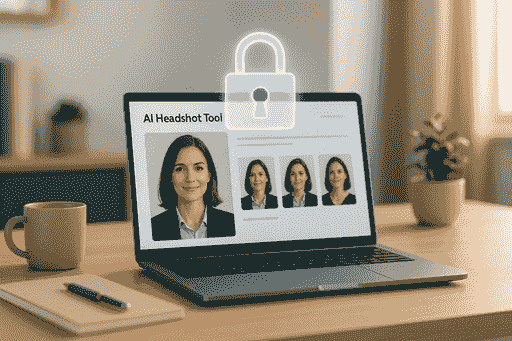
This article is part of our Team & Company Headshots collection.
AI headshot tools make it easy to create consistent, professional portraits for entire teams in hours instead of weeks. But every one of those photos is sensitive personal data. Before you upload a single employee selfie, access control and security need to be solved.
Data breaches are getting more expensive and more disruptive. IBM’s 2024 Cost of a Data Breach report puts the global average breach at USD 4.88 million, a 10% jump in a single year. Around two thirds of incidents still involve a human element like stolen credentials or phishing, showing how often simple access failures open the door.
When the data in play is your employees’ faces, the stakes are even higher. This guide explains why access and security must come before aesthetics, which certifications and controls matter, and how BetterPic approaches data protection for AI headshots.
Why are employee photos considered sensitive data?
How Regulators Facial Images
Under GDPR, any digital image of an identifiable person is personal data. It can also become biometric data if you apply “specific technical processing” that allows unique identification, such as extracting facial features to build a template for matching or recognition.
Biometric data used to uniquely identify someone is treated as special category data in GDPR, which means:
- Stricter legal bases are required for processing
- Data protection impact assessments (DPIAs) are more likely to be mandatory
- Higher expectations for security, governance and user rights apply
In California, the CCPA / CPRA define biometric information as physiological, biological or behavioral characteristics used to establish individual identity. This explicitly includes imagery of the face from which a “faceprint” or similar template can be extracted (Source: California Civil Code §1798.140). When biometric information is processed to uniquely identify a consumer, it is also treated as sensitive personal information, which comes with extra rights and restrictions.
In practice, that means:
- Employee headshots are always personal data
- They may be treated as biometric or even special category data when used in authentication, access control or face recognition systems
- Even if you only use photos for directories or LinkedIn, regulators expect strong safeguards
What can go wrong when you upload staff photos to AI services?
Uploading a folder of staff selfies to an unvetted AI tool can create risks that go far beyond a bad headshot.
1. Data breaches and identity theft
If an AI vendor is breached, attackers gain a labeled dataset of real faces tied to names, roles and companies. That data can be reused for impersonation, deepfake scams or account takeovers across social and professional platforms.
2. Unwanted biometric databases and model training
Some AI providers reuse customer photos to train new models or maintain persistent facial templates. If those models leak or are repurposed, your employees’ likenesses can live far beyond the original project.
3. Regulatory exposure under GDPR and CCPA
If your vendor silently profile photos into biometric templates, you may be pulled into special category processing under GDPR or sensitive personal information handling under CCPA, with tougher consent and documentation requirements.
4. Human error and misconfigured access
Many high profile breaches originate from simple oversights like disabled multifactor authentication or misconfigured third party tools (Source: Axios). In an AI headshot context, that could be as simple as sharing a login between teams or leaving an S3 bucket with training images unnecessarily accessible.
5. Loss of employee trust
If staff find their faces reused in marketing, training datasets or other products they never agreed to, it damages trust internally, not just with customers.
The common theme: most of the risk comes from weak access controls, long data retention, and vague or missing policies.
Why does access control matter before you start generating headshots?
Before you consider styles or backgrounds, you need to know who can do what with your employees’ photos.
Centralized Admin And HR Controls
For team or enterprise headshots, your AI provider should offer an admin dashboard that lets HR, People and IT teams:
- Create projects for specific departments or cohorts
- Invite employees with secure links, not shared passwords
- Restrict who can raw uploads and final images
- Track which employees have submitted, approved or requested changes
BetterPic’s teams features are designed around this model, giving admins a single place to manage employee headshot projects while keeping access to sensitive photos limited to authorized staff.
Role Based Access, MFA And Zero Trust
Strong authentication and fine grained permissions are non negotiable when handling facial images.
Look for vendors that offer:
- Role based access control (RBAC) - separate permissions for admins, managers and end users
- Mandatory multifactor authentication (MFA) for admin and API access
- Zero trust principles - verifying every request regardless of network location, and applying the principle of least privilege inside the platform
Given that the majority of incidents still involve a human element, locking down administrative access is one of the fastest ways to reduce risk.
Audit Logs And Access
For teams handling regulated data, you also need visibility. Your AI headshot provider should offer:
- Logs of who accessed which projects and when
- Records of uploads, approvals, downloads and deletions
- Easy export of logs for your SIEM or GRC tools
This makes vendor assessments, breach investigations and internal audits far easier, especially if you are pursuing SOC 2 or ISO 27001 yourself.
What compliance standards should an AI headshot vendor meet?
GDPR And Employee Facial Data
A compliant AI headshot vendor should:
- Clearly state whether it acts as a data processor, a controller, or both for different data types
- Offer a Data Processing Agreement (DPA) with details on sub‑processors, locations and security measures
- Support data subject rights, including access, correction, deletion and objection
They must also be transparent about whether they perform any biometric recognition or use photos to train new models. Under GDPR, biometric data used for unique identification is prohibited by default unless a specific Article 9 condition applies, like explicit consent or a clear employment law basis (Source: GDPR Article 9).
CCPA / CPRA And Sensitive Biometric Information
In California, CCPA / CPRA treat biometric information as a defined category of personal information, and the processing of biometric information to uniquely identify a consumer as sensitive personal information.
Your AI headshot vendor should therefore:
- Disclose any biometric processing in its privacy policy
- Offer clear opt out and deletion mechanisms for California residents
- Avoid selling or sharing biometric information except as strictly necessary to provide the service
Why SOC 2 Matters For AI Headshot Platforms
SOC 2 is an independent attestation report based on the AICPA’s Trust Services Criteria. It evaluates a service provider’s controls across up to five categories:
- Security
- Availability
- Processing integrity
- Confidentiality
- Privacy
For an AI headshot tool, a well scoped SOC 2 program typically covers:
- Logical and physical access controls for production systems
- Change management for AI models and infrastructure
- Vendor and sub‑processor management
- Incident detection, response and customer notification
- Logging, monitoring and data retention practices
A SOC 2 Type II report gives you evidence that these controls operated effectively over a defined period, not only that they exist on paper.
Why ISO 27001 Is Relevant
ISO/IEC 27001 is the leading international standard for information security management systems (ISMS). It defines how an organization should establish, implement, maintain and continually improve a system that manages information security risks and controls.
For AI headshot vendors, an ISO 27001 aligned ISMS supports:
- Formal risk assessments around new AI models and data flows
- Clear ownership for security policies and procedures
- Regular internal audits and continuous improvement
- Structured handling of incidents and near misses
When you combine SOC 2 and ISO 27001 with strong privacy practices under GDPR and CCPA, you get a vendor that treats employee photos as high risk data, not as generic file uploads.
What security controls should you demand from any AI headshot vendor?
Use this checklist when comparing AI headshot tools for your team.
| Control | What To Ask The Vendor | Why It Matters |
|---|---|---|
| CCPA and GDPR compliance | Do you act as a processor, controller or both? Can we sign a DPA? Where is data stored? | Clarifies legal responsibilities and ensures regional privacy rights are respected. |
| AES‑256 encryption end to end | Is data encrypted in transit with TLS and at rest with AES‑256 or equivalent? How are keys managed? | Strong encryption reduces the impact of infrastructure breaches or intercepted traffic. |
| Temporary storage and short retention | How long do you keep raw uploads, trained models and outputs by default? Can we configure shorter periods? | Best practice is to keep uploads only as long as needed, with deletion measured in days, for example within 7 days, not months or years. |
| No biometric harvesting or unauthorized model training | Do you create facial recognition templates or reuse our photos to train general models without explicit opt in? | Avoids building long lived biometric databases and reduces regulatory exposure. |
| Role based access and MFA | Can we assign roles for admins, managers and users? Is MFA supported and enforced for high privilege accounts? | Limits who can see employee photos and reduces risk from stolen passwords. |
| Zero trust and least privilege | How do you authenticate internal services and staff? Do you grant only the minimum access needed? | Makes lateral movement harder if an account or system is compromised. |
| Third party provider vetting | Which cloud, AI and analytics providers do you use? Do you publish a sub‑processor list and security requirements for them? | Your risk extends to your vendor’s vendors. Clear vetting and transparency are essential. |
| Audit logs and reporting | Can we access logs of uploads, approvals, admin actions and deletions? Is there an API or export? | Supports security monitoring, investigations and compliance audits. |
| Breach liability and incident response | What are your notification timelines? How do you work with customers during an incident? | Clear commitments reduce chaos during a breach and help you meet your own legal duties. |
| Machine unlearning and model deletion | Can you delete or retrain models built on our data when we leave, or on request? | Prevents long term reuse of your employees’ likenesses in AI systems. |
| **Ease of use and fast ** | How quickly can teams get results without bypassing controls or using consumer apps? | When secure tools are fast and simple, staff are less likely to seek risky workarounds. |
| Admin dashboard and HR controls | Can HR manage projects, approvals and removals centrally without IT tickets? | Helps keep security and compliance aligned with real world headshot workflows. |
How does BetterPic handle access and security?
BetterPic was built with team and enterprise use in mind, which means data protection is part of how the product works, not an afterthought.
Data Encryption And Secure Infrastructure
BetterPic applies strong encryption to protect user data during upload, processing and storage. Photos, personal details, authentication data and payment information are protected with AES‑256 level encryption in transit and at rest, as detailed in its security.
The company operates a dedicated trust center powered by Vanta, aligning its infrastructure and internal processes with widely adopted security frameworks. Continuous monitoring and automated checks help keep controls consistent as the platform scales.
Privacy By Design
BetterPic’s privacy policy and security content emphasize:
- Compliance with GDPR and CCPA
- Clear roles as data controller and processor
- Data minimization and purpose limitation
- Strong access control for staff handling personal data
(Source: BetterPic Privacy Policy).
On its homepage BetterPic also commits to “Your data, your rules,” stating that your photos are never sold and not used to train AI models without consent. This helps reduce long term biometric risk.
Access Controls For Teams
For group projects, BetterPic offers a team dashboard where administrators can:
- Create and manage projects for departments or whole companies
- Control who can upload, and download photos
- Limit internal access to raw images and generated headshots to authorized personnel only
.
This design keeps HR and leadership in control of sensitive image flows without sacrificing speed or user experience.
Transparent Data Retention
BetterPic publishes its data retention and deletion practices in both product content and legal documents, including how long it keeps input photos, trained AI models and output images, and how users can request early deletion.
The emphasis is on short, clearly defined retention periods and automatic deletion once images are no longer needed for support, refunds or reruns, rather than indefinite storage.
Frequently Asked Questions
Are AI Headshot Tools Secure For Employee Photos?
They can be, but security varies widely.
A secure AI headshot platform should combine:
- Strong encryption in transit and at rest
- Role based access and MFA, especially for admins
- Short, well documented retention windows for uploads and models
- Transparent GDPR and CCPA compliance with a DPA
- No reuse of employee photos to train unrelated AI models without explicit consent
BetterPic’s security documentation describes exactly these types of safeguards for team headshots, including encryption, strict access controls and clear retention policies.
How Do AI Headshot Vendors Comply With CCPA And GDPR?
Responsible vendors typically:
- Publish a detailed privacy policy describing what data they collect, for which purposes and under which legal bases
- Offer data processing agreements that list sub‑processors, transfer safeguards and technical measures
- Provide mechanisms for rights requests like access, deletion and objection
- Avoid selling or sharing biometric information outside what is necessary to provide the service
BetterPic’s privacy policy outlines these elements, including its roles under GDPR, contact details for its privacy team and EU / UK representatives, and procedures for handling data subject requests (Source: BetterPic Privacy Policy).
Do AI Headshot Platforms Store Biometric Or Facial Recognition Data?
It depends on the provider and how their system is designed.
Under GDPR and UK GDPR, ordinary digital photos are not automatically biometric data. They become biometric data when you apply “specific technical processing” that makes unique identification possible, such as extracting facial features into a template for automated matching.
Some vendors build persistent face templates or use customer photos to train general recognition models. Others, like BetterPic, state in their security content that they do not collect or store biometric or facial recognition data beyond what is needed to produce the requested headshots, and do not use customer photos to train new models without consent.
When evaluating a tool, ask directly:
- Do you create face templates or embeddings that persist after the project ends?
- Do you reuse our images to train other models?
- Can you delete any such derived data on request?
What Are Standard Data Retention Policies For AI Headshot Services?
There is no universal standard. Practices range from:
- Temporary storage for a few days to allow reruns or refunds
- Multi month retention of raw uploads and models for “product improvement”
- Long term storage of generated images in user accounts
Best practice for sensitive employee photos is:
- Short, clearly documented default retention periods for uploads and training artifacts, usually measured in days or weeks
- Automatic deletion of raw photos and associated models when they are no longer needed
- Configurable retention and early deletion options for enterprise customers via UI or API
Look for vendors that make these settings explicit instead of hiding them in generic legal text.
What Security Risks Come From Uploading Staff Photos To AI Services?
Key risks include:
- Data breaches exposing labeled facial images and contact details
- Uncontrolled reuse of faces in training data or facial recognition products
- Regulatory noncompliance if biometric data is processed without the right legal basis
- Increased phishing and social engineering risk if attackers can easily clone or fake profiles
- Internal mistrust if employees feel they were not informed or given a choice
Choosing an AI headshot vendor with strong access controls, clear retention policies, SOC 2 or ISO 27001 aligned security programs, and transparent privacy commitments greatly reduces these risks.
What Should Security And Legal Teams Ask Before Approving An AI Headshot Vendor?
A practical pre‑approval checklist:
- Data flows – What exactly is collected, where is it stored and who can access it?
- Legal alignment – Will the vendor sign your DPA and support GDPR / CCPA rights requests?
- Certifications and frameworks – Do they have or align with SOC 2 and ISO 27001, and can they share evidence?
- Retention – How long are uploads, models and outputs kept by default, and how can that be shortened?
- Access control – Is MFA enforced? Are roles granular enough for your HR and IT structure?
- Incident response – How will they notify you and support investigations if something goes wrong?
- Model usage – Are your employees’ photos isolated to your projects, or reused to train broader AI models?
What Enterprise Teams Are Actually Seeing With BetterPic
BetterPic's security-first approach has earned the trust of organizations with the most demanding compliance requirements:
Certified and audited: SOC 2 Type II · ISO 27001 · GDPR · CCPA — with AES-256 encryption, regular penetration testing, and an active vulnerability disclosure program
Trusted by: Apple, Meta, Google, Harvard, Amazon, LinkedIn, NVIDIA, and 1,000+ other companies
BetterHealth Group — A healthcare org with providers across 6 states chose BetterPic for its centralized admin controls and compliance posture. "We needed a solution that was streamlined and easy for everyone. BetterPic made that possible." — Manali Shah, Social Media Manager (Read the case study)
By the numbers: 32M+ headshots delivered · 1,000+ companies · 99% satisfaction rate · 4.7/5 on Trustpilot (1,000+ reviews)
Getting clear, written answers to these questions before you start uploading is the difference between safe, scalable AI headshots and a long term privacy problem.
Sources & References
- LinkedIn Profile Photo Tips — LinkedIn
- How Your Profile Photo Impacts Your LinkedIn Presence — LinkedIn Official Blog
- AI Image Generation Market Report — Grand View Research
- How AI Is Changing Photography — Forbes
- Professional Headshot Photography Pricing — Thumbtack

Written by
Hertok KawangCustomer Success Specialist
Hertok works directly with BetterPic customers every day, giving him first-hand insight into what professionals need from their headshots. With 6+ years in customer support, he writes from real user experience and common questions he encounters daily.
- 6+ years in customer success and support
- Handled 10,000+ customer headshot consultations
- Expert in AI headshot quality assessment
Preferred source
Follow BetterPic on Google
Add BetterPic as a preferred source and our headshot guides are more likely to show up in your Top Stories, with a badge in AI Mode and AI Overviews.

Related team and company headshots resources
Keep exploring this topic with focused resources from the B2B journey.
Primary destination:BetterPic Teams for company and employee headshots
Frequently Asked Questions
How does BetterPic ensure the security of employee headshot data?
- BetterPic takes data security seriously, employing end-to-end encryption and AES256 encryption to protect employee headshot data. All files are transmitted through secure, encrypted channels, minimizing the risk of unauthorized access. The company also maintains a clear and transparent privacy policy, detailing how user data is stored, safeguarded, and retained. This ensures users can have confidence in how their information is managed.
How does BetterPic protect sensitive facial data and comply with GDPR and CCPA regulations?
- BetterPic places a strong emphasis on data security and adheres to GDPR and CCPA regulations by enforcing strict privacy protocols. All user data is stored securely with trusted cloud providers, and rigorous internal policies are implemented to protect personal information during processing. The platform prioritizes user privacy, ensuring that sensitive facial data is managed with care and security throughout the entire process. This commitment allows individuals and teams to confidently use BetterPic's AI-powered tools to create professional headshots without worry.
Why is a data retention policy important for AI headshot tools, and how does BetterPic handle it?
- A data retention policy plays a crucial role in AI headshot tools. It ensures that personal data is stored only as long as necessary, helping to protect user privacy and comply with regulations like GDPR and CCPA. This approach not only safeguards sensitive information but also fosters trust between users and the platform. BetterPic takes data security seriously by adhering to strict retention practices. Photos uploaded to the platform are processed with AI to produce top-notch results. Users have a 7-day window to request manual edits, redo their images, or ask for refunds. These policies ensure your data is treated responsibly and securely, offering confidence and peace of mind while using the service.
Related articles
View all articles
The Enterprise Playbook for Team Headshot Strategy
A practical enterprise playbook for building a scalable team headshot strategy. Learn how to ensure consistency, reduce costs, and align headshots with.
Corporate Headshot Photographer vs AI Headshots: A Practical Guide for Enterprises
A practical, enterprise-focused comparison between hiring a corporate headshot photographer and using AI headshot generators—covering cost, quality.
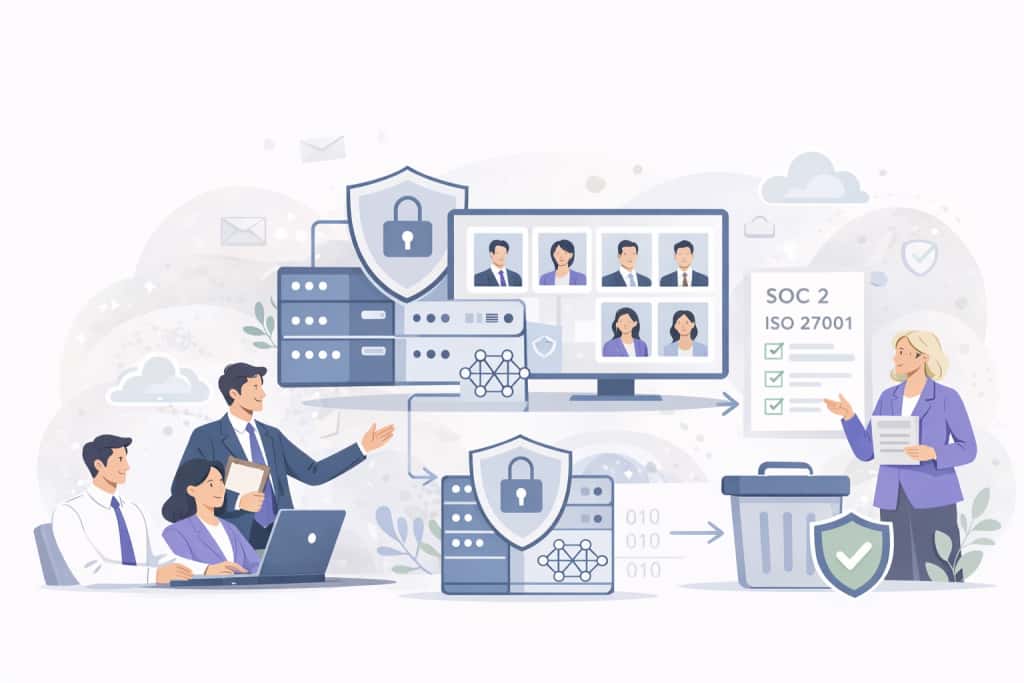
4 Ways AI Headshot Generators Are Compliant for Companies
A practical guide explaining how AI headshot generators meet enterprise compliance standards, including SOC 2 Type II, ISO 27001, and GDPR.
8 Corporate Headshot Styles That Actually Work (With Examples)
Eight corporate headshot styles broken down by who they work for, what makes each one effective, and how to get the look — in a studio or with AI.
What Actually Happens When You Roll Out AI Headshots to Your Team
A realistic walkthrough of what happens when a company switches to AI headshots — the process, the pushback, what went wrong, and whether it was worth it.
Why Your Employees Hate Headshot Day (And How AI Fixes Every Part of It)
Traditional headshot day is a logistical nightmare that employees dread. Here's how AI headshots eliminate the cost, scheduling chaos, and awkwardness.
Save 87%on average on your professional photos.
Whenever, wherever you are.
Get studio-quality, 4K images in a variety of outfits & settings in less than an hour.
Get your headshots nowStart now
