
Company Headshots for Teams: What They Cost, How to Prep, and the Smartest Way to Get Them

This article is part of our Team & Company Headshots collection.
Your team's headshots are doing more work than you think. They're the first thing a potential client sees on your website, the first impression a candidate gets on your careers page, and the thing that either makes your LinkedIn company page look put-together or like a random collage of vacation selfies and grainy webcam screenshots.
Profiles with professional photos get 36x more recruiter messages than those without, according to LinkedIn data (Source: Onrec). That first-impression effect carries straight over to your website, sales decks, and proposals.
So here's what we'll cover: what company headshots actually are, how to get your employees ready, what they really cost in the U.S., and how to pick between a traditional photographer and a platform like BetterPic (spoiler: for most teams, BetterPic wins on price, speed, and consistency).
Key Takeaways
- Professional, consistent headshots increase trust, credibility and perceived quality
- Most U.S. businesses pay roughly $125–$300 per person for traditional corporate headshots, with national averages near $250
- AI and virtual platforms can reduce cost per person to roughly $20–$60 at scale while still delivering studio quality results (Source: Headyshot)
- Good preparation and clear guidelines for employees matter as much as the photography method
- For large or remote teams, automated platforms like BetterPic offer better scalability, consistent branding and easier scheduling
What are company headshots?
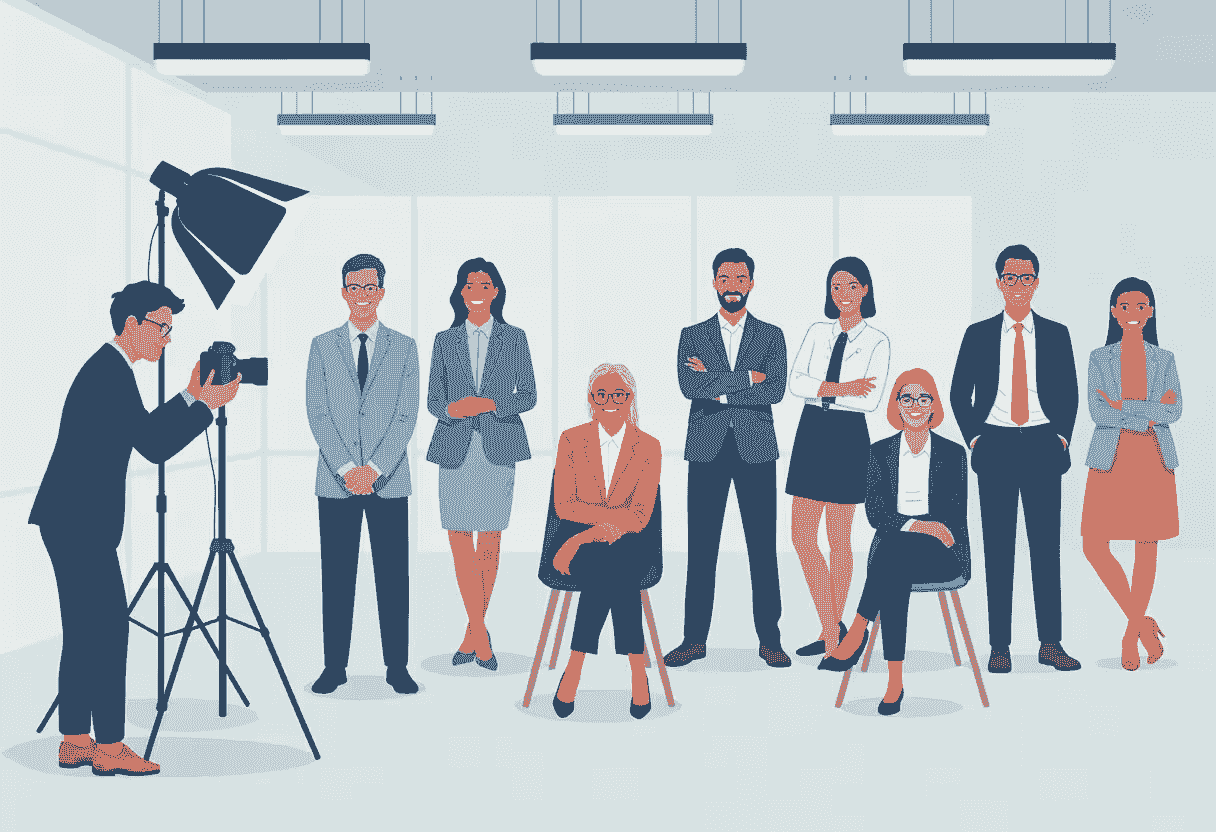
Company headshots are professional photos of your team members — the kind that show up anywhere your brand meets customers, partners, or job candidates. Simple as that.
You'll find them on:
- Website About or Team pages
- LinkedIn profiles and company pages
- Sales decks, proposals and case studies
- Press releases, speaking bios and media kits
- Email signatures and internal directories
The whole point is to put a real human face to your brand while keeping things visually consistent. When everyone's headshot looks like it was taken in the same session (even if it wasn't), your company looks polished and intentional.
What types of company headshots are there?
- Individual corporate headshots — One person, head to shoulders, clean background. The classic.
- Team group photos — Your department or leadership team in one frame.
- Environmental portraits — Someone photographed in their actual work environment, like an office or lab.
- Formal vs casual styles — Suits and studio lighting on one end, relaxed clothing and modern backgrounds on the other.
Why do professional company headshots matter?
They build trust fast
People make snap judgments. A sharp, well-lit headshot tells someone your company pays attention to detail. A blurry phone selfie tells them... something else. A blurry phone selfie tells them... something else, and for organizations built on community trust such as those running church fundraising campaigns, a polished and professional image can be the difference between gaining a donor's confidence or losing it entirely.
LinkedIn data consistently shows that profiles with professional-looking photos get 36x more messages from recruiters than profiles without — which means your team members (and your brand by extension) get more visibility just by looking the part.
They make your brand look unified
When every headshot follows the same visual rules — similar crops, lighting, backgrounds, expressions — your team looks like a team, not a patchwork of random photos pulled from five different sources.
That consistency:
- Makes your website and proposals look more polished
- Helps prospects recognize your brand across channels
- Kills the internal debate about which photos are "good enough"
They help with hiring
Candidates size up your company culture in seconds. A careers page where everyone has a matching, approachable headshot sends a very different message than one with a mix of outdated LinkedIn photos and no-photo placeholders.
Professional headshots support:
- Stronger first impressions with candidates
- Better representation of diversity and inclusion when everyone is shown clearly and consistently
- Internal pride — people actually like having a great photo of themselves
They make sales and marketing easier
Your sales team, your marketing people, your executives — they're constantly getting asked for a photo for webinars, conferences, guest articles, podcasts, case studies, and media features.
Having a central library of consistent, high-resolution headshots means you can say "yes" to those requests in 30 seconds instead of scrambling for something usable at the last minute.
How do modern and traditional headshot approaches differ?
| Element | Traditional approach | Modern approach |
|---|---|---|
| Posing | Stiff, formal, facing forward | Natural, relaxed, dynamic angles |
| Background | Solid blue or gray studio backdrop | Environmental, textured, or brand-color settings |
| Lighting | Flat, overly bright corporate treatment | Soft, dimensional, often natural light |
| Wardrobe | Strict business formal, such as suits and blazers | Brand-appropriate, from smart casual to business formal |
| Expression | Forced or serious smile | Authentic, confident, approachable |
| Overall mood | Dated, impersonal, uniform | Personal, current, reflective of company culture |
The modern approach is not simply less formal. It uses intentional lighting, setting, wardrobe, and direction to show a team as capable and approachable while still holding every image to one brand system.
Where should you use company headshots?
Headshots work hardest when they show up everywhere your team does:
- LinkedIn — A professional headshot boosts profile views, connection requests, and recruiter outreach. Good for both sales prospecting and hiring.
- Website — Team and leadership pages with consistent images build trust and help visitors feel they're dealing with real people, not a faceless corporation.
- Email signatures — A clean headshot makes cold outreach feel a lot less cold.
- Sales and investor decks — Headshots on the "Team" slide add confidence and a human element, and they also work well in printable flyers used for events, conferences, and offline promotions.
- Press, speaking, and podcasts — Media outlets almost always ask for a headshot to run alongside a quote or appearance. Don't be the person who has to send a cropped group photo
How do headshots shape perception on key platforms?
The same headshot does a slightly different job on each platform. Use this breakdown to make sure one visual system supports every place your team appears:
| Platform | Primary impact on perception | Key business benefit |
|---|---|---|
| Professionalism and credibility | Helps attract talent, support lead generation, and build industry authority | |
| Company website ("About Us" page) | Trustworthiness and team unity | Humanizes the brand, creates an immediate connection, and shows company culture |
| Email signatures | Approachability and personal connection | Makes digital communication feel more personal and supports stronger client relationships |
| Sales proposals and decks | Competence and reliability | Adds a human face to the pitch and makes the team feel more trustworthy and relatable |
| Conference speaker bios | Expertise and authority | Establishes the speaker as a credible expert before they step on stage |
The goal is a recognizable, professional identity wherever your people show up — not a separate look for every channel.
How do you create a corporate headshot style guide?
A corporate headshot style guide is the visual recipe for the whole program. It should be specific enough that a photographer, an internal team, or an AI platform can reproduce the same look for every employee, including future hires.
Start by deciding what the photos should communicate. A traditional firm may want authority and restraint; a creative or technology company may prefer warmth and energy. Then document the background, lighting, crop, pose, expression, wardrobe, and color rules with a few approved examples.
How do you define the core visual elements?
Anchor the headshot system in your existing visual language. Review the company logo, website, and marketing materials, then decide whether the brand should feel modern and energetic, traditional and established, warm and welcoming, or crisp and professional. A technology startup might choose bright lighting and an authentic office setting, while a financial institution may prefer a restrained studio portrait.
Use visual mood as the first decision axis:
- Approachable and warm — Combine soft or natural light, genuine smiles, and relaxed environmental backgrounds to communicate openness and humanity.
- Powerful and authoritative — Use structured lighting, confident expressions, and clean, bold backgrounds to communicate expertise and gravitas.
The chosen mood becomes the filter for every later decision, from wardrobe and background to posing instructions.
Document three core elements:
- Lighting and mood — Specify whether the light should be soft and even, or more directional and dramatic, and name the feeling it should create.
- Color palette — Pull approved background and wardrobe colors directly from the brand palette. Record digital background colors as exact HEX codes so photographers, editors, and AI tools work from the same specification.
- Composition and framing — Define the camera angle and whether the crop is tight on the face, shoulder-up, or chest-up. This is especially important when headshots appear together in a grid.
These decisions make the headshot library a recognizable extension of the brand and give every production partner a reproducible baseline.
What background should you pick for corporate headshots?
The background is one of the strongest tools for unifying a distributed team's headshots. It also signals culture: a solid gray backdrop can feel formal and traditional, while a softly blurred office can feel modern and accessible. Choose one primary style and, if needed, a small set of approved alternatives:
- Solid-color studio background — A clean gray, white, or brand-color backdrop is timeless, keeps attention on the person, and is easy to reproduce. Define the exact digital color with a HEX code, such as #F4F4F4 for a light gray.
- Office environment — A softly blurred workspace adds context and can make the company feel collaborative and tangible. Specify the exact treatment, such as an open-plan office with neutral tones, natural light, and a consistent level of blur.
- Environmental setting — An industry-relevant location can reinforce what the company does or values, such as modern architecture for a technology brand or a natural setting for a sustainability business.
- Abstract or branded graphic — A subtle brand pattern or gradient can create a more distinctive look. Supply a high-quality approved asset and rules for its scale, placement, and color.
Whatever you choose, define how much detail, blur, and color should appear so the background stays consistent instead of becoming a distraction.
How should you handle lighting and posing?
Lighting and posing set the emotional tone, but a live session also needs clear, human direction. Explain the intended mood, then use small conversational cues instead of rigid commands. Asking someone to lean slightly toward the camera or put their hands in their pockets can release tension and produce a more natural posture.
Setting the scene with lighting
Choose a lighting approach that supports the brand message:
- Natural window light — Soft, flattering light creates an inviting, modern result for brands that want to feel transparent, human, and approachable.
- Controlled studio light — More structured, dimensional light creates a polished sense of authority, precision, and expertise.
Whichever route you use, document the direction and repeat it across the team. Soft, even light feels open and approachable; stronger direction and contrast can feel decisive and formal.
Coaching genuine expressions and poses
Encourage a range of expressions that feels natural for each person: a gentle smile, a confident gaze, or a thoughtful serious look. Keep the direction conversational so employees stop concentrating on the camera.
One useful prompt is to ask the subject to think about a recent professional win or a project they are proud of. That mental shift can bring a genuine sense of confidence to their expression more effectively than simply telling them to smile.
Standardize the crop and camera angle while leaving room for individual personality. The aim is for a headshot made in London to carry the same core look as one created for a remote employee in Singapore without making every person use an identical pose.
How do you align headshot colors with your brand?
Use brand color deliberately, not as a uniform. Specify approved background colors, then recommend a small wardrobe palette that complements them.
For example, a blue-and-gray brand might suggest navy, charcoal, and light blue while warning against colors that disappear into the backdrop. Test the full combination — clothing, skin tone, background, and logo placement — before rolling it out to the team.
How do you prepare employees for company headshots?
Good preparation is half the battle. The difference between headshots that look amazing and headshots that look awkward usually comes down to how well people knew what to expect. This checklist works whether you're hiring a photographer or using BetterPic.
1. Decide what you want first
Before you even think about cameras or backgrounds, ask: what do you want these headshots to accomplish? The answer will shape every decision you make from here on out.
Your strategic goals might include:
- Attracting Top Talent: Showcasing a vibrant, approachable team can make your company far more appealing to high-quality candidates.
- Empowering Sales Teams: Giving your sales pros polished, confident headshots helps them build credibility and rapport with prospects right out of the gate.
- Presenting a Unified Front: Ensuring your executive team looks cohesive and professional reinforces brand strength and leadership.
Thinking through these goals turns a simple photo refresh into a genuine strategic initiative.
Your team's headshots are a silent ambassador for your brand. They work 24/7 on your website, social profiles, and proposals, constantly shaping perceptions and building trust with your audience.
Before you tell anyone to show up, get clear on:
- Where the photos will be used most
- How formal or casual the look should be
- Whether you want studio, office, or environmental backgrounds
- Which brand colors, if any, should appear in clothing or backgrounds
Put it in a simple one-page style guide with a few reference examples. Nothing fancy — just enough so everyone's on the same page.
2. Tell your team early and clearly
People need time to prepare (and to not panic). Send one clear message that covers the why, the what-to-wear, and the logistics.
When using BetterPic, you can invite employees directly from your team dashboard so everyone sees the same instructions and deadline.
Here's a ready-to-send message you can copy, paste, and customize:
Subject: New team headshots — here's what you need to know
Hi team,
We're getting new professional headshots for everyone. These will be used on our website, LinkedIn, and other company materials, so they'll be worth having.
What you need to do:
- Pick an outfit that fits our company style (solid colors work best — skip busy patterns, big logos, or pure white tops)
- If you wear glasses daily, wear them for the photo. Clean the lenses beforehand.
- Get any haircuts done 2–5 days before, not the day of
- Keep makeup natural — think "how I look on a normal good day at work"
How it works:
- FOR BETTERPIC You'll get an invite to upload 8–15 clear photos from your phone or laptop. The platform does the rest and you'll have studio-quality headshots back in under an hour. Upload by DEADLINE.
- FOR PHOTOGRAPHER Show up at LOCATION on DATE at your scheduled time. Each session takes about X minutes.
Why we're doing this: Consistent, professional photos across the team make us look more credible to clients and candidates. Plus, you'll get a great professional headshot you can use anywhere.
Questions? Reach out to CONTACT.
Thanks!
3. Give simple attire guidance
Don't overthink this. Share a few clear rules:
Recommended
- Solid colors in mid-tones or brand colors
- Simple, clean necklines
- Jackets or blazers for more formal industries
- Subtle jewelry and accessories
Avoid
- Busy patterns, large logos, or heavy stripes
- Pure white tops if you're using a pale background
- Extremely trendy pieces that'll look dated in a year
If you use BetterPic, the AI can generate professional outfits that match your guidelines — which takes the wardrobe stress off the table entirely.
4. Share grooming and prep tips
- Haircuts 2–5 days before, not the day of
- Light, natural makeup that matches how you look at work
- Avoid trying new skincare or tanning treatments right before the shoot
- Glasses cleaned, no transition lenses if possible
- Good sleep and hydration the night before (seriously, it shows)
5. Tell people exactly what to expect
Anxiety drops when people know the steps. Nobody wants to walk into something blind.
For a traditional shoot, explain:
- Where and when to show up
- How long each session will take
- Whether there will be time for outfit changes
- How they'll choose and receive final images
For BetterPic:
- Employees upload 8–15 clear photos from their phone or laptop
- AI checks photo quality and gives feedback before processing
- Studio-quality headshots are generated in under an hour
- Team members pick their favorites, then you approve centrally
What makes a great company headshot?
Whether taken in a studio or generated with AI, the same fundamentals apply:
- Lighting — Soft, even light on the face with no harsh shadows
- Composition — Framed from mid-chest or shoulders up, with enough space around the head
- Expression — Relaxed jaw, genuine slight smile, open eyes. You want "approachable professional," not "DMV photo."
- Background — Clean, simple, and not distracting. Can match brand colors.
- Sharpness — Eyes are crisp. No motion blur or pixelation.
- Consistency — Similar crops, angles, and color grading across the whole team
BetterPic generates 4K resolution images with studio-style lighting and backgrounds that can be customized for your brand, then refined with AI or human edits where needed. The result looks like everyone sat for the same photographer on the same day — even if your team is spread across three time zones.
How much do company headshots cost in the United States?
Let's talk money. This is usually the first question, and the answer depends heavily on which route you take.
Typical U.S. price ranges
Industry data and BetterPic's 2025 pricing show these common ranges for traditional photography in the United States (all amounts in USD).
| Option | Typical cost per person | Notes |
|---|---|---|
| Newer photographer or basic package | $25–$125 | Limited time per person, minimal retouching, fewer final images |
| Standard corporate headshot session | $125–$300 | Most common range in U.S. cities, basic editing included |
| Premium studio in major metro | $300–$700+ | More time per person, advanced retouching, art direction |
| Executive portraits | $300–$1,200 | Multiple outfits, location options, heavy retouching |
Once you add travel, setup, and editing, most U.S. companies land around $200–$300 per employee for traditional corporate headshots.
What does that look like for a whole team?
Using that $200–$300 per person range:
- 10 employees — roughly $2,000–$3,000
- 50 employees — roughly $10,000–$15,000
- 200 employees — roughly $40,000–$60,000
You can negotiate day rates for large groups, but you still have to factor in the time everyone spends away from their actual work and the logistical headache of scheduling dozens (or hundreds) of people.
How AI platforms change the math
This is where things get interesting. Modern AI headshot platforms for companies typically charge $20–$60 per employee at volume, with pilots sometimes landing in the $30–$80 range.
BetterPic's team plan starts around $49 per seat and includes 60 headshots per person in multiple styles, plus human touch-ups and full commercial usage rights. That brings the total for a 50-person team closer to the low thousands instead of tens of thousands.
For most teams, that's not a close call.
What's the difference between in-studio, on-site, and virtual headshots?
There are a few different ways to get this done. Each has real trade-offs:
| Method | Pros | Cons | Best for |
|---|---|---|---|
| In studio photographer | Controlled lighting, classic look, individual attention | Travel time, strict scheduling, higher cost per person | Small local teams, executive portraits |
| On site photographer at your office | Convenient for staff, consistent background, can shoot many people per day | Requires space, more planning, day rates add up | Larger single location teams |
| Virtual photographer sessions | Employees join via webcam with real time direction | Requires good webcams and internet, scheduling across time zones | Remote teams that still want live direction |
| AI or automated platforms | Very low cost per person, fast, works for any location, simple reshoots | Less real time posing guidance, outcome depends on quality of source images | Distributed or fast growing teams, frequent updates |
BetterPic fits into that last category — AI generation combined with optional human edits and an admin dashboard so you can manage everything from one place.
Should you hire a photographer or use an automated platform?
This is the big decision. Here's an honest side-by-side:
| Attribute | Traditional photographer | Automated platform like BetterPic |
|---|---|---|
| Professionalism and trustworthiness | High when you choose an experienced specialist | High when using a proven platform with photorealistic AI and human |
| Brand consistency across team images | Can be strong if everyone is shot by the same photographer in a short window | Very strong because styles, backgrounds and crops are generated to match your brand, even as new hires join |
| Image quality, lighting and sharpness | Excellent with good gear and controlled lighting | 4K images trained from multiple uploads with studio style lighting, then refined with edits |
| Cost per person and total budget | Typically $125–$300 per person, higher for executives | Often $20–$60 per person at scale, with BetterPic team seats starting near $49 |
| Scalability for large or remote teams | Harder across multiple offices or time zones | Designed for hundreds or thousands of employees, all managed from one dashboard |
| Retouching quality and turnaround | Manual retouching can take days or weeks | AI headshots ready in under an hour, with human touch ups usually within hours |
| Scheduling flexibility and session length | Everyone must attend at a specific time and place | Employees upload whenever it suits them before the deadline |
| Background and style options | Limited to what can be set up on shoot day | 150+ styles, multiple backgrounds and outfits with no reshoot needed |
| Usage rights and licensing | Varies by photographer, often limited by contract | Full commercial license for company use across digital and print |
| In studio vs on site vs virtual options | You choose one approach per project | Same platform works whether employees are in office, hybrid or fully remote |
The in-house studio setup
A third option is to build a small in-house studio with a camera, lighting, and a fixed backdrop. For companies that hire frequently at one main office, it offers control and flexibility: a trained team member can photograph each new hire without booking another external session.
The trade-off is the upfront investment in equipment, dedicated space, and staff training, plus the ongoing work of shooting and editing. It also serves only people who can reach that office, so remote and global employees still need another process. An in-house studio can work for a co-located team, but it does not solve company-wide consistency on its own.
For most organizations, the sweet spot is:
- Use a traditional photographer for a small group of top executives who want bespoke portraits
- Use BetterPic for the rest of the team — it's faster, cheaper, and more consistent at scale
How do you solve the headshot problem for remote and global teams?
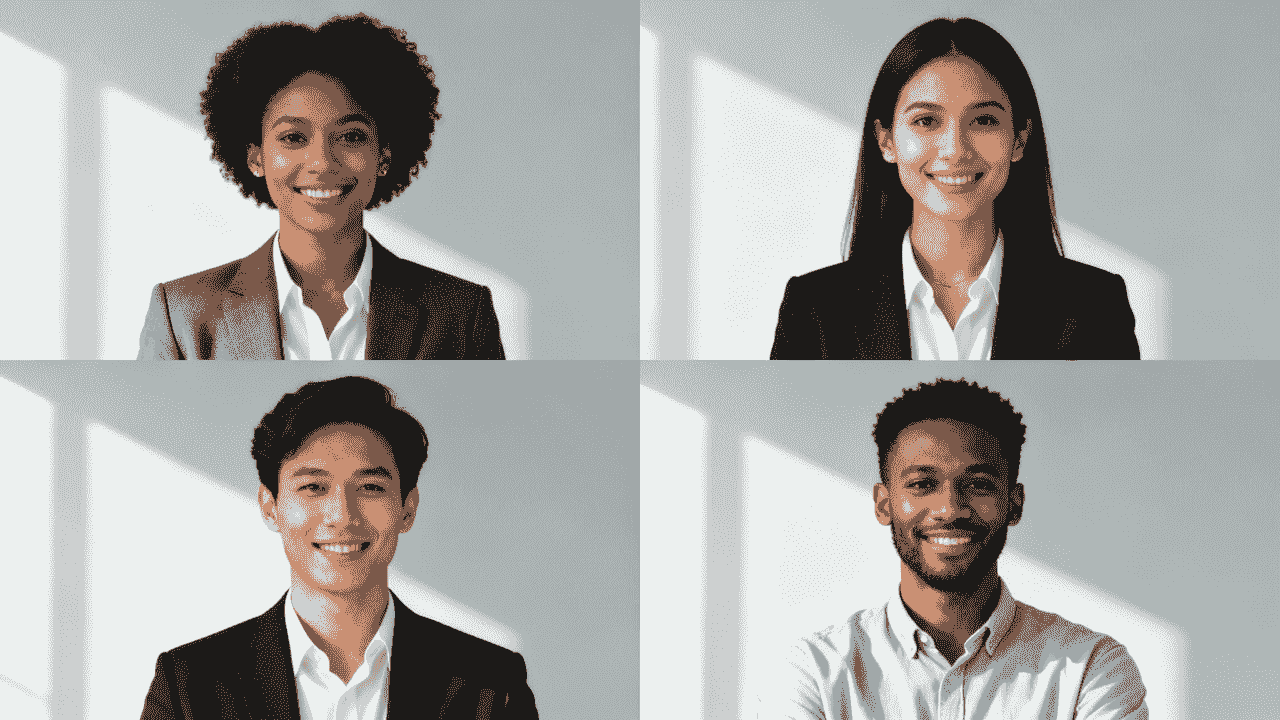
A distributed workforce exposes every weakness in the old headshot process. One office may have polished studio photos while remote employees rely on selfies, old profile pictures, or whatever local photographer they can find. The result is a visual divide that makes the company look less organized than it is.
How do you keep remote and distributed teams looking unified?
Give every employee the same style guide, participation instructions, and approval process regardless of location. A shared background, crop, lighting treatment, and expression standard turns individual photos into one recognizable brand system.
That consistency also supports culture. When people at headquarters and people working remotely receive the same level of visual representation, the team looks and feels more connected.
Why don't traditional methods work for distributed teams?
Hiring local photographers in every employee's city creates a coordination and budget problem, and the results are difficult to match. A photographer in New York will not naturally reproduce the exact lighting, background, and mood of a photographer in London.
Flying employees to one location or sending a photographer between offices adds more travel and scheduling. Companies often end up accepting mismatched images simply because a single traditional session cannot reach everyone.
How does AI fix the remote team headshot problem?
AI headshot platforms remove geography from the process. Employees submit source photos from wherever they work, while the company applies one approved style and manages the results centrally.
For global teams, the biggest win with an AI headshot solution isn't just cost savings — it's getting brand consistency back. It ensures every employee, from headquarters to home office, is represented with the same level of professionalism.
An employee in Manila can receive the same studio-style background, crop, and lighting as a teammate in Chicago. Employees keep the convenience of self-service, while brand managers retain control over the final look.
What are the benefits of consistent corporate headshots?
Getting everyone on the same visual page pays off long after the initial project:
- Consistent presentation and stronger brand recognition — An engineer in Tokyo and a marketer in Toronto look as though their headshots came from the same session. Prospects see the same professional look on LinkedIn, your website, and your proposals, so it all feels intentional.
- Scalable onboarding — New hires follow the established process without waiting for another company-wide shoot or needing special arrangements.
- Lower coordination costs — The company avoids arranging separate photographers, studios, and travel for each location.
- Fairer representation — Every employee receives the same professional treatment, regardless of where they work. That removes the informal bias that happens when some people have great photos and others have whatever they could grab from their phone.
- Less design rework — Your marketing and design teams stop wasting hours trying to make mismatched photos look decent together.
- Faster updates — With BetterPic, refreshing headshots is as simple as generating a new set and swapping files in your dashboard. No rescheduling a photographer, no coordination chaos.
The result is one polished team library that can grow with the company instead of turning into another patchwork over time.
How does BetterPic make company headshots easier?
BetterPic was built specifically for this — professionals and teams who want studio-quality headshots without the cost and hassle of traditional photoshoots.
For individuals
- Upload a set of clear photos from your phone or camera
- Choose from plans that generate 20–120 4K headshots in multiple styles
- Get your results in 1–2 hours with commercial usage rights included
For teams and companies
With BetterPic's team product, you can:
- Invite employees through an admin dashboard
- Apply uniform styles and backgrounds to keep branding consistent
- Generate 60 studio-quality headshots per person with multiple styles
- Get AI edits and human touch-ups included in the seat price
- Store, approve, and download everything from one place
Because everything is handled online, it works just as well for a fully remote team spread across the country as it does for a team that sits in the same office. Nobody has to block out half a day for a photo session.
How do you roll out an AI headshot program at your company?
Treat an AI headshot rollout like a small brand project. Define the look first, choose an owner, set a deadline, and test the process with a pilot group before inviting the whole company. That preparation keeps the experience simple for employees and gives the final library a consistent standard.
How do you pick the right AI headshot vendor?
Look past sample galleries and check whether the platform provides the controls a company actually needs:
- Team management — A central dashboard for invitations, completion tracking, reminders, approvals, and downloads.
- Style controls — The ability to lock approved backgrounds, lighting, crops, and wardrobe direction to your style guide.
- Security and privacy — Clear policies for employee data, source-photo handling, access, retention, and deletion.
- Employee usability — Plain upload instructions, source-photo quality checks, and a workflow people can finish without technical help.
- Editing support — A defined path for correcting small details before an image is approved.
Run a pilot with people in different roles and locations. Review both the image quality and the admin experience before committing to a full rollout.
Once you select a platform, translate the style guide into settings the system can repeat:
- Prompt design — Use precise descriptions drawn from the style guide. Instead of “office background,” specify a professional corporate headshot with a brightly lit, softly blurred open-plan office in neutral gray and white tones.
- Setting configuration — Lock the approved lighting, composition, crop, and color treatment, such as soft front-facing studio light and chest-up framing.
- Style presets — Save those choices as a reusable template so an executive in New York and a new hire in Singapore begin from the same visual baseline.
Use AI for what it does best: applying a defined system repeatedly and consistently. Centralized billing, team management, and saved presets make that system practical at company scale.
How do you make participation frictionless?
A carefully designed style guide only works when employees can participate without a complicated or time-consuming process. Remove friction from the first invitation through final delivery, and give in-office and remote employees equally straightforward paths.
For on-site employees, use an automated scheduling tool such as Calendly or SavvyCal so people can choose an available session without a long email exchange. For remote employees, provide a dedicated portal or simple upload workflow for clear smartphone photos, supported by a short visual guide covering good light, a plain background, and an unobstructed view of the face.
Remember, the average employee is not a photographer. “Stand facing a window for natural light” is more useful than a technical explanation of lighting equipment.
Keeping both paths simple respects employees' time, reduces administrative work, and supports stronger participation.
How should you communicate the rollout to employees?
Explain what is changing, why the company is doing it, where the photos will be used, and what each person needs to submit. Frame the program as a useful professional benefit: employees receive a polished photo they can use themselves, while the company gets a consistent team presence.
Use a clear communication cadence:
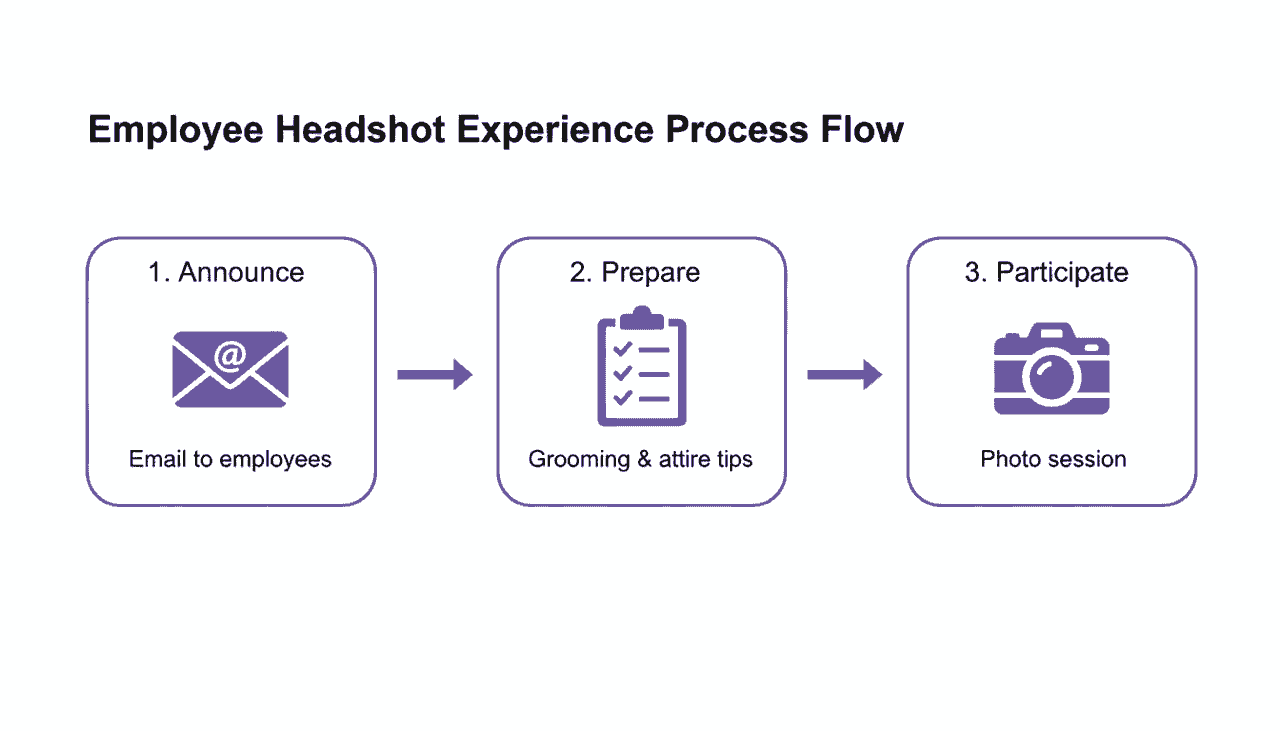
- Announcement — Explain the purpose of the program and show approved examples from the pilot so employees can see the intended result.
- Preparation guide — Share concise wardrobe, grooming, and source-photo guidance before an in-person session or remote submission.
- Confirmation and reminders — Confirm bookings or submissions automatically, remind in-person participants before their session, and follow up directly with people who still need to participate.
Keep the launch message in one place with the deadline, privacy contact, and a short step-by-step guide. Clear expectations and visible support reduce confusion and improve participation.
Navigating Legal and Consent Considerations
Finally, addressing the legal and ethical side of image usage is non-negotiable, especially when AI enters the picture. You have to be transparent with your team about how their images will be used and get their explicit consent.
Work with your legal department to draft a clear, easy-to-understand consent form. Avoid dense legalese; the goal here is clarity, not confusion.
The form should explicitly cover:
- Usage Rights: Specify where the headshots will be used (e.g., company website, LinkedIn, internal directories, marketing materials).
- AI Processing: Clearly state that their submitted photos will be processed by AI software to generate the final corporate headshot.
- Data Storage: Briefly explain how their original and AI-generated images will be stored and for how long.
Making consent a transparent and mandatory step builds trust and protects both the employee and the company. It formalizes the process and shows you respect your team's rights, which is fundamental to a positive and frictionless experience for everyone involved.
What does the generation and approval workflow look like?
A practical workflow has six steps:
- The program owner configures the approved styles and invites a pilot group.
- Employees upload suitable source photos and respond to any quality feedback.
- The platform generates options within the approved visual rules.
- Each employee selects a preferred image or requests a permitted correction.
- A brand, marketing, or people-operations owner checks the final choice for consistency and approves it.
- Approved files are exported in the required variants and move into the controlled company library for deployment.
This balance of employee choice and central approval keeps the experience personal without letting the company library drift off-brand.
Why is a human editor still essential?
AI can generate a technically polished image while still missing subtle details or producing artifacts. A human editor is the final quality-control step: their role is to elevate the generated result, not start again from scratch.
Use a standardized review checklist focused on three responsibilities:
- Correct AI artifacts — Check for distorted facial details, unnatural clothing textures, stray generated elements, and other visual errors.
- Protect natural skin tones — Correct flat color or unwanted casts so each person looks natural and authentic.
- Make final creative judgments — Refine small details such as uneven light or a distracting stray hair when they affect the finished portrait.
Combining repeatable AI generation with human judgment creates an efficient, scalable workflow without giving up the authentic details that make a professional portrait believable.
What should the final deliverables package include?
A single file cannot serve every platform well. Export several versions of each approved headshot so teams do not have to improvise crops or compress the master file themselves:
- High-resolution originals — Keep an uncompressed TIFF or maximum-quality JPEG master for print, press kits, and large-format use.
- Web-optimized versions — Supply smaller JPEG derivatives that load efficiently on website team and About pages without replacing the high-resolution master.
- Square crops — Export a 1:1 aspect ratio for LinkedIn and other profile-photo placements so platforms do not crop the image unpredictably.
- Banner or wide crops — Include a 16:9 or similar wide version for presentation slides, speaker bios, and website banners.
Use consistent filenames and keep every variant tied to the same approved master. The format and minimum-resolution requirements in the FAQ below apply across this package.
How do you deploy approved headshots across the company?
Do not email a folder of files and hope everyone chooses the right version. Put approved headshots in one accessible digital asset library, whether that is Google Drive, Dropbox, or a dedicated digital asset management (DAM) system. Treat that library as the single source of truth.
Publish a short usage guide that maps each file variant to its intended placement—for example, the square crop for a LinkedIn profile and the web-optimized version for the team page. State that only approved, retouched files should be used professionally, define who can replace a master, and archive superseded images so employees do not fall back to an outdated photo.
A controlled library and clear deployment rules protect consistency after production is complete and help the new images reach websites, profiles, directories, decks, and press materials promptly.
Measuring Program ROI and Driving Adoption
Launching a corporate headshot program is only the start. To keep it useful over time, connect the program to outcomes leadership cares about, measure its operational and financial performance, and keep employees participating.
A well-run program creates value beyond appearance, including stronger brand consistency and a more efficient process for producing and updating team images. The right mix of quantitative and qualitative measures makes that value visible.
How do you define success before rollout?
Define success before the rollout. Combine quantitative data that shows adoption, speed, and cost with qualitative feedback that explains how employees experience the program.
Pair the measures in the table below with a short anonymous survey. Ask employees how easy the process was, whether they are satisfied with the final image, and how comfortable they feel using it to represent the company. Their feedback supplies the context behind the participation data.
Key Metrics for Program Success
Use one scorecard for the quantitative and qualitative measures:
| Metric category | KPI example | How to measure |
|---|---|---|
| Quantitative | Employee participation: Percentage of employees with an approved headshot. | Track completions in the HRIS or program dashboard. An example goal is 80% in six months. |
| Quantitative | Turnaround time: Average time from submission to final approval. | Compare workflow timestamps. An example end-to-end target is under 48 hours. |
| Quantitative | Cost efficiency: Cost per approved headshot compared with the previous process. | Compare actual invoices and internal costs for both programs. |
| Qualitative | Employee satisfaction (CSAT): Satisfaction with the process and result. | Send a post-delivery survey on a 1–5 scale; an example target is 4.5/5. |
| Qualitative | Brand consistency: Share of sampled public-facing profiles using the approved image. | Audit a representative sample of employee profiles each quarter. |
This scorecard shows whether the program is being used, whether it runs efficiently, and whether employees and brand owners consider the results successful.
Calculating the Financial ROI
For many stakeholders, the financial case is the most persuasive. Compare the full cost of the previous process—including photographer fees, travel, setup, coordination, employee time, and editing—with the platform, administration, and review costs of the AI-hybrid program. Use your own invoices and time estimates so the calculation reflects the organization rather than a generic industry claim.
AI-assisted delivery can be dramatically cheaper at team scale. Track the actual cost per approved image and total program spend, then compare those results with the baseline. Review the available enterprise pricing models when estimating the new program, and record the assumptions behind every figure presented to leadership.
Strategies for Driving Program Adoption
Treat adoption as an ongoing internal campaign rather than a single launch announcement. Make the headshot workflow part of new-hire onboarding, next to account and equipment setup, so new employees enter the company directory with an approved image and the library stays current.
For existing employees, keep the program visible across several channels:
- All-hands meetings — Introduce the program and show strong examples from the pilot group or early adopters.
- Internal newsletters — Feature approved portraits periodically to keep the initiative visible and recognize participating employees.
- Manager engagement — Give managers concise talking points that explain how a unified professional look benefits both employees and the organization.
Measuring the program and supporting participation turns it from a one-time image project into a maintained part of the company's brand system.
Frequently asked questions about company headshots
What is the difference between a headshot and a portrait?
A headshot is tightly cropped, usually from the chest or shoulders up, and is designed to show a person's face clearly in professional contexts such as LinkedIn, a team page, or an email signature.
A portrait has more room to tell a story. It may include more of the person's body or surroundings, use a less standardized composition, and emphasize personality or setting. That can work well for an editorial feature, but it is harder to use consistently across a company roster.
Are AI headshots good enough for professional use?
Yes — when the platform produces photorealistic, high-resolution results and gives the company control over style and approval. For a remote or distributed team, AI can be especially useful because every employee can follow the same visual standard without traveling to one studio.
Use a pilot to check likeness, image quality, and consistency across a representative group, and keep a human review step before publishing any result.
How does this process handle diversity and inclusion?
Leading platforms should preserve the facial features, skin tones, and individual characteristics in each employee's source photos rather than inventing a different person. Evaluate that performance instead of assuming every system handles representation equally well.
Use three safeguards:
- Choose a proven platform — Ask for representative examples across ethnicities, ages, and appearances.
- Run a diverse pilot — Test with employees who reflect the workforce, review their results, and collect their direct feedback before scaling.
- Keep human oversight — Have an editor check that every employee is represented accurately and professionally, including natural skin tone and recognizable features.
Is our company and employee data secure?
Data security is non-negotiable when employee photos are involved. Before signing with an AI headshot provider, review its data-handling policies with your legal and IT security teams.
Require:
- Clear data-use terms — The provider should state whether submitted photos may be used to train public models and require explicit permission for any such use.
- Secure storage and transfer — Employee data should be encrypted in transit and at rest.
- Defined retention and deletion — The provider should explain how long source and generated images are kept and provide a clear deletion process.
A suitable enterprise partner should be transparent about these controls and prepared to answer detailed security questions.
How much of a hassle is this for employees?
Very little when the workflow is designed well. Employees choose clear source photos taken in decent light and upload them from a phone or computer. There is no studio commute or shared scheduling bottleneck, and each person can participate when it suits them before the deadline.
Keep instructions visual and brief, provide source-photo quality feedback, and explain the approval process in advance. That respects employees' time and removes the uncertainty that often causes people to delay participating.
What is the biggest company headshot mistake to avoid?
The biggest mistake is inconsistency: a team page that mixes selfies, vacation photos, outdated portraits, and current professional images immediately weakens the unified impression the program is meant to create.
Create the style guide before production begins. Define the background, lighting, framing, and overall mood, then apply those rules to every approved image and every future hire. That is what lets individual headshots work together as one brand story.
How often should company headshots be updated?
Most companies refresh headshots every 1–3 years, or whenever someone's appearance changes significantly (new hairstyle, glasses, etc.). It's also smart to update when you rebrand so your backgrounds and color palette still match.
With BetterPic, updates are cheap and fast, so there's no reason to let photos go stale for years.
What backgrounds work best for corporate headshots?
You rarely go wrong with:
- Neutral light gray or off-white
- Soft gradient backgrounds that match brand colors
- Slightly blurred office environments
With BetterPic, you can test different backdrop options in minutes, then roll out the styles that best match your brand guidelines.
Which file formats and sizes should we request?
Ask for high-resolution JPEG or PNG files in at least 2000 pixels on the long edge. That gives you flexibility across print and digital.
BetterPic delivers 4K resolution images suitable for both web and large-format print, and supports common upload formats like JPEG, PNG, AVIF, GIF, TIFF, and WebP.
Who owns the rights to our company headshots?
This depends on your agreement with the photographer or platform. Some photographers retain ownership and license specific uses — read the fine print.
BetterPic grants full commercial rights, so your company can use the images on your website, LinkedIn, marketing materials, and even billboards without extra licensing fees. No surprises.
What Teams Are Actually Seeing With AI Headshots
Real results from companies using BetterPic for team headshots:
BetterHealth Group — A healthcare organization with providers across 6 states eliminated inconsistent photographer results by switching to BetterPic, a shift made smoother by partnering with a reliable healthcare mobile design agency for their digital presence. Every provider now has matching professional headshots managed from one dashboard. "We needed a solution that was streamlined and easy for everyone. BetterPic made that possible." — Manali Shah, Social Media Manager (Read the case study)
Elucient — A consulting firm working with C-suite executives, whose studio photographer quoted 10x the cost of BetterPic. "Other AI tools just weren't good enough. BetterPic was the only one that delivered studio-quality images that felt real." — John Marcinuk, CEO (Read the case study)
WYN Solutions — CEO Nick Cybela onboarded 100+ remote creatives using BetterPic, replacing fragmented vacation photos and placeholder icons with consistent professional headshots. "BetterPic changed that instantly. The branding is consistent and the results speak for themselves." — Nick Cybela, CEO (Read the case study)
By the numbers: 32M+ headshots delivered · 1,000+ companies · 99% satisfaction rate · 4.7/5 on Trustpilot
What should you do next?
If you're thinking about headshots for your team in the next few months, here's the move:
- Decide on your preferred style and level of formality
- Estimate your cost per person and total budget using the ranges above
- Choose whether you need a traditional photographer, BetterPic, or a mix of both
- Send employees that prep message (scroll up — it's ready to copy-paste)
- Test BetterPic with a small pilot group first, then roll it out to everyone once you see the results
When you're ready, check out the company headshots solution for teams, start a team project, or book a quick demo on the BetterPic site to see how it works for your specific situation.
Sources & References
- LinkedIn Profile Photo Tips — LinkedIn
- How Your Profile Photo Impacts Your LinkedIn Presence — LinkedIn Official Blog
- AI Image Generation Market Report — Grand View Research
- How AI Is Changing Photography — Forbes
- Professional Headshot Photography Pricing — Thumbtack

Written by
Apoorv SharmaHead of Performance
Apoorv leads performance and growth at BetterPic with 9+ years of experience across SEO, SEM, and growth marketing. He oversees content strategy, data-driven marketing, and hands-on testing of AI headshot platforms. Previously held senior performance marketing roles across the US, Belgium, and India.
- Google Analytics & Google Ads certified
- HubSpot Inbound & Content Marketing certified
- 9+ years in SaaS growth and performance marketing
Preferred source
Follow BetterPic on Google
Add BetterPic as a preferred source and our headshot guides are more likely to show up in your Top Stories, with a badge in AI Mode and AI Overviews.

Related team and company headshots resources
Keep exploring this topic with focused resources from the B2B journey.
Primary destination:BetterPic Teams for company and employee headshots
Frequently Asked Questions
What should I wear for a professional corporate headshot?
- Wear solid colors that complement your skin tone. Avoid busy patterns or logos, as they can distract from your face. For men, a well-fitted dress shirt and blazer usually work well. For women, a blouse or jacket with simple jewelry is recommended.
How do I prepare for a company headshot session?
- Get a haircut a few days before the session to avoid a freshly cut look. Make sure your hair and skin are clean and well-groomed. Minimal, natural makeup works best for everyone.
What are the best backgrounds for corporate headshots?
- Neutral colors like white, gray, or soft blues are popular because they don’t distract from the subject. A simple office or outdoor setting with blurred backgrounds can also work to keep a professional tone.
How often should a corporate headshot be updated?
- Every one to three years is the usual cadence, or sooner after a visible change in appearance or role. A portrait that no longer matches the person undermines the recognition it exists to build.
How are headshots organised for a whole team?
- Group sessions are what keep a team page consistent, because separate bookings produce separate looks. The constraint is calendar rather than cost: getting everyone available on one day is the part that fails.
What is the average cost for professional corporate headshot photography?
- The cost typically ranges from $100 to $500 per person, depending on photographer experience, location, and session length. Packages for groups may offer discounts or fixed pricing options.
Related articles
View all articles
The Enterprise Playbook for Team Headshot Strategy
A practical enterprise playbook for building a scalable team headshot strategy. Learn how to ensure consistency, reduce costs, and align headshots with.
Corporate Headshot Photographer vs AI Headshots: A Practical Guide for Enterprises
A practical, enterprise-focused comparison between hiring a corporate headshot photographer and using AI headshot generators—covering cost, quality.
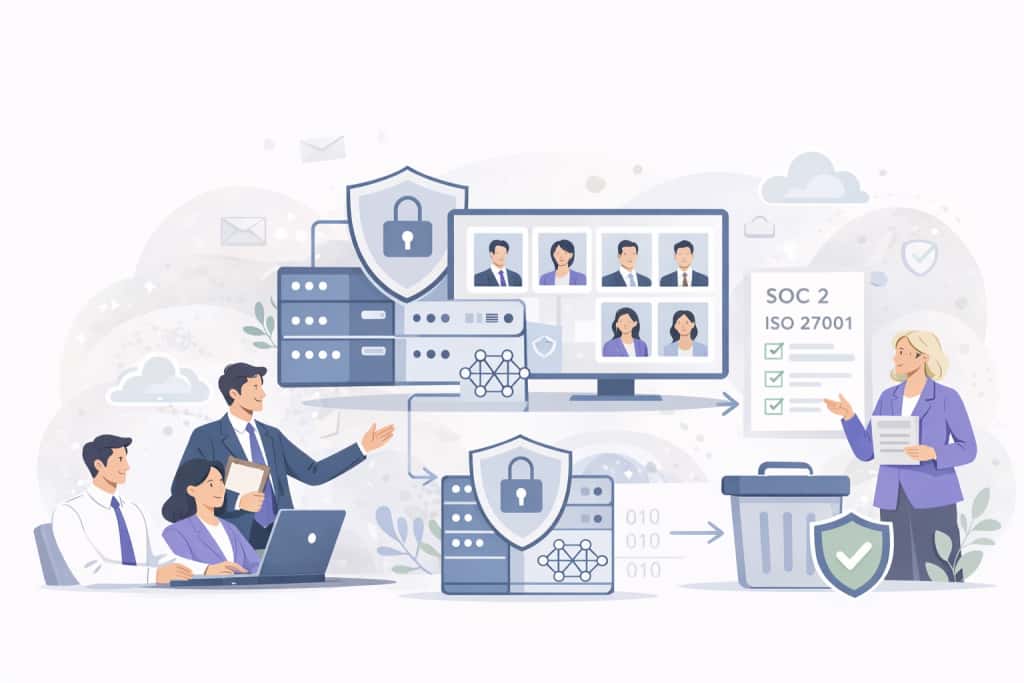
4 Ways AI Headshot Generators Are Compliant for Companies
A practical guide explaining how AI headshot generators meet enterprise compliance standards, including SOC 2 Type II, ISO 27001, and GDPR.
8 Corporate Headshot Styles That Actually Work (With Examples)
Eight corporate headshot styles broken down by who they work for, what makes each one effective, and how to get the look — in a studio or with AI.
What Actually Happens When You Roll Out AI Headshots to Your Team
A realistic walkthrough of what happens when a company switches to AI headshots — the process, the pushback, what went wrong, and whether it was worth it.
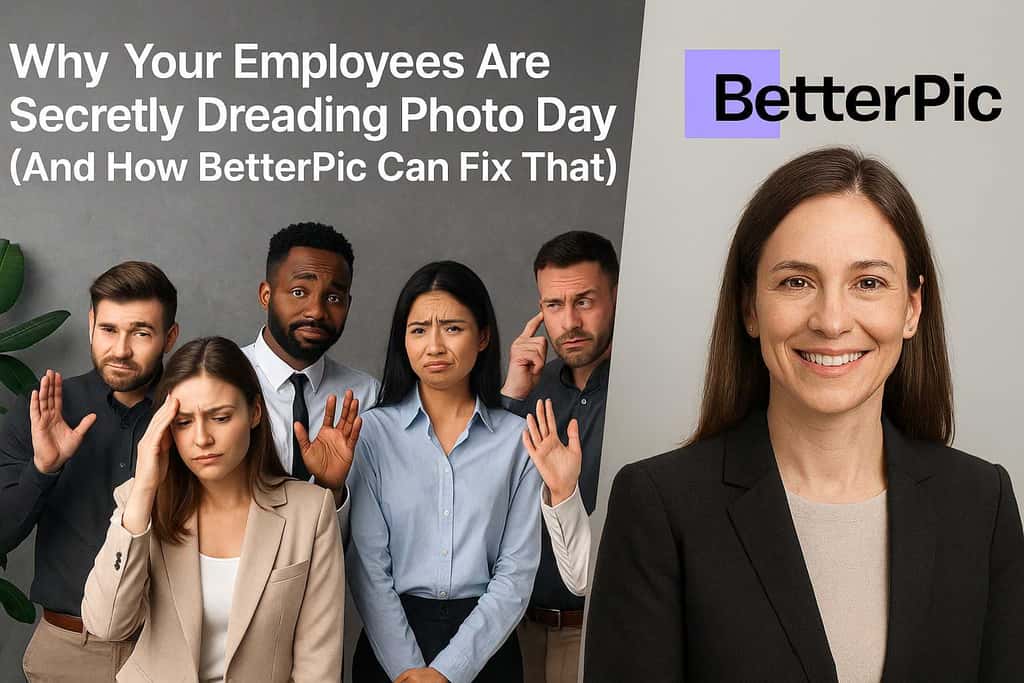
Why Your Employees Hate Headshot Day (And How AI Fixes Every Part of It)
Traditional headshot day is a logistical nightmare that employees dread. Here's how AI headshots eliminate the cost, scheduling chaos, and awkwardness.
Save 87%on average on your professional photos.
Whenever, wherever you are.
Get studio-quality, 4K images in a variety of outfits & settings in less than an hour.
Get your headshots nowStart now
