
AI Headshots: 35 Questions You Actually Want Answered
This article is part of our Professional Headshots collection.
AI headshots went from "that's kind of cool" to "most of my LinkedIn connections are using these" in about two years. But with that growth comes a ton of questions — especially from people who haven't tried one yet or who are making the decision for a team.
This guide answers the questions people actually ask. Not the marketing pitch version — the real stuff. How realistic are they? Will recruiters care? Is my data safe? What happens if it doesn't look like me?
We use BetterPic as a reference example throughout since that's what we know best, but most of these answers apply to any quality AI headshot tool.
The Basics
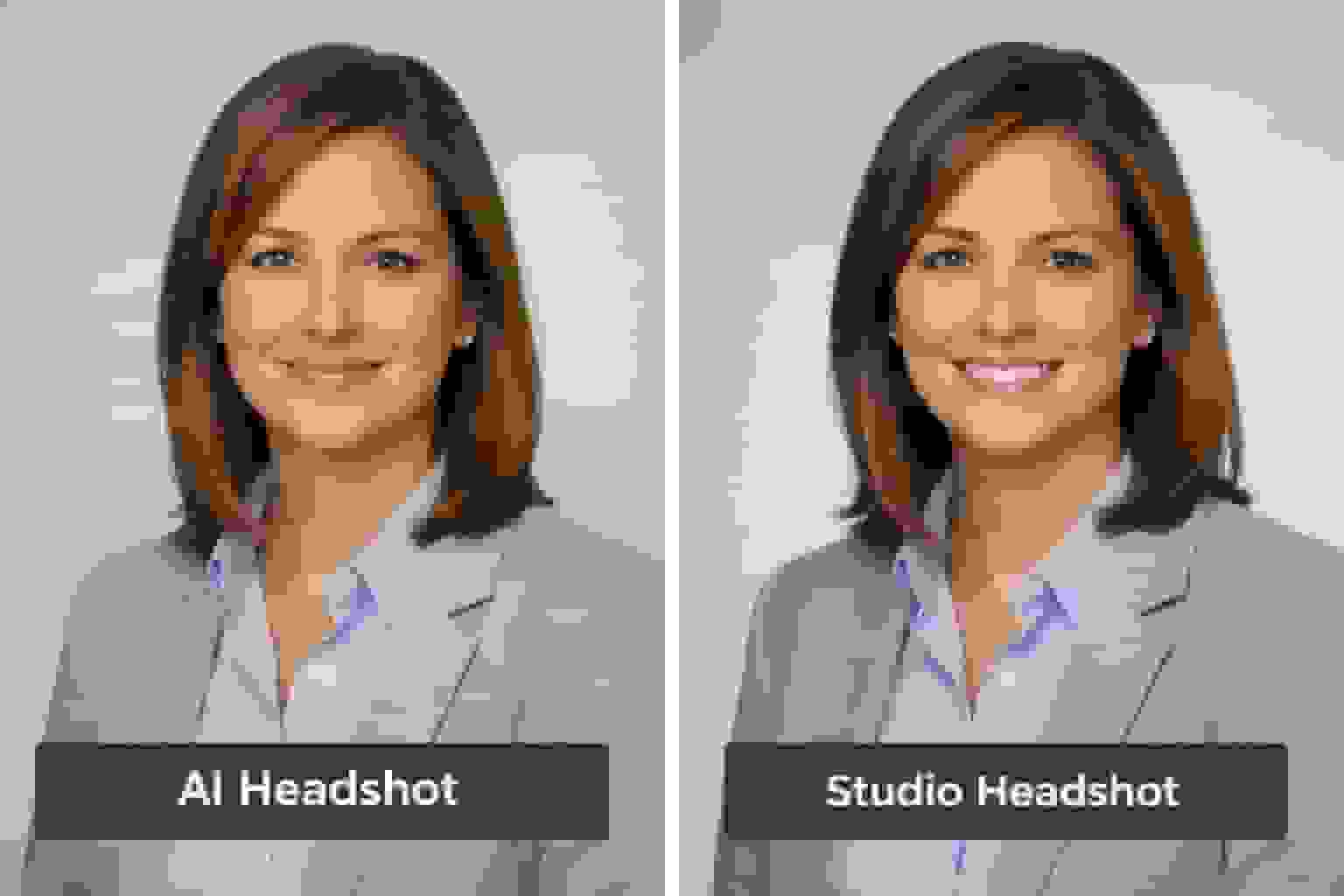
1. What is an AI headshot?
An AI headshot is a professional portrait generated by artificial intelligence. Instead of going to a photographer, you upload regular photos of yourself (selfies, casual shots — nothing fancy) and the AI creates new professional-looking headshots from them.
Here's what happens under the hood:
- You upload 8-20 clear photos showing your face from different angles
- The AI trains a private model of your appearance — learning your facial features, skin tone, hair, proportions
- It generates dozens of portraits in different outfits, poses, and backgrounds
- You pick your favorites, request edits if needed, and download
BetterPic asks for around 8 photos and produces 20-120 4K headshots depending on the plan. The whole process takes about an hour. (Source: BetterPic LinkedIn Headshots)
2. How do AI headshot generators actually work?
Most modern tools use something called a diffusion model. Without getting technical: the AI starts with random noise and gradually refines it into a clear image of your face, guided by what it's learned about you and what professional headshots should look like.
The steps:
- Training a mini-model of you — Your uploads teach the AI to recognize and recreate your specific features
- Generating new images — The model "paints" your likeness into different poses, outfits, and backgrounds matching your chosen style
- Filtering and upscaling — It throws out the bad results and upscales the best ones to high resolution (4K with BetterPic)
After generation, services like BetterPic let you make AI-based tweaks (outfit changes, background swaps) or request human retouching on top. (Source: BetterPic AI Headshots)
3. What customization options do you get?
More than you'd expect. Controls vary by platform, but good tools let you adjust:
- Background — studio, office, neutral color, outdoor, branded
- Clothing — formal suit, business casual, tech casual, creative
- Framing — tight headshot vs. head-and-shoulders vs. half-body
- Expression and pose — friendly, confident, serious, approachable
- Lighting mood — warm, cool, bright, soft
BetterPic offers 150+ style presets plus an AI Studio where you can adjust clothing, backgrounds, and do focused edits like skin correction or object removal after generation. (Source: BetterPic Home)
The key thing to look for: a tool that lets you preview multiple styles before committing, apply subtle edits rather than extreme filters, and keep a consistent look across multiple images (especially for teams).
4. How fast do you get results?
AI headshots are designed to be fast. Across mainstream tools, typical turnaround is 30 minutes to 3 hours for individuals. (Source: Softopaz Price Comparison)
BetterPic's times by plan:
- Expert — about 1 hour
- Pro — about 1.5 hours
- Basic — about 2 hours
(Source: BetterPic Pricing)
For teams, even batch processing usually delivers within a day, not weeks. Compare that to traditional photography where you're looking at 2-4 weeks from booking to final edited photos.
Quality and Realism
5. Do AI headshots actually look realistic?
The good ones do. The cheap ones... not so much.
Modern AI headshot tools trained on large datasets of professional portraits understand realistic lighting, depth, skin texture, background blur, and natural posing. In 2026, premium providers produce quality that genuinely rivals studio sessions for most professional use cases. (Source: TrueYouAI Blog)
Where realism breaks down:
- Over-smoothed skin that looks plastic (the "Instagram filter" effect)
- Altered facial structure so you no longer look like yourself
- Uncanny eyes with weird reflections or too-perfect symmetry
- Clothing details that don't quite make physical sense (impossible collar folds, buttons in wrong places)
- Hair edges that look blurry or have a halo effect
The rule of thumb: if the result looks like a slightly better-lit, better-dressed version of your real face, it'll pass as authentic. If it looks like a different (suspiciously perfect) person, you've gone too far or used a bad tool.
6. How do AI headshots compare to studio photos?
For most professionals, the gap is now small enough that it doesn't matter.
Recent reviews of AI tools show they can produce 40-120 high-resolution portraits with realistic lighting and professional styling in under an hour — suitable for LinkedIn, resumes, and company websites. (Source: New York Post – ResumePhoto)
Where traditional photographers still win:
- A human can coach your micro-expressions and body language in real time
- Photographers tailor lighting to your exact features
- You get fewer images, but with careful, intentional manual retouching
- Complex creative shoots (editorial, environmental, multi-person) work better in person
Where AI wins:
- Speed (1 hour vs. 2-4 weeks)
- Cost ($29-79 vs. $200-500+)
- Volume (dozens of variations vs. a handful)
- Consistency (identical quality across 200 team members)
- Convenience (do it from your phone, no scheduling)
In practice, a lot of people start with AI for speed and cost, then book a photographer later for a premium personal branding shoot if they need one.
7. What affects how realistic my AI headshots look?
Three things make the biggest difference:
1. Quality of your source photos. This is number one by far. Clear, well-lit photos where your face is visible from different angles give the AI accurate data to work with. Blurry, dark, or heavily filtered photos produce mediocre results no matter how good the tool is.
2. Variety in your uploads. Mix it up — indoor and outdoor shots, neutral and smiling expressions, a few different outfits, head-on and angled views. More variety helps the AI generalize better and avoids that flat, "AI look."
3. The tool itself. Platforms trained specifically on professional headshots (not general AI art) and tuned to avoid extreme beautification produce the most realistic results. BetterPic includes an AI upload assistant that checks your photos before training and flags anything that would hurt the output. (Source: BetterPic LinkedIn Headshots)
8. What should I do if the headshot doesn't look like me?
This happens sometimes, and it's usually fixable:
Quick fixes:
- Upload more photos (add 5-10 with better lighting and clearer face visibility)
- Include more variety — different angles and expressions
- Make sure your source photos are high-resolution and in focus
- Try a different style — sometimes certain backgrounds or lighting render facial features more accurately
Platform solutions:
- Most services offer regeneration credits if you're not satisfied
- Some platforms (like InstaHeadshots) let you preview before purchasing
- Premium services include human review to catch likeness issues before delivery
When to try a different tool: If after 2-3 regenerations the results still don't capture you, switch platforms. Different AI models have different strengths — what doesn't work on one tool might work perfectly on another.
LinkedIn and Professional Use
9. Do AI headshots look professional enough for LinkedIn?
Yes — as long as they follow LinkedIn's photo guidelines and actually look like you.
LinkedIn's guidance says your photo should be a clear, recent image of you, appropriate for a professional context. It doesn't ban AI-generated images. The requirement is that the photo looks like you and isn't misleading. (Source: TrueYouAI Blog)
Independent analyses of LinkedIn performance consistently find that profiles with professional headshots get dramatically more views, messages, and connection requests — some studies report up to 21x more views. (Source: SalesSo – LinkedIn Picture Statistics)
To keep an AI headshot LinkedIn-friendly:
- Choose a style that matches your industry
- Avoid unrealistic backgrounds or dramatic color grading
- Make sure your face is clearly visible and recognizable
- Keep the face at about 60% of the frame (LinkedIn's sweet spot)
BetterPic offers dedicated LinkedIn headshot styles specifically optimized for this. (Source: BetterPic LinkedIn Headshots)
10. Will an AI headshot hurt my job chances?
Used thoughtfully, no — and it'll probably help.
What recruiters care about is that you look like a real person, look reasonably similar to how you'll appear in an interview, and present yourself in a clear, professional way. Data consistently shows that profiles with a professional headshot get dramatically more views and messages — some studies report 14-21x more profile views and up to 36x more messages with a polished photo. (Source: Chris Holt Photography)
Where an AI headshot could backfire:
- It no longer looks like you in person (different age, weight, or key features)
- It's obviously fake or heavily edited
- It gives the impression you're hiding something
Focus on natural, realistic results. Treat AI as a way to get a solid professional photo — not a new identity.
US-specific note: Photos of any kind are generally discouraged on resumes in the US because of bias concerns. Keep your AI headshot for LinkedIn, portfolios, and company profiles unless you're in a country or industry where resume photos are standard.
11. Should I put an AI headshot on my resume?
In the United States, the best advice is to not put any headshot — AI or otherwise — on a resume.
Career advisors and hiring communities regularly caution that photos on resumes introduce bias and can even get your application rejected by automated systems or cautious employers. Many US recruiters actively prefer photo-free resumes. (Source: Reddit r/Resume discussion)
Exceptions:
- Countries where resume photos are standard (parts of Europe, Asia, Latin America)
- Roles where appearance is part of the job (modeling, acting, some hospitality and client-facing work)
For most US professionals, the play is:
- No photo on the resume
- Professional AI headshot on LinkedIn, company bio, and personal website
12. Can employers or platforms detect AI headshots?
In theory, yes. In practice, it's hit or miss.
AI detection tools exist, but research shows they're far from perfect — and they're biased. Detection systems perform worse on darker skin tones and can flag legitimate photos as AI-generated. (Source: The Guardian – Deepfake Detection Bias)
LinkedIn has stated that profile photos violating its policies can be removed, and some commentators warn that obviously fake or heavily edited AI photos risk being flagged. (Source: LinkedIn News – AI Headshots)
The safest approach:
- Use AI results that look like realistic photos (not stylized or clearly generated)
- Avoid novelty styles or overly perfect results for professional platforms
- Be honest if someone directly asks whether your headshot was AI-generated
13. How often should I update my LinkedIn headshot?
Minimum: Every 12-18 months, or whenever your appearance changes significantly (new hairstyle, glasses, weight change, facial hair).
If you're actively job hunting or building a personal brand: Every 6 months.
Bonus: Every time you update your LinkedIn photo, the algorithm gives you a 7-14 day visibility boost — more profile views, more content distribution. Smart professionals time their photo updates to coincide with career announcements or content pushes.
With traditional photography costing $200-500 per session, frequent updates are cost-prohibitive. At $35-79 per AI headshot session, quarterly updates become entirely practical.
Pricing and Value
14. How much do AI headshots cost?
Most AI headshot generators charge a one-time fee — no subscriptions.
Based on current pricing across the market:
- Most popular tools charge $20-60 per package
- Typical packages include 20-120 images in several styles
- Cost per headshot works out to roughly $0.30-2.00
(Source: Softopaz Price Comparison, HeadshotPhoto Pricing)
BetterPic's current pricing:
- Basic — $35 one-time for 20 headshots (4K), 1 style
- Pro — $39 one-time for 60 headshots (4K), 3 styles
- Expert — $79 one-time for 120 headshots (4K), 6 styles + extra human edits
(Source: BetterPic Pricing)
Compare that to US photography sessions that often cost $200-500 for just a handful of edited images, and the math is obvious. (Source: HeadshotPro – Cost Of Headshots)
15. Are there any good free AI headshot options?
Honestly? Not really. Free options come with serious trade-offs:
- Low resolution or watermarked output
- 1-2 images only (not enough to find a great one)
- Questionable data practices — some free tools use your face data to train their models
- Older AI models that produce noticeably less realistic results
For something as important as your professional headshot — and as sensitive as your facial data — spending $35-79 on a reputable tool is worth it. The quality gap between free and paid is enormous.
16. How does BetterPic's pricing compare to competitors?
BetterPic sits in the mainstream of AI headshot pricing, but differentiates on:
- 4K resolution across all plans (some competitors only offer lower res on basic tiers)
- Fast turnaround — about 1-2 hours depending on plan
- Commercial license by default — use the images on websites, marketing materials, social media, whatever
- Human editing option — AI does the heavy lifting, human editors catch what AI misses
- Money-back guarantee under defined conditions
At $35-79 for 20-120 headshots, it's in line with or slightly above budget competitors, but the resolution, speed, and editing options justify the difference. (Source: BetterPic Pricing)
17. Are AI headshots worth it compared to hiring a photographer?
For most professional use cases? Yes.
| Traditional Photographer | AI Headshots | |
|---|---|---|
| Cost | $200-500+ per session | $29-79 one-time |
| Photos delivered | 5-10 edited images | 20-120+ variations |
| Turnaround | 2-4 weeks | 1-2 hours |
| Scheduling | Book weeks in advance | Do it right now |
| Updates | New session, new cost | New upload, minimal cost |
| Team consistency | Varies by session | Identical across everyone |
When a photographer makes more sense: Executive branding shoots, complex creative work, situations where someone needs to direct your posing and energy, or when your company provides photography as a benefit.
When AI makes more sense: Everything else — LinkedIn updates, team pages, email signatures, speaking bios, resume photos, or any time you need a professional photo fast and affordable.
Privacy, Security, and Legal
18. Is it safe to upload my face to an AI headshot tool?
Safety depends entirely on the provider.
When you use an AI headshot service, it typically stores your uploaded photos temporarily, trains a private model of your face, generates images, and then either keeps or deletes the data based on its policies.
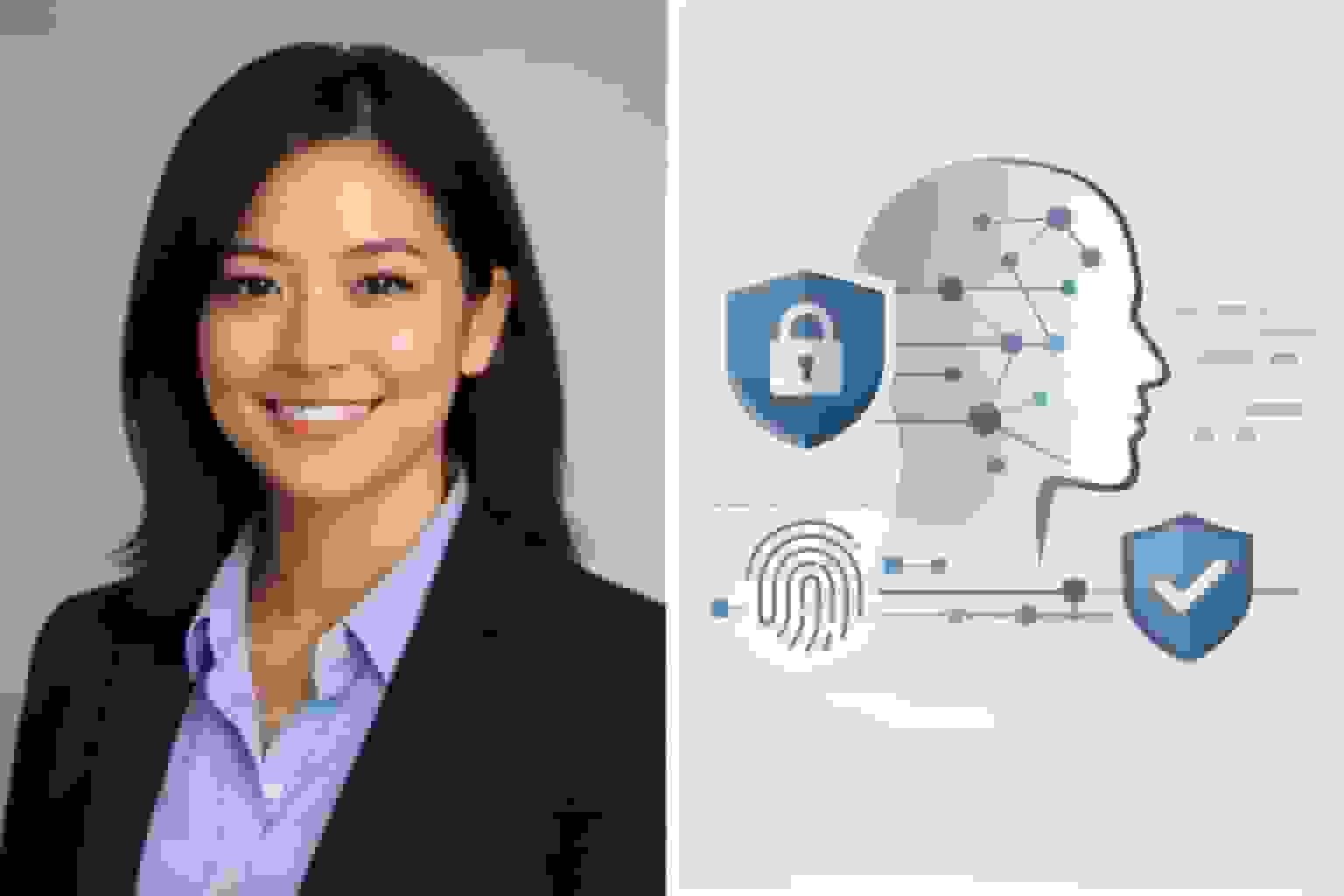
Under GDPR (Europe) and CCPA (California), facial images can count as biometric or personal data, which triggers strict rules on consent, security, and transparency. (Source: GDPR Advisor, Clarip – CCPA Biometric Information)
BetterPic's data practices:
- Photos are never sold or used to train general AI models
- Data is encrypted in transit and at rest (AES-256)
- Images are stored for a maximum of 30 days after delivery, then permanently deleted
- Users can request data deletion at any time
(Source: BetterPic Home)
Before using any AI headshot tool, check:
- How long they keep your photos
- Whether your images are used to train models or shared with third parties
- What encryption and security controls are in place
- Whether there's a simple way to delete your data
19. What about GDPR, CCPA, and biometric data specifically?
This matters if you're in the EU, UK, California, or work with people in those jurisdictions.
GDPR: An ordinary photo is personal data. It becomes biometric data (a special protected category) if it's processed to uniquely identify you, like through facial recognition. Biometric data requires explicit consent and strong safeguards. (Source: GDPR Advisor)
CCPA/CPRA (California): "Biometric information" explicitly includes facial imagery from which a faceprint can be extracted, triggering specific disclosure, access, and deletion rights. (Source: CLIClaw – CCPA Biometric Information)
BetterPic states it adheres to both GDPR and CCPA and gives users control over deleting their images and account data. (Source: BetterPic FAQ)
If compliance matters for your organization, confirm that any vendor:
- Clearly identifies its legal basis for processing personal data
- Offers Data Processing Agreements (DPAs) for business customers
- Provides audit-friendly documentation through a trust or security center
20. Are AI headshots legal to use for work profiles?
In most countries, yes. You're allowed to use an AI-generated headshot of yourself for LinkedIn, company team pages, conference bios, personal websites, and portfolios.
AI ethics and photography experts widely agree that using AI to generate your own likeness is legal for personal and professional branding, as long as you're not impersonating someone else or violating a platform's terms. (Source: Aragon AI – Ethics Guide)
What you can't do:
- Generate a headshot of someone else without their consent
- Use AI images to create fake identities or mislead employers
- Claim an AI photo is a real photo taken at a specific event if that matters for trust or compliance
When in doubt, check your employer's branding or compliance guidelines.
21. Who owns the headshots? Can I use them commercially?
Ownership depends on the provider's terms, so always check. But most leading AI headshot tools give you broad rights to use your generated images on social media, websites, resumes, business cards, and marketing materials — often with full commercial rights. (Source: New York Post – ResumePhoto)
BetterPic's terms:
- You own your photos
- You receive a full commercial license
- You can use them freely across personal and professional channels
(Source: BetterPic LinkedIn Headshots)
Still worth checking:
- Whether attribution is required
- Whether you can use the photos in paid advertising
- For teams: whether team members have consented to how their images will be used
Ethics and Concerns
22. Are there ethical concerns with AI headshots?
Yes — and they're worth thinking about honestly.
1. Authenticity and trust. Over-edited AI portraits can create a gap between how you look online and in person. If a colleague meets you and says "you look nothing like your photo," that's a trust problem. The fix: keep it realistic. Your headshot should look like you on a good day, not like a different person.
2. Bias in AI models. Studies have documented that image generators can reinforce stereotypes — especially around race, gender, and body type — if training data is skewed. This means some people get better results than others depending on the tool. (Source: Washington Post – AI Image Bias)
3. Fairness in hiring. Any headshot — AI or not — can trigger unconscious bias. This is one reason resume photos are discouraged in the US and why many companies invest in bias-aware hiring.
4. Consent and data reuse. If a provider uses your face to train general models or features it in marketing without clear consent, that's ethically (and sometimes legally) problematic.
A responsible provider should be transparent about bias mitigation, data use, and deletion options.
23. Can AI headshots reinforce unrealistic beauty standards?
They can if you let them. AI tools can smooth skin, sharpen jawlines, brighten eyes, and subtly shift features toward conventional attractiveness. If you're not careful, you end up with a headshot of a person who kinda looks like you but is suspiciously symmetrical and flawless.
The healthy approach: Use AI to improve lighting, framing, and presentation — not to fundamentally alter how you look. The best headshot is one where people immediately recognize you when you walk into a room.
24. What about deepfake risks?
The same technology that creates professional headshots can theoretically be misused. Someone could upload photos of someone else and generate fake professional profiles.
Responsible platforms address this by:
- Requiring you to submit photos of yourself (not someone else)
- Implementing verification steps
- Publishing clear terms of service prohibiting impersonation
- Cooperating with law enforcement when abuse is reported
For the vast majority of users, using an AI headshot of yourself for professional purposes raises zero deepfake concerns. It only becomes a problem when the technology is used to misrepresent identity.
Teams and Companies
25. Are AI headshots a good fit for teams and companies?
For most organizations, absolutely. The ROI is hard to argue with.
Team benefits:
- Consistent style across all employee profiles — same background, lighting, quality
- Instant onboarding photos for remote or distributed hires (no waiting for "photo day")
- Up to 90% lower cost vs. coordinating studio sessions for 50+ people
- Easy updates when team composition changes
BetterPic supports teams from 10 to 100,000+ employees with enterprise-grade security (AES-256 encryption, continuous monitoring, security framework alignment). (Source: BetterPic Home)
AI headshots are especially useful for:
- Startups scaling quickly — new hire every week? They get a matching headshot immediately
- Fully remote teams — no central location for a photographer visit
- Companies that refresh photos frequently — sales teams, client-facing roles, anyone whose face IS their brand
26. How does team and bulk pricing work?
Models vary, but common patterns:
- Pay-per-seat bundles — fixed price per employee (BetterPic's team plan starts at $49/person and drops to $13 at volume)
- Volume discounts past certain headcount thresholds
- Custom enterprise contracts — including SLAs, DPAs, and security reviews for large organizations
BetterPic offers a dedicated team dashboard where admins can invite members, track who's submitted photos, lock in brand-consistent styles, and download everything centrally. (Source: BetterPic LinkedIn Headshots)
When evaluating team pricing, ask:
- What's the total cost per person after discounts?
- Can team members choose styles within brand guidelines, or does the admin control everything?
- Are there admin controls for HR or marketing to manage access and approvals?
- Is there a centralized dashboard for tracking completion?
27. How do you roll out AI headshots to a company?
Based on what we've seen work across hundreds of teams:
- The leader goes first. CEO, department head, whoever — they get their headshots done and share the results. Credibility comes from example.
- Send a simple source photo guide. "Face a window, clear face, work-appropriate clothing, no sunglasses." Three sentences is enough.
- Open it to volunteers first. Let enthusiastic early adopters go first. Their results build momentum.
- Set a deadline. Without one, half the team will "get to it later." Give people two weeks.
- One admin controls the style. Background, lighting, and formality should be locked in. Don't let individuals freelance their own look.
- Build it into onboarding. Every new hire gets their headshot in week one. This is how you maintain consistency long-term.
Choosing a Tool
28. How do I pick a trustworthy AI headshot service?
Use this checklist:
Quality and realism
- Look at real customer examples (not just their marketing photos)
- Check output resolution (4K is ideal for future-proofing)
- Test whether results look natural or over-processed
Privacy and security
- Clear privacy policy with specific data retention period
- No resale of your data or images
- Encryption in transit and at rest
- Easy option to delete your photos and account
Legal and ethical clarity
- Compliance with GDPR, CCPA, or other relevant regulations
- Clear statement on whether your images train general AI models
- Transparent terms of service
Support and guarantees
- Money-back or redo options if results don't meet expectations
- Access to human support (not just chatbots)
- Human editing option for fine-tuning
BetterPic publicly addresses all of these through its homepage, trust center, FAQ, and refund/redo policy. (Source: BetterPic Home, BetterPic Pricing)
29. Why do people pick BetterPic specifically?
From public reviews and independent comparisons, plus our own HeadshotPro review, the common reasons are:
- 4K resolution on every plan — not just the expensive one
- Fast turnaround — usually under 2 hours
- 150+ styles tailored for LinkedIn, corporate sites, and different industries
- AI + human editing — the hybrid approach produces more natural results
- Strong data protection — strict retention limits, AES-256 encryption, no resale or reuse of data for training
- Commercial license by default — use your headshots anywhere, no extra fees
- Money-back guarantee — you're not stuck if results aren't what you expected
(Source: BetterPic LinkedIn Headshots, Softopaz Price Comparison)
30. How do I actually get AI headshots with BetterPic?
Step by step:
- Choose your plan — Basic ($35), Pro ($39), or Expert ($79)
- Pick styles that match how you want to appear (corporate, tech casual, outdoor professional, etc.)
- Upload 8-10 clear photos — BetterPic's upload assistant flags poor images so you can replace them before processing
- Wait for processing — typically 1-2 hours depending on your plan
- Review and download your favorites in 4K resolution
- Request edits if needed — through AI Studio for quick tweaks or human editors for detailed refinements
(Source: BetterPic AI Headshots, BetterPic AI LinkedIn Photo Guide)
Limitations and Future
31. What are the main limitations of AI headshots today?
Even the best tools have limits. Here's what to be aware of:
- Subtle facial quirks you like may be softened. A characteristic smirk or the way your nose crinkles might get "corrected" by the AI
- Glasses, jewelry, and hair texture can be inconsistent across different generated images
- Complex lighting is harder to reproduce. Strong backlighting, dramatic color casts, or unusual environments still trip up AI
- Bias in training data affects results. Generative models can over-associate certain skin tones or features with stereotypes, which means results may vary in quality across different demographics (Source: Washington Post – AI Image Bias)
- It's not a photographer. AI can't read your energy, crack a joke to get a natural laugh, or notice when your posture shifts. The photos are technically excellent but lack the spontaneity of a human interaction
This is why human review and optional manual edits remain valuable — they catch what AI misses.
32. Will AI headshots replace professional photographers?
No. But they'll change the industry.
For straightforward needs — a clean LinkedIn photo, a quick team page update, an affordable option for freelancers or students — AI already provides more than enough quality. That market is increasingly AI territory.
Professional photographers still win when you need:
- Creative direction across a visual campaign
- Complex lighting or on-location shoots
- Editorial or storytelling portraits
- Someone to make you feel comfortable and capture genuine expressions
Many photographers are already incorporating AI into their editing workflows or offering hybrid packages. The smart ones see AI as a tool, not a threat.
The practical split:
- Use AI headshots when you need fast, affordable, consistent results
- Invest in a photographer when you need creative vision and human connection
33. What's coming next for AI headshot technology?
The tools available today are already impressive. But they're improving fast:
- Higher realism — within 1-2 years, even photographers will struggle to spot AI headshots
- Real-time video enhancement — AI that improves your appearance during live video calls (better lighting, cleaner background, subtle touch-ups)
- Auto-sync across platforms — update your headshot once and it pushes to LinkedIn, Slack, email signature, and your website simultaneously
- Smarter expression control — fine-tune mood and expression with precision ("a bit more approachable" or "slightly more serious") instead of broad presets
- Enterprise integration — AI headshots becoming standard in corporate onboarding, connected directly to HR systems and employee directories
34. Will LinkedIn or other platforms start requiring AI disclosure?
Possibly. As AI-generated photos become harder to distinguish from real ones, there's growing pressure for transparency labels or watermarking standards.
LinkedIn hasn't made any announcements about requiring disclosure as of early 2026. But the direction of regulation is clear — more transparency, not less. It's worth being prepared for a future where platforms ask you to label AI-generated profile photos.
In the meantime: Most professionals take a "don't volunteer, don't deny" approach. They use quality AI headshots without broadcasting it, but wouldn't mislead anyone who asks directly. That's a reasonable position — especially since the photo is your actual likeness, just professionally enhanced.
35. What's the bottom line — should I get an AI headshot?
If any of these apply to you, yes:
- Your current LinkedIn photo is more than 2 years old
- You don't have a professional headshot at all
- Your headshot doesn't match what you look like today
- You need a professional photo fast (job application, conference bio, new role)
- You're part of a team that needs consistent headshots
- You want multiple style options for different contexts
- You don't want to spend $200-500 on a photographer right now
The technology is mature enough that quality AI headshots are indistinguishable from traditional photography for most professional contexts. At $35-79, it's one of the highest-ROI investments you can make in your professional presence.
Pick a reputable tool, upload good source photos, choose a style that matches your industry, and get it done. Services like BetterPic make the whole thing a one-hour project. Your future connections, recruiters, and clients are forming impressions of you right now based on whatever photo you currently have up.
Make sure it's a good one.
Sources & References
- LinkedIn Profile Photo Tips — LinkedIn
- How Your Profile Photo Impacts Your LinkedIn Presence — LinkedIn Official Blog
- AI Image Generation Market Report — Grand View Research
- How AI Is Changing Photography — Forbes
- Professional Headshot Photography Pricing — Thumbtack

Written by
Apoorv SharmaHead of Performance
Apoorv leads performance and growth at BetterPic with 9+ years of experience across SEO, SEM, and growth marketing. He oversees content strategy, data-driven marketing, and hands-on testing of AI headshot platforms. Previously held senior performance marketing roles across the US, Belgium, and India.
- Google Analytics & Google Ads certified
- HubSpot Inbound & Content Marketing certified
- 9+ years in SaaS growth and performance marketing
Preferred source
Follow BetterPic on Google
Add BetterPic as a preferred source and our headshot guides are more likely to show up in your Top Stories, with a badge in AI Mode and AI Overviews.

Related professional headshots for individuals resources
Keep exploring this topic with focused resources from the B2C journey.
Primary destination:AI headshot generator
Frequently Asked Questions
How realistic are AI headshots in 2026?
- Premium AI headshot tools in 2026 produce quality that genuinely rivals studio sessions for most professional use cases. The key quality factors are your source photo quality, variety of uploaded images, and using a tool trained specifically on professional headshots rather than general AI art.
Will an AI headshot hurt my job chances?
- Used thoughtfully, no. Profiles with professional headshots get 14-21x more views and up to 36x more messages on LinkedIn. The risk only arises if the headshot no longer resembles you in person, is obviously fake, or gives the impression you are hiding something.
Is it safe to upload my face to an AI headshot tool?
- Safety depends on the provider. Look for tools that never sell your data or use it for model training, encrypt data with AES-256, delete images within 30 days, and offer easy data deletion. Under GDPR and CCPA, facial images count as biometric data requiring strict protections.
How much do AI headshots cost vs a photographer?
- AI headshots cost $35-79 one-time for 20-120 images in 4K resolution. Traditional photographers charge $200-500+ per session for 5-10 edited images with 2-4 week turnaround. AI delivers results in 1-2 hours and lets you update whenever your appearance changes at minimal cost.
Can employers detect AI headshots?
- AI detection tools exist but are far from perfect and have documented bias issues with darker skin tones. Premium paid AI headshot generators produce results that are misclassified as real photos much more often than free tools. The safest approach is to use realistic results and be honest if directly asked.
How often should I update my LinkedIn headshot?
- Update your LinkedIn headshot every 12-18 months minimum, or whenever your appearance changes significantly. If actively job hunting, update every 6 months. LinkedIn's algorithm gives a 7-14 day visibility boost each time you change your photo, making regular updates strategically valuable.
Related articles
View all articles
How much does a headshot cost in 2026?
What professional headshots actually cost, what drives the range, the charges that are not in the quoted price, and how to compare a session against an AI alternative.
Cheap AI Headshots: What $29 Actually Gets You vs. a $400 Photographer
A no-BS breakdown of cheap AI headshots in 2026: what they cost, how they compare to studio photography, and whether the results actually work for LinkedIn.
Professional Headshots: The Complete Guide to Getting Yours Right
Everything you need to know about professional headshots: how to get them (photographer, DIY, AI, corporate), what to wear, posing tips, lighting.
How to Get a Professional Headshot for Your Career
A complete guide to getting a professional headshot for your career—compare photographers, AI headshot generators, and DIY options by cost, quality, and speed.
8 Headshot Poses That Actually Work (And When to Use Each One)
The 8 headshot poses that actually work — with specific guidance on when to use each one, how to nail it in a studio or with AI, and which industries.
How to Prepare for Professional Headshots and Make a Great Impression
Learn how to prepare for professional headshots with practical tips on wardrobe, posing, grooming, and choosing the right photographer.
Save 87%on average on your professional photos.
Whenever, wherever you are.
Get studio-quality, 4K images in a variety of outfits & settings in less than an hour.
Get your headshots nowStart now
