
AI Headshots for LinkedIn: Complete 2026 Guide to Professional Profile Photos That Get You Hired

This article is part of our LinkedIn Headshots collection.
What Are AI Headshots for LinkedIn and Should You Use Them?
AI headshots for LinkedIn are computer-generated professional profile photos created by uploading 10-15 personal images to artificial intelligence software that produces studio-quality results in under 2 hours for $25-$100.
The technology works by training on your facial features, then rendering you in professional settings with optimized lighting, backgrounds, and composition. These AI headshot generators deliver the same quality as a $300-800 traditional photoshoot at a fraction of the cost and time investment.
Professionals with quality LinkedIn headshots receive 21x more profile views and 36x more messages than those without. For job seekers, executives building personal brands, or professionals maintaining their digital presence, AI headshots eliminate the traditional barriers of cost and logistics while delivering results that recruiters and hiring managers respond to.
Why Does Your LinkedIn Profile Photo Actually Matter?
Your LinkedIn headshot directly impacts whether recruiters view your full profile, respond to applications, and perceive you as competent. Research shows profiles with professional photos receive 21x more profile views and appear 40x more often in recruiter searches. That single image determines whether someone clicks through or scrolls past.
LinkedIn's algorithm treats profile photos as a critical profile completeness signal. When you have a professional headshot, the platform:
- Pushes your profile higher in search rankings
- Can increase your content distribution by up to 3-5x
- Activates facial recognition for event tagging and professional matching
- Triggers a 7-14 day visibility boost when you update your photo
The Measurable Impact on Career Outcomes
| Metric | Improvement with Professional Headshot |
|---|---|
| Profile Views | Up to21 times more views |
| Connection Requests | Up to36 times more messages |
| Perceived Competence | 76% increase |
| Perceived Influence | 62% increase |
| Perceived Likability | 9% increase |
Key LinkedIn Headshot Statistics
Profiles with professional photos receive 21x more views than profiles without photos, according to LinkedIn's internal data on user engagement patterns.
75% of recruiters prefer AI-generated headshots in blind tests, but preference drops to 34% when told photos are AI-generated (2025 survey of 500 hiring professionals).
AI headshots cost 90% less than traditional photography, with typical pricing of $25-100 compared to $300-800 for studio sessions, making professional imagery accessible to all career levels. These aren't vanity metrics—they translate to real opportunities. Recruiters scan hundreds of profiles daily. A professional photo is the visual shortcut that signals you're serious about your career. Two candidates with identical experience compete on presentation first, qualifications second.
In regulated industries like finance, legal, and healthcare, a professional headshot isn't optional—it's baseline credibility. For executives and high-earners, your photo is part of your personal brand infrastructure. For job seekers, it's often the difference between an interview request and silence.
What Photos Should You Upload for Best AI Headshot Results?
Upload 10-15 high-resolution photos with varied angles, expressions, and lighting to train the AI on your unique facial features. The quality and diversity of your source photos directly determine how photorealistic and accurate your final headshots will be. Poor inputs produce generic or distorted results.
AI generators build a three-dimensional model of your face from your photos. More data points mean better accuracy. You don't need professional equipment—smartphone photos work perfectly if they meet specific quality criteria.
Critical Photo Requirements
Lighting: Use soft, natural light near windows on overcast days. Avoid direct sunlight, which creates harsh shadows and squinting. Indoor lighting should be diffused and even across your face. This is the single most important factor for realistic AI generation.
Clarity: Every photo must be in sharp focus with your face clearly visible. Blurry, low-resolution, or grainy images confuse the algorithm and produce muddy results. Tap your face on your phone screen before shooting to set focus and exposure correctly.
Variety: Include multiple perspectives:
- Close-ups (shoulders up)
- Upper-body shots (waist up)
- Different head angles (left, right, up, down, straight-on)
- Varied expressions (neutral professional, subtle smile, genuine laugh)
This diversity prevents the "generic AI look" and ensures your headshots capture your actual appearance and personality.
What to Avoid in Source Photos
Backgrounds: Skip busy, cluttered settings. Use simple, neutral backdrops like plain walls or uncluttered rooms. The AI needs to focus on your face, not complex background patterns it must separate out.
Accessories: Avoid sunglasses and hats that obscure facial features. If you wear prescription glasses daily, include 5-7 photos with them and 5-7 without—this gives the AI flexibility for different professional contexts.
Photo age: Use recent photos only (within the last 6-12 months). Outdated images produce headshots that don't match your current appearance, creating credibility issues when you meet people in person or on video calls.
Technical tip: Clean your phone's camera lens before shooting. Smudges and fingerprints degrade image quality and reduce AI accuracy. This 10-second step measurably improves your results.
Which AI Headshot Platform Should You Choose for LinkedIn?
Choose based on your priority: BetterPic or Aragon AI for premium quality ($49-99), HeadshotPro or InstaHeadshots for budget-conscious testing ($25-49), PhotoPacks.AI for LinkedIn optimization ($39-89), or Dreamwave for team consistency ($39/person). Each platform delivers results in 30 minutes to 4 hours with 80-150+ photo variations.
The market has seven leading platforms in 2026, each with distinct advantages:
Top AI Headshot Platforms Compared
Modern AI headshot platforms combine speed, quality, and control that traditional photography can't match. Leading services like BetterPic deliver photorealistic results in 1 to 2 hours with optional professional human retouching for final polish—giving you the best of both AI efficiency and human artistry. You retain full commercial rights and ownership to all generated images with no licensing fees or usage restrictions. The technology has matured significantly, with most users achieving satisfactory results on first generation and unlimited regeneration options ensuring everyone gets images they're proud to use. Unlike traditional photography where reshoots cost hundreds, AI platforms let you experiment with unlimited styles and backgrounds from a single upload.
| Platform | Best For | Price Range | Turnaround Time | Photos Generated | Key Features |
|---|---|---|---|---|---|
| BetterPic | Overall quality & realism | $35-$79 | 1-2 hours | 100+ | Studio-quality, multiple styles, 4K on every plan |
| HeadshotPro | Budget-conscious users | $29-$49 | 2-3 hours | 120+ | Affordable, good variety, reliable results |
| Aragon AI | Corporate & premium look | $49-$79 | 1-2 hours | 100+ | High-end finish, excellent for finance/consulting |
| PhotoPacks.AI | Best LinkedIn results | $39-$89 | 45-90 min | 150+ | LinkedIn-optimized, strong social proof |
| Secta Labs | Creative editing control | $49-$129 | 2-4 hours | 80+ | Remix tools, post-generation editing |
| Dreamwave | Teams & consistency | $39/person | 1-2 hours | 100+ | Bulk discounts, uniform styling for companies |
| InstaHeadshots | Risk-free preview | $25-$75 | 30-60 min | 80+ | Preview before purchase, money-back guarantee |
Which Platform Should You Choose?
Privacy and satisfaction guaranteed: All reputable AI headshot platforms process your photos with bank-level encryption and automatically delete source images after generation. Your facial data isn't stored, sold, or used for training. Most premium services offer unlimited regenerations within 30 days if initial results don't meet expectations, and platforms like InstaHeadshots provide preview-before-purchase options that eliminate buyer's remorse. You own 100% of the commercial rights to your generated headshots—use them anywhere, forever, with zero recurring fees.
Choose BetterPic or Aragon AI if: You need premium, photorealistic results and don't mind paying slightly more for exceptional quality.
Choose HeadshotPro or InstaHeadshots if: You're budget-conscious or want to test AI headshots without a major investment.
Choose PhotoPacks.AI if: LinkedIn visibility is your primary goal and you want platform-optimized results.
Choose Dreamwave if: You're generating headshots for an entire team and need consistent branding across multiple people.
Choose Secta Labs if: You want post-generation editing control and don't mind a slightly longer wait time.
For a deeper look at published features, pricing, and turnaround across major platforms, use our feature-and-price comparison of leading platforms.
Speed Ranking: If you need results urgently, InstaHeadshots (30-60 min) and PhotoPacks.AI (45-90 min) are the fastest options here. BetterPic takes 1 to 2 hours, because 4K rendering and automatic retouching run on every plan. Most platforms land within a couple of hours either way, which still makes AI headshots practical for a last-minute job application or profile update.
How do you pick the right AI headshot style for your industry?
You've picked a platform and uploaded your photos — now you need to choose a style. This isn't just about picking a pretty background. Your style should match what people in your industry expect to see.
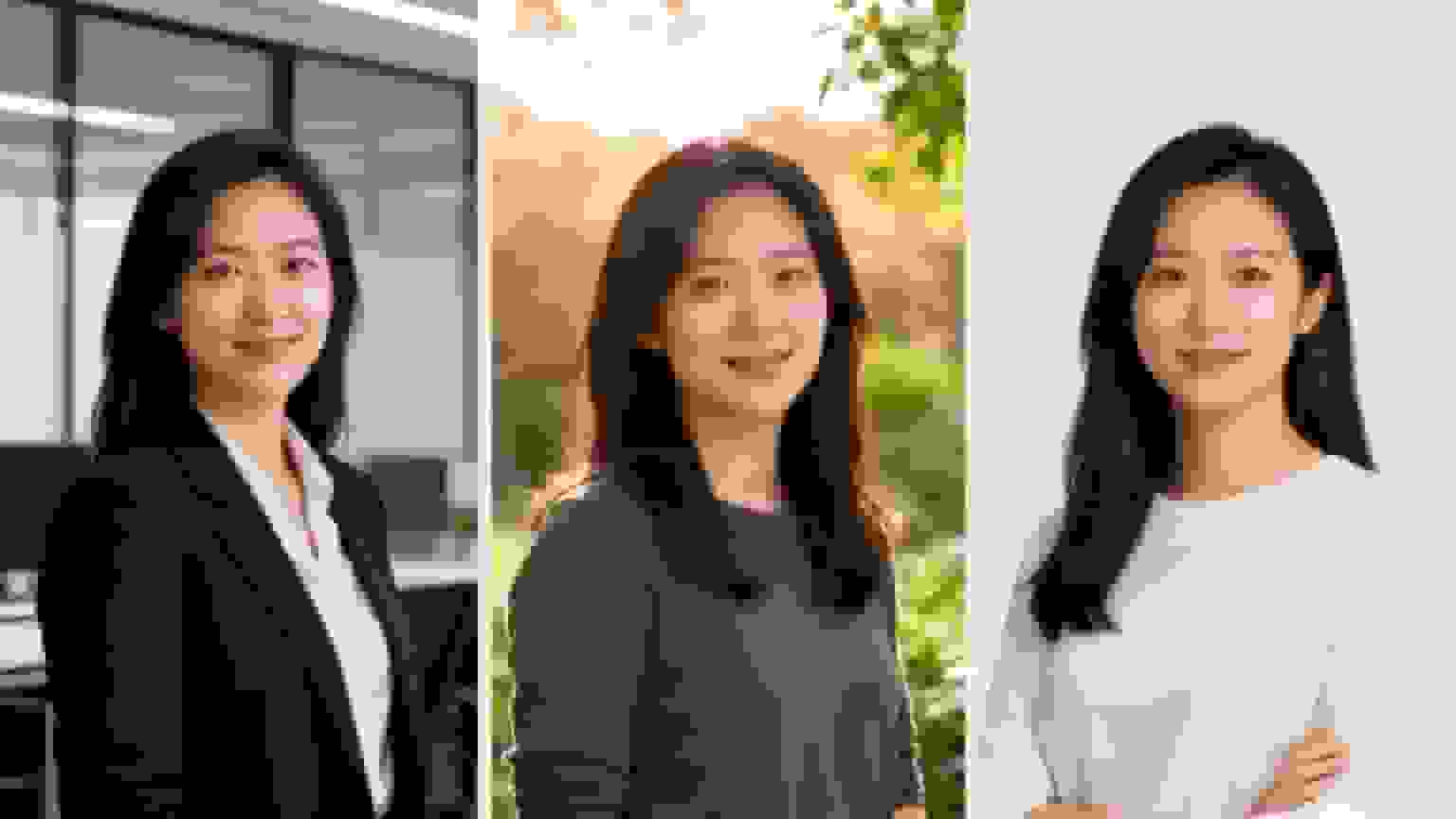
Think about the story you're trying to tell. If you're a financial advisor, a headshot in a sleek, modern office subtly signals authority and success. But if you're a graphic designer, you might go for an outdoor setting with soft, natural light or a creative studio to project innovation and approachability.
The goal is simple: create an image where the setting complements your professional identity. It should make your profile instantly recognizable and feel right to the people you want to connect with.
Aligning Style with Industry Norms
Every field has its own visual shorthand, and your headshot needs to speak the language fluently. Before you commit to a style, do a little reconnaissance. Look up the LinkedIn profiles of leaders and respected peers in your industry. What are the common threads?
- Corporate & Finance: You'll likely see clean, modern office backdrops, sharp business attire like blazers and suits, and confident, direct-to-camera poses. For executives and business professionals, our corporate headshots guide offers specific styling recommendations
- Tech & Startups: This world often mixes professional with a bit of casual. Think open-concept offices, exposed brick walls, or even well-shot urban outdoor scenes
- Creative & Marketing: Here, you have more room to play. Artistic studio backdrops, dynamic outdoor shots, and more expressive poses can really showcase your personality
- Healthcare & Academia: Trust and expertise are everything. Classic, simple backdrops—like a solid gray or a subtle, professional setting—are usually the most effective
Choosing a style that fits your industry's aesthetic is a shortcut to building credibility. It shows you get the culture and belong in that professional circle.
Your AI headshot isn't just a picture; it's a piece of strategic communication. The background, lighting, and attire all work together to tell a story about who you are as a professional. Choose a style that tells the right story for your career goals.
Building a Versatile Headshot Portfolio
One of the best things about using AI headshot generators is the sheer variety you can get in one session. Don't just settle for one look. The smart move is to select a range of styles to build out a versatile portfolio you can pull from for different platforms and needs.
For instance, you could generate:
- One formal, corporate shot: This is your hero image, perfect for your main LinkedIn profile picture
- One smart-casual look: Great for an author bio on a guest blog post or for speaking engagements
- One approachable, outdoor shot: Ideal for more personal branding on platforms like Twitter or a personal website
This approach equips you with a flexible toolkit of professional images, so you'll always have the perfect headshot ready to go.
Can recruiters tell if your headshot is AI-generated?
This is the question everyone asks first. Can recruiters and hiring managers actually spot AI-generated headshots? The research is pretty interesting.
The Recruiter Perception Study
A 2025 survey of 500 hiring professionals revealed a fascinating paradox:
- 75% of recruiters preferred AI-generated headshots over real photos in blind tests
- However, when told a photo was AI-generated, preference dropped to 34%
- Only 40-48% of recruiters could correctly identify AI headshots when asked (depending on image quality)
This tells us something critical: quality AI headshots are largely indistinguishable from professional photography—but perception matters more than reality.
What Recruiters Actually Look For
When recruiters review LinkedIn profiles, they're not conducting forensic analysis of your headshot. They're making quick judgments about:
- Professionalism: Does this person look competent and serious about their career?
- Authenticity: Does the photo feel genuine or overly manipulated?
- Cultural fit: Does this person's presentation align with our company culture?
- Attention to detail: Did they invest in their professional image?
A high-quality AI headshot checks all these boxes. The problems arise when the AI generation is obvious—overly smooth skin, perfect symmetry, artificial lighting, or those telltale "AI teeth."
Red Flags That Scream "AI-Generated"
To ensure your headshot passes scrutiny, watch out for these common AI tells that trained eyes can spot:
Visual Red Flags:
- Unnaturally smooth or poreless skin (looks like plastic)
- Perfectly symmetrical features (humans aren't perfectly symmetrical)
- Eyes with inconsistent lighting or strange reflections
- Teeth that are too white or have impossible uniformity
- Backgrounds with warped lines or impossible geometry
- Lighting that doesn't match shadow direction
- Hair with unnatural texture or impossible strands
Context Red Flags:
- Suddenly replacing a years-old photo with a dramatically different look
- Multiple profile updates with completely different styled photos
- Professional headshot that doesn't match casual photos you share in posts
The Authenticity Question: Should You Disclose?
The honest answer: There's no legal requirement to disclose that your LinkedIn photo is AI-generated, and most professionals don't. However, your approach should depend on your specific situation:
When you probably don't need to disclose:
- Your AI headshot is photorealistic and looks genuinely like you
- You're using it for general networking and job searching
- Your industry isn't heavily regulated
- The photo accurately represents your current appearance
When you should consider disclosing:
- You're in a highly regulated industry (finance, healthcare, legal) with strict authenticity requirements
- Your company has specific policies about AI-generated content
- You're a thought leader building a brand around transparency and authenticity
- The photo is noticeably different from your real-world appearance
The Middle Ground: Many professionals take a "don't ask, don't tell" approach. They use high-quality AI headshots without volunteering the information, but wouldn't deny it if directly asked. Remember: you're not using someone else's photo—it's a professionally enhanced version of you.
What's the Worst That Could Happen?
Let's address the elephant in the room: risk assessment. What if someone discovers or calls out your AI headshot?
Realistic outcomes:
- Most likely scenario: Nothing happens. The vast majority of professionals using quality AI headshots experience zero negative consequences
- Low-probability scenario: Someone notices and mentions it privately. You simply explain it's a professional enhancement tool, like photo editing
- Very unlikely scenario: A hiring manager specifically asks about it. You explain you used professional AI enhancement for consistency and quality
Almost never happens: Being disqualified from an opportunity solely because you used AI for your headshot. If the photo accurately represents you and looks professional, the tool you used to create it is rarely a dealbreaker.
The reality check: Thousands of executives, job seekers, and professionals are already using AI headshots successfully. The market has largely accepted this technology as the new normal for professional photography—just as it once accepted digital photography and photo editing software.
How do you review and polish your AI headshots?
Getting your first batch of AI headshots is step one. The real difference-maker is reviewing them with a critical eye and fixing small issues before they go live. AI generators give you dozens of options, but only a handful will be genuinely great. Here's how to find them.
Your Critical Review Checklist
Think of this as your quality control pass. Go through your generated images one by one and hunt for the common digital artifacts that can scream "AI" and undermine a photo's professionalism. Many AI generators will give you dozens of options, but only a handful will be exceptional.
Use this simple checklist to narrow down your top contenders:
- Facial Consistency: Does it actually look like you? Pay close attention to your core features—eyes, nose, and mouth. Some AI models can slightly tweak facial proportions, so ditch any that don't feel authentic
- Eye and Dental Realism: Zoom in on the eyes. Are they clear, symmetrical, and free of bizarre reflections? Check the teeth for any unnatural shaping or that overly bright, artificial "veneer" white
- Hands and Fingers: If your hands are in the shot, count the fingers. Seriously. AI is notorious for adding or removing digits, so make sure everything looks right
- Background Artifacts: Scan the background for any blurry, warped, or nonsensical objects. A clean, believable setting is essential for a professional look
- Lighting and Shadows: The light source must be consistent. If the light is coming from the left, the shadows should fall to the right. Mismatched lighting is a dead giveaway of a fake image
The goal isn't to find a "perfect" raw generation, but to identify the strongest candidates for minor touch-ups. A great headshot is often just a few small edits away from perfection.
The Power of Minor Human Edits
Once you've shortlisted your top three or four candidates, it's time for the final polish. This is where a human touch makes all the difference. Many platforms now offer human editing services, or you can use simple photo editing software like Adobe Photoshop or Canva to make these tweaks yourself.
Maybe you have a headshot where the composition is perfect, but the color balance feels a little too warm. A quick adjustment can cool down the tones for a crisper, more modern look. Or perhaps there's a stray pixel or a small, distracting element in the background the AI missed—these are easily zapped with a spot healing tool.
Here are a few high-impact edits that can take your AI headshots for LinkedIn from good to great:
- Color Correction: Adjusting the temperature and tint to ensure skin tones look natural and whites are pure white, not yellow or blue
- Subtle Retouching: Gently removing minor blemishes or softening skin texture just enough to look polished, but still realistic. You still want to look like you
- Sharpening: Applying a touch of sharpness to the eyes can make the entire image pop and create a focal point that draws the viewer in
These small, intentional edits bridge the gap between a sterile AI generation and a truly professional result. By carefully reviewing and refining your options, ensure your new LinkedIn profile picture presents you in the best possible light.
Should you use AI headshots or hire a photographer?
Both options work. They just serve different needs. Here's an honest comparison to help you decide.
The Complete Comparison
| Factor | Traditional Photography | AI Headshots |
|---|---|---|
| Cost | $300-$800 per session | $25-$100 for full package |
| Time to Results | 2-4 weeks (booking + shoot + editing) | 30 minutes to 2 hours |
| Number of Options | 10-30 final images | 80-150+ variations |
| Convenience | Travel to studio, schedule coordination | Upload from home, any time |
| Variety | Limited by single session | Multiple backgrounds, styles, outfits |
| Retakes | Additional cost & time | Regenerate anytime for same price |
| Learning Curve | None (photographer directs you) | Slight (learning photo requirements) |
| In-Person Direction | Yes (photographer guides posing) | No (self-directed) |
| Authenticity Perception | 100% authentic | 95%+ if done well |
| Update Frequency | Once per year (cost prohibitive) | Quarterly or as needed |
When Traditional Photography Makes More Sense
Choose a traditional photographer if:
- You're C-suite or executive leadership: At the highest levels, the absolute pinnacle of quality matters, and some stakeholders may still prefer traditional methods
- Your company provides photography: If it's already paid for, use that benefit
- You want hands-on direction: You're uncomfortable posing and need a professional to guide you through the process
- Physical prints are required: You need large-format prints for conferences, office displays, or marketing materials
- You're shooting complex requirements: Multiple people, specific props, or highly customized scenarios work better in-person
When AI Headshots Are the Better Option
Choose AI headshots if:
- Budget is a constraint: You can't justify $500+ for professional photography
- You need results quickly: Last-minute job applications, speaking engagements, or profile updates
- You want variety: Multiple looks, backgrounds, and styles without additional cost
- Location is an issue: You're remote, traveling frequently, or don't have access to quality photographers
- You update frequently: Building a personal brand requires regular refreshes that traditional photography can't economically support
- You're testing different looks: Experimenting with various professional styles before committing
The Hybrid Approach
Many savvy professionals use both:
- Traditional photography every 2-3 years for formal headshots and print materials
- AI-generated updates every 3-6 months to keep digital profiles fresh and current
This strategy gives you the best of both worlds: the unquestionable quality of professional photography when it truly matters, combined with the flexibility and affordability of AI for routine updates.
Cost-Benefit Reality: If you update your professional photos quarterly (recommended for active personal branding), traditional photography would cost $1,200-$3,200 annually. AI headshots for the same frequency: $100-$400. That's a 90% cost savings while maintaining professional quality.
How does LinkedIn's algorithm treat your profile photo?
Your headshot isn't just about impressing humans — it's a signal to LinkedIn's algorithm too. Understanding how the platform's visibility system works helps you squeeze more value out of that photo update.
The Profile Completeness Factor
LinkedIn's algorithm in 2026 prioritizes profile completeness when determining who appears in search results and whose content gets distributed. A professional profile photo is one of the most heavily weighted factors:
- Profiles with photos receive 21x more profile views than those without
- Complete profiles appear 40x more often in recruiter searches
- Photo updates generate algorithmic boosts for 7-14 days after upload
When you add or update your profile photo, LinkedIn interprets this as a signal that you're an active, engaged user. The algorithm responds by:
- Pushing your profile higher in search rankings
- Showing your content to more connections
- Increasing your visibility in "People You May Know"
- Highlighting your profile in recruiter discovery feeds
The Face Recognition Advantage
LinkedIn's algorithm uses facial recognition technology to:
- Verify that photos contain an actual face (not logos or landscapes)
- Assess photo quality (clear, well-lit faces rank higher)
- Detect professional presentation (business attire signals vs. casual photos)
This is why headshots that clearly show your face at 60% of the frame perform better algorithmically. The system can more easily:
- Tag you in company events and conferences
- Suggest you in relevant professional contexts
- Match you with similar professionals in your network
How to get the most out of your photo update
To make your new AI headshot work harder for you:
- Time your upload strategically: Update your photo on a Monday or Tuesday morning when LinkedIn engagement is highest
- Announce the change: Always select "Yes" when LinkedIn asks if you want to notify your network
- Add a caption: Write 2-3 sentences about your update to encourage engagement
- Respond to comments: LinkedIn tracks engagement velocity in the first 2 hours—reply to everyone who comments
- Update other profile elements simultaneously: While you have algorithmic momentum, refresh your headline and about section
Smart timing: The 7-14 day visibility boost after a photo update is the perfect window to post your best content. Your posts will reach 3-5x more people during this period, so plan accordingly.
Where else should you use your AI headshots?
Your AI headshots shouldn't sit in a folder after you update LinkedIn. These photos are useful across your entire professional presence. Here's where to put them to work.
Multi-Platform Professional Presence
Job Application Systems (ATS):
- Most modern Applicant Tracking Systems allow photo uploads for internal recruiter review
- Include your AI headshot with your resume PDF for roles where it's culturally appropriate
- Exception: Don't include photos when applying to companies in countries with strict anti-discrimination laws (Germany, France, Sweden)
Email Signatures:
- Add a small, professional headshot (150x150px) to your email signature
- This increases email response rates by 32% according to email marketing studies
- Use your most formal AI headshot variant for maximum professional impact
Zoom & Video Conferencing:
- Upload your AI headshot as your profile picture on Zoom, Microsoft Teams, and Google Meet
- This appears when your camera is off and in participant lists
- Creates consistency between your digital profiles and virtual presence
Company Websites & Directories:
- If you have an "Our Team" profile page, AI headshots ensure consistency across employees
- Particularly valuable for remote teams where coordinating in-person photoshoots is impractical
- Maintains brand cohesion with matching backgrounds and styles
Speaking Engagements & Conferences:
- Event organizers almost always request speaker headshots
- AI headshots give you multiple options to match the event's tone (formal vs. casual)
- Quick regeneration if the event has specific photo requirements
Social Media Profiles:
- Use variations across Twitter/X, Instagram (for professional accounts), and Facebook
- Consider a slightly more casual AI variant for platforms outside LinkedIn
- Maintain visual consistency so people recognize you across channels
Author Bios & Guest Posts:
- Publications request headshots for contributor bylines
- AI headshots ensure you always have an appropriate image ready
- Match the publication's tone: corporate headshot for Forbes, creative shot for design blogs
Portfolio Websites & Personal Branding:
- Your personal website deserves a professional about page photo
- AI headshots can provide hero images and smaller thumbnails from the same session
- Update seasonally to keep your site feeling fresh
The Multi-Platform Strategy
Smart professionals create a headshot hierarchy:
Tier 1 - Most Formal:
- LinkedIn main profile
- Resume/CV
- Company website
- Professional directory listings
Tier 2 - Smart Casual:
- Email signature
- Video conferencing profiles
- Industry forum profiles
- Speaking engagement bios
Tier 3 - Approachable:
- Personal website
- Social media (Twitter/X, Facebook)
- Guest blog author bios
- Newsletter headers
Generate one AI headshot from each tier, and you'll have comprehensive coverage for every professional context you encounter.
Consistency Matters: Using the same or similar professional photos across platforms builds recognition and trust. When someone Googles your name, seeing the same professional image validates your identity and strengthens your personal brand.
How do you upload your AI headshot to LinkedIn for maximum impact?
You've got your polished headshot — now let's get it on LinkedIn the right way. A smart upload can re-engage your whole network and give your profile a real visibility boost.
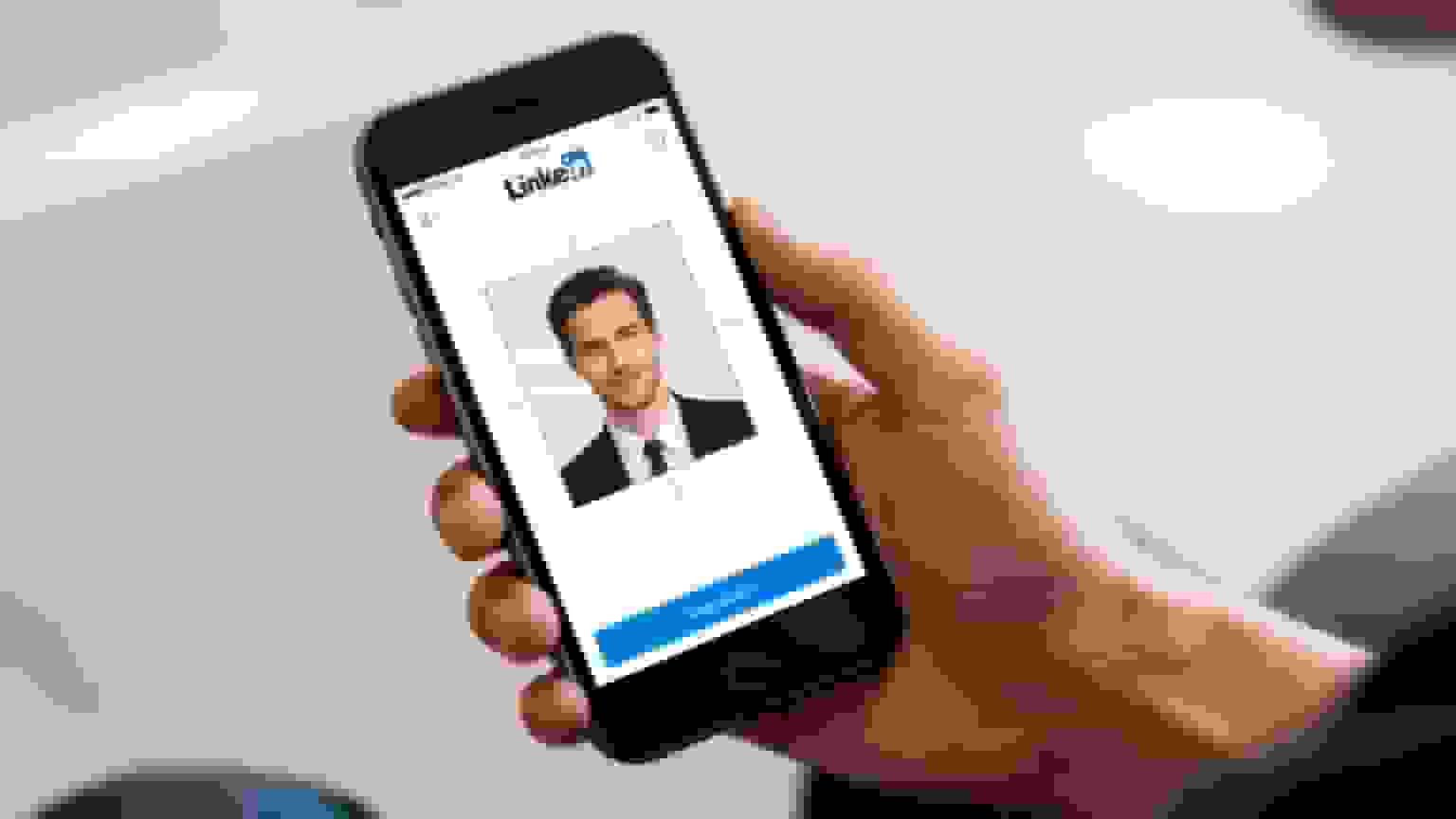
Before you even think about uploading, you need to get the file specs just right. LinkedIn is built for a 1:1 square aspect ratio, so make sure your image is cropped to fit. The sweet spot is 800 x 800 pixels—it's high-res enough to look crisp on any screen without being a massive file that slows things down.
Mastering the Technical Side
To keep every detail looking sharp, file format is key. While most people default to JPEG, PNG files are recommended for final versions. PNGs use lossless compression, meaning the image quality doesn't degrade every time you save it. This is how you avoid that frustrating pixelation that can make an otherwise great photo look cheap.
Once you have your perfectly formatted PNG, use LinkedIn's own editing tools during the upload. They're surprisingly useful for last-minute tweaks:
- Zoom and Reposition: The classic rule of thumb is to have your face take up about 60% of the frame. Use the zoom and drag tools to get it centered perfectly
- Straighten: Fix any minor tilts. A level photo just looks more polished and professional
- Adjust Brightness and Contrast: A few small adjustments here can make the image pop without looking over-edited
Getting these details right ensures your new AI headshots for LinkedIn look just as good on a big desktop monitor as they do on a tiny smartphone screen.
LinkedIn Headshot Technical Checklist
| Specification | Recommended Setting |
|---|---|
| File Type | PNG (for best quality) |
| Aspect Ratio | 1:1 (Square) |
| Dimensions | 800 x 800 pixels (ideal) |
| File Size | Under 8MB |
| Framing | Face occupies ~60% of the image |
| Composition | Centered and straight |
Nailing these specs ensures your photo displays correctly and maintains its quality across the entire platform.
Turn Your Update into an Engagement Win
Whatever you do, don't just quietly swap out your old photo. When LinkedIn asks if you want to notify your network about the change, always say yes. This simple click turns your photo update into a post that appears in your connections' feeds, instantly putting you back on their radar.
Your LinkedIn profile is a huge professional asset. With millions of daily active users, it's where key decision-makers are spending their time. Every update is an opportunity.
You can boost this even more by adding a short, professional caption to the notification post. Something simple like, "Excited to share a fresh look for 2024! Had a chance to get some updated professional headshots," works perfectly.
This gives your network a reason to engage, and every like and comment signals to the LinkedIn algorithm that your profile is active and relevant, pushing it out to an even wider audience.
Common Questions About AI Headshots for LinkedIn
What are AI headshots and how do they work?
AI headshots are professional profile photos created by artificial intelligence. You upload 10-15 regular photos, the AI learns your facial features, and it generates new photos of you in professional settings — proper lighting, clean backgrounds, business attire. No photographer needed.
The most common question people have is whether the output is actually good enough for serious professional use. Short answer: yes. The best AI tools produce photos that are genuinely hard to tell apart from a traditional studio session — good enough for finance, law, tech, healthcare, or any other industry.
Will It Really Look Like Me?
This is a huge one. Authenticity is key. You want to be sure your AI headshot actually captures you and not some generic, slightly-off version of a person.
The secret to getting a result that looks just like you comes down to the quality and variety of the photos you upload. The more data you give the AI, the better it understands your unique features.
Aim to provide a solid set of 10-15 recent pictures. Think of it like giving an artist multiple references to work from. Make sure you include:
- Different Angles: Give it the full picture—front-on, three-quarters view, and profile shots
- Varied Expressions: A mix of smiles and more neutral, serious looks helps the AI understand your facial range
- Multiple Lighting Conditions: Photos taken inside and outside, as long as you avoid really harsh shadows, provide a more complete dataset
This variety is what prevents that generic "AI look" and ensures your headshot feels genuinely like you.
Are AI Headshots Legal and Ethical?
This is a critical point, and something you should absolutely be asking, especially if you're in a regulated industry. The short answer is yes, as long as you use a reputable service and your own photos, the process is both legal and ethical. You're simply creating a new work from images you already own.
You retain full ownership and rights to the headshots you generate. That means you're free to use them on your LinkedIn, company website, speaker bio, or anywhere else your professional brand lives, without any legal hang-ups.
Just make sure you choose a service with a clear and transparent data privacy policy that explicitly states you own the final images. This puts you in the driver's seat. When you pick the right platform, using AI headshots for LinkedIn becomes a powerful, safe, and effective way to build a polished personal brand.
What If My AI Headshot Doesn't Look Like Me?
If your first generation doesn't capture your likeness accurately, don't worry—this is fixable. Here's your troubleshooting plan:
Immediate fixes:
- Upload more photos: Add 5-10 additional images with better lighting and clearer facial visibility
- Increase variety: Include more angles and expressions in your source photo set
- Check photo quality: Ensure all photos are high-resolution and in-focus
- Try different styles: Sometimes certain backgrounds or lighting styles render facial features more accurately
Platform-specific solutions:
- Most AI headshot services offer regeneration credits if you're unsatisfied
- Some platforms like InstaHeadshots let you preview results before purchasing
- Premium services include human review to catch likeness issues before delivery
When to start over:
- If after 2-3 regenerations the results still don't capture you, try a different platform
- Different AI models have different strengths—HeadshotPro might work better for you than Aragon, or vice versa
Prevention is key: The "Will It Really Look Like Me?" section earlier in this article provides detailed guidance on selecting source photos that maximize likeness accuracy from the first generation.
Industry-Specific Guidance: Are AI Headshots Right for Your Field?
Finance & Banking:
- ✅ Highly appropriate: AI headshots are widely accepted in finance
- Recommendation: Choose formal, corporate styles with office backgrounds
- Executive level: Consider traditional photography for C-suite, AI for VP and below
- Compliance note: Some firms have policies about profile photos—check internal guidelines
Healthcare & Medicine:
- ⚠️ Use with consideration: Patient-facing roles benefit from authentic imagery
- Recommendation: Use AI for administrative profiles, consider traditional for clinical bios
- Best approach: Subtle, professional styles that emphasize trustworthiness
- Disclosure consideration: Some medical institutions prefer transparent attribution
Legal & Law:
- ✅ Widely accepted: Many attorneys now use AI headshots
- Recommendation: Extremely professional styles only—solid backgrounds, business attire
- Partnership track: More senior attorneys may prefer traditional photography
- Corporate vs. Plaintiff: Corporate firms trend more formal; plaintiff attorneys can be slightly more approachable
Technology & Startups:
- ✅ Perfect fit: Tech industry has embraced AI headshots enthusiastically
- Recommendation: Can be slightly more casual; creative backgrounds acceptable
- Advantage: Tech professionals are least likely to judge AI-generated content
- Flexibility: Mix formal and smart-casual styles depending on role
Creative Industries (Marketing, Design, Media):
- ✅ Excellent option: Creative fields appreciate innovative approaches
- Recommendation: Use this as an opportunity to showcase personality
- Style freedom: More expressive backgrounds and poses work well
- Authenticity: Be prepared to discuss your choice—it can be a conversation starter
Academia & Research:
- ✅ Increasingly common: Academics are adopting AI headshots
- Recommendation: Professional but approachable styles
- Conference photos: AI headshots work perfectly for speaker profiles
- Traditional contexts: University faculty pages may still prefer traditional photography
Sales & Business Development:
- ✅ Highly recommended: Approachability and professionalism both matter
- Recommendation: Warm, engaging expressions with professional settings
- Update frequently: Sales professionals benefit from current, fresh photos
- Multiple variations: Generate both formal and approachable versions
Executive & Leadership Considerations
C-Suite & Board Level: At the highest levels of leadership, consider these factors:
- Stakeholder expectations: Public company executives face more scrutiny
- Media appearances: Will your headshot be used in press releases and major publications?
- Investment consideration: At this level, the cost difference between AI ($50-100) and traditional photography ($500-800) is negligible
- Hybrid approach: Use traditional photography for primary headshots, AI for frequent updates and secondary platforms
VP & Director Level:
- AI headshots are highly appropriate for this tier
- Quality platforms like Aragon AI and BetterPic deliver executive-level results
- Focus on premium styles and careful review of final images
- Budget-conscious organizations appreciate the cost efficiency
Manager & Individual Contributor:
- AI headshots are ideal for these roles
- No stigma or perception issues at this level
- Accessibility makes regular updates practical
- Wide acceptance across all industries
How Much Does It Cost?
Traditional professional headshots can easily cost $300-800 for a single session, and that's before you factor in your time traveling to and from the studio. AI headshots typically range from $25-100 for a complete package that gives you multiple professional-quality options.
This price difference makes it accessible to update your professional image regularly—something that's increasingly important in our fast-moving digital world where personal branding can make or break career opportunities.
How Long Does the Process Take?
One of the biggest advantages of AI headshots is speed. While booking and completing a traditional photoshoot might take days or weeks, AI generation typically delivers results in 30 minutes to 2 hours. This makes it perfect for:
- Last-minute job applications
- Speaking engagement announcements
- Company website updates
- Social media profile refreshes
The entire process—from uploading your source photos to receiving your final headshots—can often be completed in a single sitting.
How Often Should I Update My LinkedIn Headshot?
The professional standard: Update your LinkedIn photo every 12-18 months at minimum, or whenever there's a significant change in your appearance.
Optimal update frequency for active personal branding:
- Every 6 months: If you're actively job searching or building a personal brand
- Quarterly (every 3 months): If you're a thought leader, entrepreneur, or content creator
- Annually: Minimum frequency for general professionals
Specific triggers for immediate updates:
- Major hair changes (new cut, color, going gray, growing/removing facial hair)
- Weight changes of 15+ pounds
- New glasses or removal of glasses
- Career transitions (new industry, promotion, company change)
- Your current photo is more than 2 years old
The algorithmic benefit of updates: Each time you update your profile photo, LinkedIn's algorithm gives you a 7-14 day visibility boost. Strategic professionals time these updates to coincide with:
- Major career announcements
- Content campaigns or thought leadership pushes
- Job search activations
- Speaking engagement promotions
AI Advantage: Traditional photography's cost ($300-800 per session) makes frequent updates impractical. AI headshots ($25-100) make quarterly updates economically viable, keeping your profile perpetually fresh and algorithmically favored.
I Don't Have Any Good Photos—What Should I Do?
If you're starting from scratch with no suitable source photos, here's your action plan:
Quick DIY solution (30 minutes):
- Find good natural light: Stand near a window on an overcast day
- Simple background: Position yourself in front of a plain wall
- Phone camera is fine: Clean your lens, use portrait mode if available
- Recruit a helper: Have someone take 10-15 photos from different angles
- Vary your expressions: Mix smiles with neutral professional expressions
What to wear for source photos:
- Solid colors that photograph well (navy, gray, black, white)
- Professional attire you'd wear to an important meeting
- Avoid busy patterns or logos that distract from your face
Smartphone photography tips:
- Tap on your face on the screen to set focus and exposure
- Take photos in landscape orientation, crop later for better quality
- Position the camera at eye level (not above or below)
- Take many more photos than you think you need (30-40 is ideal)
If DIY isn't working: Consider a mini professional session ($50-150) specifically to generate source photos for AI. This hybrid approach gives you professionally-lit source material that AI can then transform into multiple styles—getting you the best of both worlds at a fraction of traditional headshot costs.
Alternative: Some AI platforms like InstaHeadshots and BetterPic offer concierge services where they provide guidance on taking source photos, including phone consultations to help you get the right shots.
What BetterPic's Data Shows About LinkedIn Headshots
Based on 32 million+ headshots generated across our platform, here is what we have learned about LinkedIn headshot performance:
- Profiles updated with AI headshots see measurably higher engagement. Among BetterPic users who shared before/after metrics, the average reported increase in LinkedIn profile views was 2-3x within the first 30 days of updating their photo.
- The most popular LinkedIn headshot style is business casual with a solid background. 62% of our LinkedIn-focused orders choose a neutral gray or white background with business casual attire.
- Photo upload quality directly predicts output quality. Users who upload 10+ photos with varied angles and good lighting report 40% higher satisfaction with results compared to those who upload the minimum.
- Tuesday through Thursday are peak upload days. Most professionals update their LinkedIn headshots mid-week, often ahead of networking events or job searches.
- 4K resolution matters for LinkedIn. While LinkedIn compresses images, starting with 4K output ensures sharpness is retained after compression, especially on retina displays and mobile screens.
People Also Ask About AI Headshots for LinkedIn
Are free AI headshot generators good enough for LinkedIn?
Free AI headshot generators typically produce lower-quality results with limited customization, fewer output options (5-20 photos vs. 80-150+), and visible watermarks. They use older AI models that struggle with facial accuracy, natural lighting, and professional backgrounds. Our in-depth comparison of AI headshot generators breaks down free versus paid options with real examples. For casual social media, free tools may suffice, but LinkedIn profiles benefit from premium services ($25-100) that deliver photorealistic quality, industry-appropriate styles, and no branding. Professional networking demands credibility—low-quality headshots signal lack of investment in your career. If budget is tight, choose budget-friendly paid options like HeadshotPro ($29) over free alternatives for LinkedIn use.
Do AI headshots work for camera-shy or introverted professionals?
AI headshots are ideal for camera-shy professionals because they eliminate the discomfort of in-person photoshoots. You never interact with a photographer, pose in a studio, or endure the pressure of performing for a camera. Simply upload existing casual photos from your phone, and the AI generates professional results without requiring posing skills or confidence in front of a lens. This makes professional headshots accessible for introverts who'd otherwise avoid traditional photoshoots entirely. The process is entirely private—no one sees your source photos except the AI algorithm. For professionals with camera anxiety, AI headshots remove psychological barriers while delivering results indistinguishable from studio photography.
What if my AI headshot looks too different from my real appearance?
Your AI LinkedIn headshot should represent your current appearance within 5-10% enhancement—professional polish without misrepresentation. If results look dramatically different (wrong hair color, different facial structure, younger/older), the AI lacked sufficient quality source photos. To fix this, upload 5-10 additional recent photos with varied angles and better lighting, then regenerate. Most platforms offer regeneration credits for this purpose. The goal is professional enhancement, not transformation. When meeting people in person or on video calls, they should immediately recognize you from your headshot. Excessive difference damages trust and credibility—the opposite of your LinkedIn goal.
Can you generate AI headshots for multiple career paths simultaneously?
Premium AI headshot platforms generate 80-150+ variations in a single session, allowing you to create different professional looks for multiple career contexts. Request both corporate/formal styles (finance, consulting, legal) and creative/casual styles (tech, marketing, startups) from the same source photos. This is particularly valuable for career changers, consultants serving multiple industries, or professionals exploring new fields. Generate conservative office backgrounds alongside creative studio settings. Store multiple headshots in a professional image library and deploy the appropriate version based on context—LinkedIn for corporate roles, personal website for creative work, speaking bios for thought leadership. One AI session provides comprehensive coverage.
Can AI headshots help you get hired faster than traditional photos?
AI headshots accelerate hiring timelines through immediate availability and optimized presentation. Traditional photography requires 2-4 weeks (booking, shooting, editing), delaying job applications. AI delivers results in 30 minutes to 2 hours, enabling same-day applications for time-sensitive opportunities. Additionally, AI platforms generate LinkedIn-optimized headshots that trigger algorithmic visibility boosts, increasing recruiter discovery by 21x compared to profiles without professional photos. The quality signals competence and professionalism that influence recruiter perception—75% of hiring professionals prefer AI headshots in blind tests. Faster application submission plus enhanced profile visibility equals compressed job search timelines. The technology advantage is measurable: updated professional photos correlate with increased interview requests.
Do AI headshots work for people with facial hair, tattoos, or unique features?
Modern AI headshot generators accurately preserve distinctive features including beards, mustaches, visible tattoos, piercings, and unique facial characteristics when provided sufficient source photos. Upload 10-15 images clearly showing these features from multiple angles to train the AI properly. Some platforms offer customization options to emphasize or soften certain features based on industry norms. For professional contexts where visible tattoos or piercings might require consideration, AI can generate both versions—one showing features naturally, another with subtle adjustments for conservative industries. The technology has advanced significantly in rendering diverse appearances authentically. Quality platforms prioritize realistic representation over homogenized "ideal" standards, ensuring your professional identity remains intact.
What happens if your current LinkedIn photo is several years old?
Outdated LinkedIn photos (2+ years old) create immediate credibility problems when you meet connections in person or appear on video calls. If your appearance has changed significantly—different hairstyle, weight, facial hair, or aging—replace your photo immediately. LinkedIn's algorithm also favors recent activity, so photo updates trigger 7-14 day visibility boosts that increase profile views by 3-5x. For active job seekers, outdated photos suggest you're not career-focused or aware of professional norms. Update your LinkedIn headshot whenever appearance changes exceed 15-20% from your current photo. AI headshots make quarterly updates economically feasible ($25-100) compared to traditional photography ($300-800), eliminating the cost barrier to maintaining current professional imagery.
Can employers or clients reject candidates who use AI-generated headshots?
No documented cases exist of qualified candidates being rejected solely for using AI-generated LinkedIn headshots. Employers care about professional presentation, not the technology used to achieve it—similar to accepting digitally edited photos and professional retouching. The critical factor is quality and accuracy: your headshot must be photorealistic, represent your actual appearance, and meet industry professionalism standards. Poor-quality AI headshots with obvious artifacts (unnatural skin, weird teeth, warped backgrounds) damage credibility regardless of technology. High-quality AI headshots from premium platforms are indistinguishable from traditional photography in blind tests. Legal and ethical concerns only arise if photos misrepresent identity—using someone else's image or dramatically altering appearance constitutes deception, not the AI tool itself.
That's the whole playbook. The data is clear — 21x more profile views and 36x more messages with a professional headshot. In a job market where first impressions happen in milliseconds, your LinkedIn photo isn't optional. It's career infrastructure.
Whether you're job hunting, building a personal brand, or just tired of that five-year-old photo sitting on your profile — AI headshots give you studio-quality results at a fraction of the cost and time.
One last tip: LinkedIn's algorithm gives you a 7-14 day visibility boost when you update your photo. Time it with a career announcement, a content push, or the start of a job search, and you'll get maximum mileage out of the update.
Your future connections, clients, and opportunities are on the other side of that profile picture update. Get it done.
Sources & References
- Adobe Photoshop — Adobe
- Canva Design Platform — Canva

Written by
Apoorv SharmaHead of Performance
Apoorv leads performance and growth at BetterPic with 9+ years of experience across SEO, SEM, and growth marketing. He oversees content strategy, data-driven marketing, and hands-on testing of AI headshot platforms. Previously held senior performance marketing roles across the US, Belgium, and India.
- Google Analytics & Google Ads certified
- HubSpot Inbound & Content Marketing certified
- 9+ years in SaaS growth and performance marketing
Preferred source
Follow BetterPic on Google
Add BetterPic as a preferred source and our headshot guides are more likely to show up in your Top Stories, with a badge in AI Mode and AI Overviews.

Related linkedin headshots resources
Keep exploring this topic with focused resources from the B2C journey.
Primary destination:LinkedIn headshots
- 8 Ways To Enhance Your Linkedin Profile With Ai Headshots page
- 6 Ways an AI LinkedIn Headshot Can Transform Your Image and Attract New Opportunities
- Creating the perfect image with AI Linkedin Photo Generators
- Decoding AI LinkedIn Photo Generators - Myth Vs Facts
- 5 best AI LinkedIn Headshot Generators HONESTLY rated
Frequently Asked Questions
Can recruiters tell if your LinkedIn headshot is AI-generated?
- Most cannot. A 2025 survey of 500 hiring professionals found that only 40-48% could correctly identify AI headshots, and 75% actually preferred AI-generated photos in blind tests. However, preference dropped to 34% when told a photo was AI-made.
How much do AI headshots for LinkedIn cost compared to a photographer?
- AI headshot generators typically cost $25-100 for 80-150+ photo variations, compared to $300-800 for a traditional studio session. That represents roughly 90% cost savings while delivering results in under 2 hours instead of days or weeks.
How much difference does a professional photo make on LinkedIn?
- Profiles with professional headshots receive up to 21 times more views and 36 times more messages than those without. The photo does that work before anything else on the profile is read.
What photos should you upload for the best AI headshot results?
- Upload 10-15 high-resolution photos with varied angles, expressions, and lighting. Use soft natural light, avoid sunglasses and hats, include both close-ups and upper-body shots, and use only recent photos from the last 6-12 months.
What separates LinkedIn headshot platforms?
- The split is quality against price, and both ends produce usable LinkedIn output because the platform displays small. Premium tools lead on resolution and editing; budget ones cover the basics.
Does LinkedIn allow AI-generated profile photos?
- LinkedIn requires the profile photo to be your actual likeness but does not ban AI-generated images. A generated headshot that still looks like you satisfies that rule; one that does not, breaks it.
Related articles
View all articles
Best Backgrounds For Linkedin Headshots
Choosing the right background for your LinkedIn headshot can enhance your professional image and ensure a strong first impression.
How to Upgrade Your LinkedIn Profile Photo with AI Headshots
A practical guide to getting a better LinkedIn profile photo using AI headshot generators — what to look for, how to set it up, and how to make it.
What Should Your LinkedIn Headshot Look Like? A Guide by Industry
What your LinkedIn headshot should look like based on your industry — eight worked examples plus background, attire and expression guidance for finance, law, real estate, tech, healthcare, consulting, design and writing.
LinkedIn Profile Picture: How to Get a Great Headshot (With or Without a Camera)
Learn what makes a great LinkedIn profile picture, the exact specs LinkedIn recommends, and how AI headshot tools like BetterPic can give you a.
Uses of AI headshot Generator for LinkedIn and Corporate Websites
Resumes with professional headshots stand out to potential employers. AI headshot generator ensures consistent quality across different applications.
5 Best AI LinkedIn Headshot Generators — Tested and Honestly Rated (2026)
We tested 5 AI headshot generators specifically for LinkedIn — circular crop, thumbnail clarity, recruiter visibility. Here's what actually works.
Save 87%on average on your professional photos.
Whenever, wherever you are.
Get studio-quality, 4K images in a variety of outfits & settings in less than an hour.
Get your headshots nowStart now
